> ## Documentation Index
> Fetch the complete documentation index at: https://docs.ticketspotapp.com/llms.txt
> Use this file to discover all available pages before exploring further.
# Widget and checkout text reference
> Find every customizable label and message for events, checkout, seating, membership verification, required tickets, and Shopify.
Open **Design → Widget → All Settings → Text**, then choose the section shown below. **Search settings** also finds individual labels. Wording changes do not enable a feature or change its purchase rules.
Preserve placeholders exactly as shown in each field's help. For example, keep `{ticket}`, `{quantity}`, `{count}`, `{step}`, `{completed}`, `{total}`, `{remaining}`, `{price}`, and `{duration}` in messages that need those values. Installment fields may use double braces such as `{{amount}}` and `{{count}}`. These examples are shown as placeholders in the reference tables below.
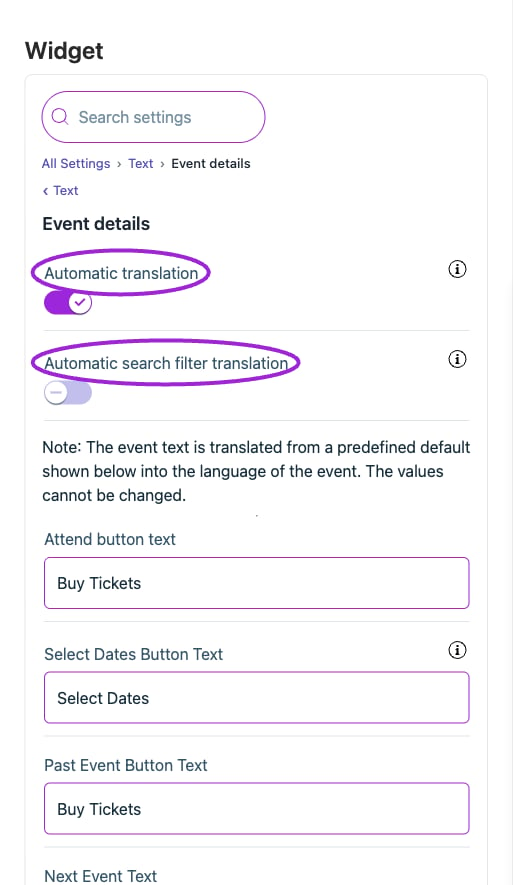
**Automatic translation** changes supported event text to the visitor's language; the search-filter translation control depends on it. Outgoing emails and tickets have separate [Multilingual communications](./multilingual-communications) settings. Shopify variant labels apply to the Shopify product experience.
New checkout wording includes per-attendee progress, copy-from-purchaser and save/next actions, review/order errors, waitlist details, required-ticket guidance, seat-limit/unavailable messages, add-on quantities and conflicts, and membership verification/pricing. Test the corresponding states after changing their wording; a normal purchase will not exercise error and sold-out messages.
## Checkout › Add-ons
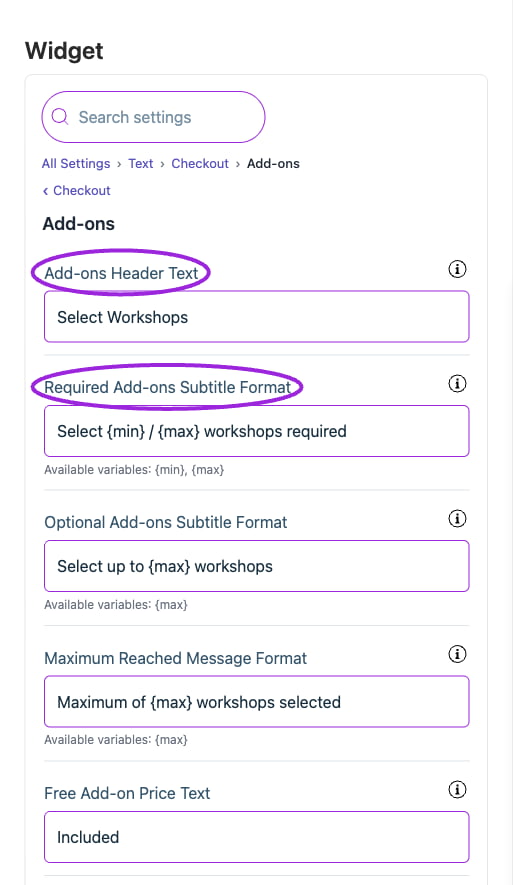
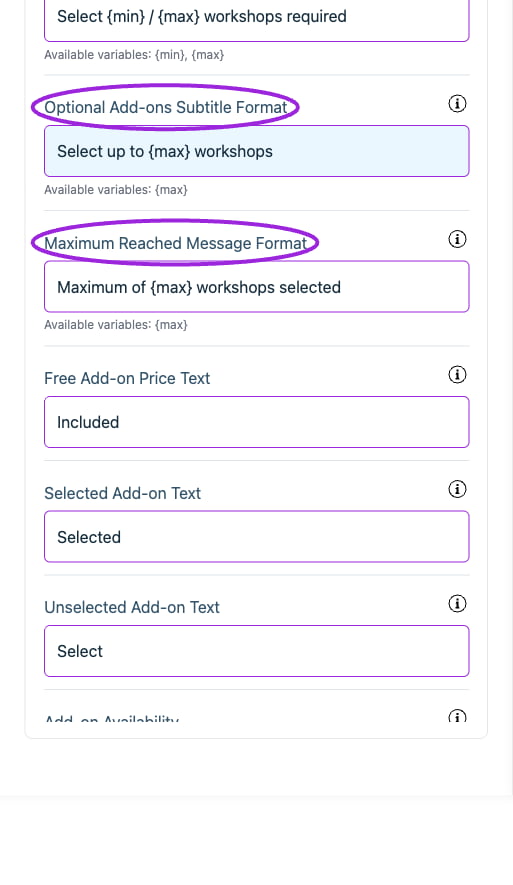
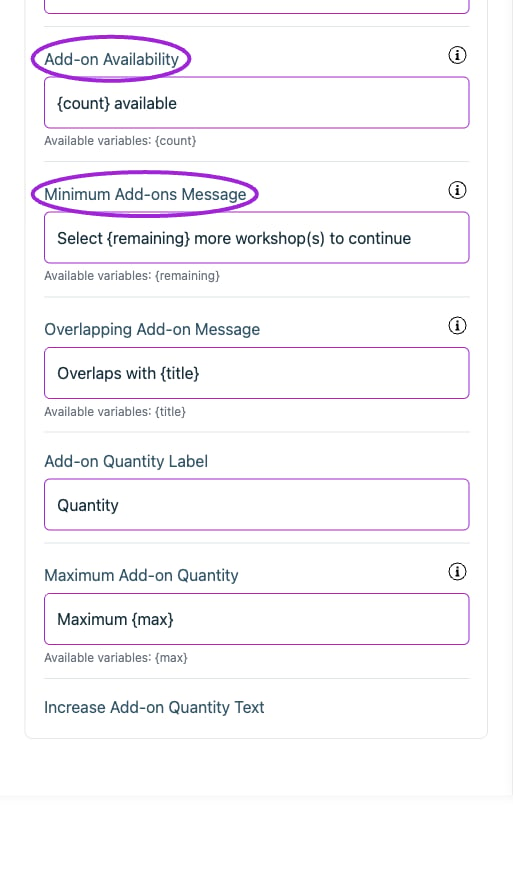
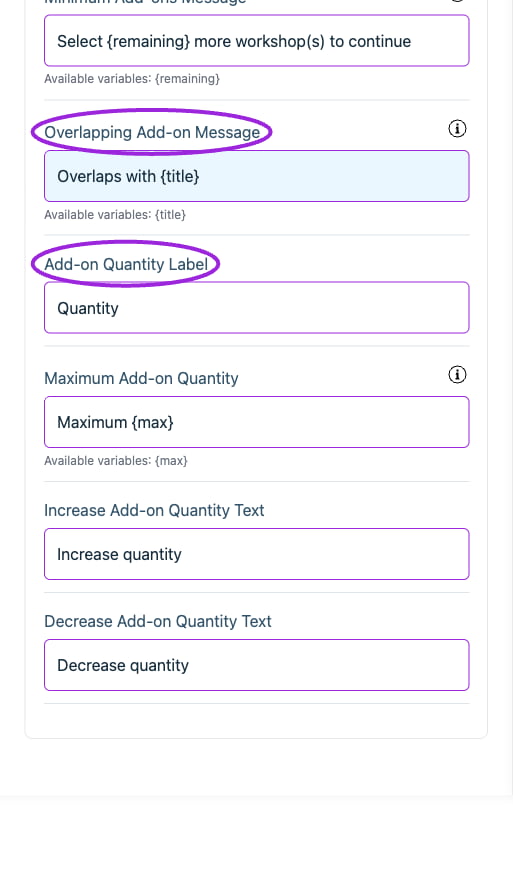 | Option | Control | What it changes |
| - | - | - |
| **Add-on Availability** | Setting | How many places remain on an add-on. Use \{count} as a placeholder. Shown only when capacity is what limits the buyer. |
| **Add-on Quantity Label** | Setting | Set the attendee-facing wording for this item. |
| **Add-ons Header Text** | Setting | Header text displayed at the top of the add-ons selection screen. |
| **Decrease Add-on Quantity Text** | Setting | Set the attendee-facing wording for this item. |
| **Free Add-on Price Text** | Setting | Text displayed for free add-ons instead of price. |
| **Increase Add-on Quantity Text** | Setting | Set the attendee-facing wording for this item. |
| **Maximum Add-on Quantity** | Setting | Use \{max} for the maximum quantity. |
| **Maximum Reached Message Format** | Setting | Message when maximum add-ons are selected. Use \{max} placeholder. Example: 'Maximum of \{max} workshops selected' |
| **Minimum Add-ons Message** | Setting | Use \{remaining} for the number of workshops still required. |
| **Optional Add-ons Subtitle Format** | Setting | Format for optional add-ons subtitle. Use \{max} placeholder. Example: 'Select up to \{max} workshops' |
| **Overlapping Add-on Message** | Setting | Use \{title} for the conflicting workshop. |
| **Required Add-ons Subtitle Format** | Setting | Format for required add-ons subtitle. Use \{min} and \{max} placeholders. Example: 'Select \{min} / \{max} workshops required' |
| **Selected Add-on Text** | Setting | Text shown on selected add-on button. |
| **Unselected Add-on Text** | Setting | Text shown on unselected add-on button. |
## Checkout › Attendee information
| Option | Control | What it changes |
| - | - | - |
| **Add-on Availability** | Setting | How many places remain on an add-on. Use \{count} as a placeholder. Shown only when capacity is what limits the buyer. |
| **Add-on Quantity Label** | Setting | Set the attendee-facing wording for this item. |
| **Add-ons Header Text** | Setting | Header text displayed at the top of the add-ons selection screen. |
| **Decrease Add-on Quantity Text** | Setting | Set the attendee-facing wording for this item. |
| **Free Add-on Price Text** | Setting | Text displayed for free add-ons instead of price. |
| **Increase Add-on Quantity Text** | Setting | Set the attendee-facing wording for this item. |
| **Maximum Add-on Quantity** | Setting | Use \{max} for the maximum quantity. |
| **Maximum Reached Message Format** | Setting | Message when maximum add-ons are selected. Use \{max} placeholder. Example: 'Maximum of \{max} workshops selected' |
| **Minimum Add-ons Message** | Setting | Use \{remaining} for the number of workshops still required. |
| **Optional Add-ons Subtitle Format** | Setting | Format for optional add-ons subtitle. Use \{max} placeholder. Example: 'Select up to \{max} workshops' |
| **Overlapping Add-on Message** | Setting | Use \{title} for the conflicting workshop. |
| **Required Add-ons Subtitle Format** | Setting | Format for required add-ons subtitle. Use \{min} and \{max} placeholders. Example: 'Select \{min} / \{max} workshops required' |
| **Selected Add-on Text** | Setting | Text shown on selected add-on button. |
| **Unselected Add-on Text** | Setting | Text shown on unselected add-on button. |
## Checkout › Attendee information
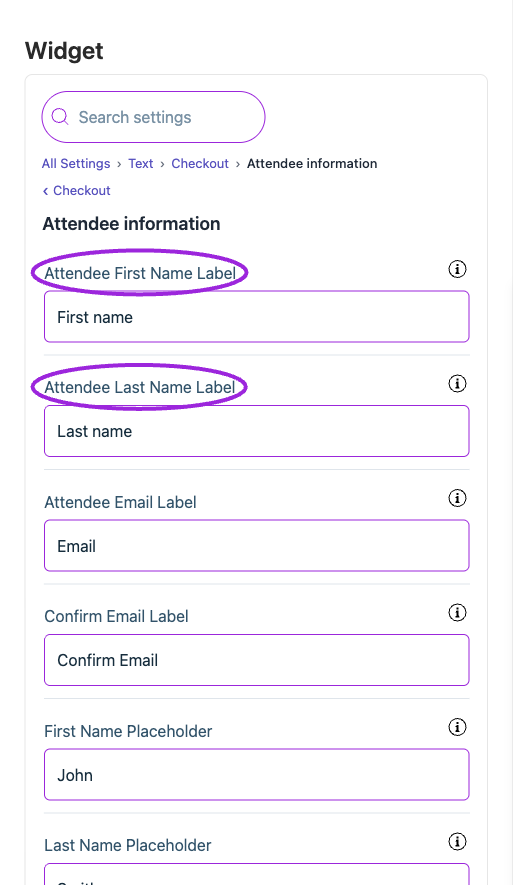
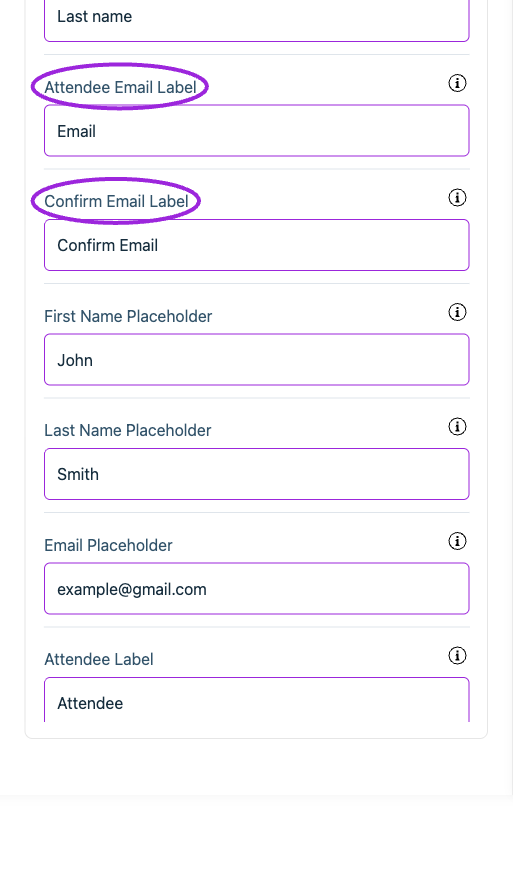
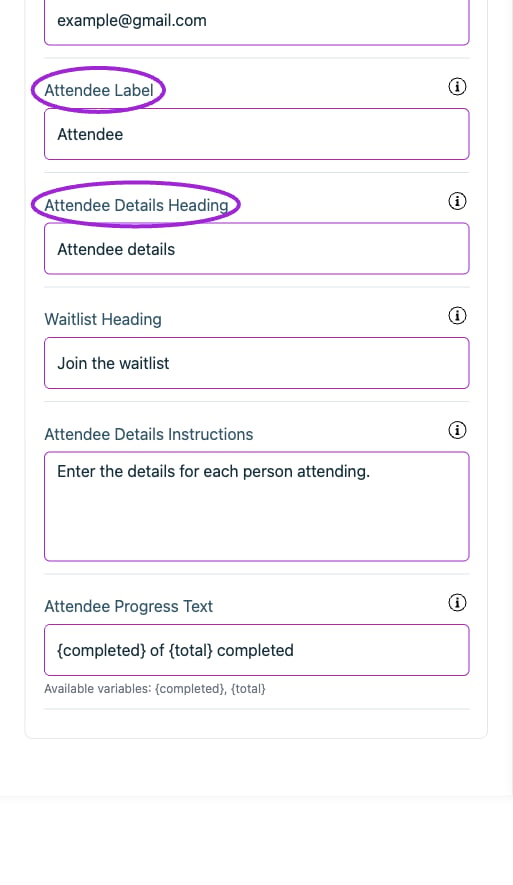
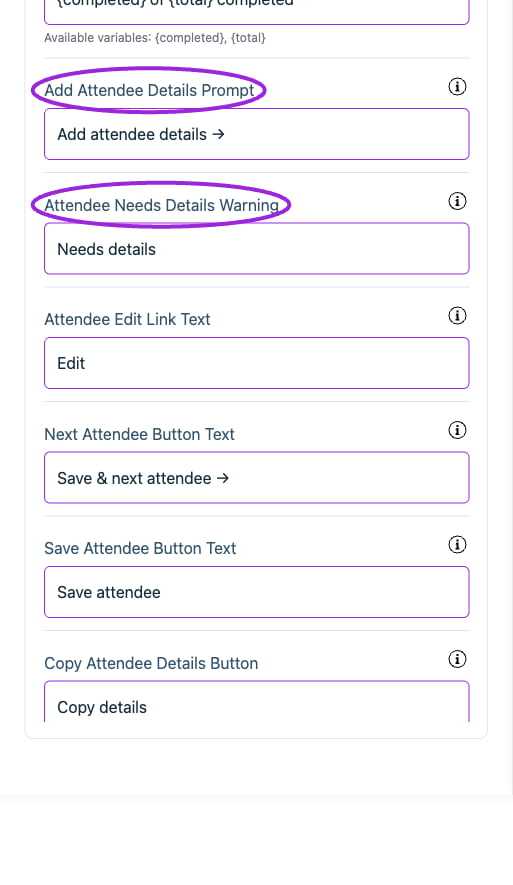
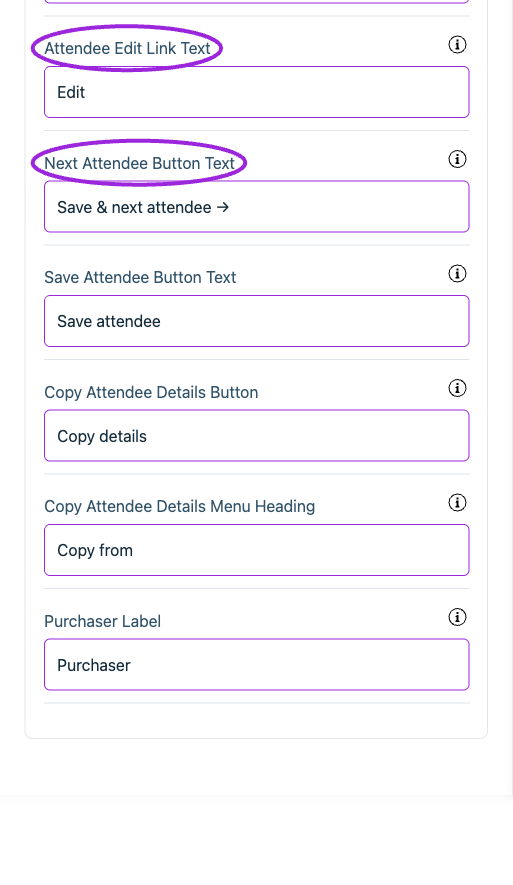 | Option | Control | What it changes |
| - | - | - |
| **Add Attendee Details Prompt** | Setting | Prompt on a collapsed row for an attendee who has not been filled in yet. |
| **Attendee Details Heading** | Setting | Heading above the list of people the buyer is entering details for. |
| **Attendee Details Instructions** | Setting | One line of instruction shown once above the whole attendee list. |
| **Attendee Edit Link Text** | Setting | Action that reopens a completed attendee for changes. |
| **Attendee Email Label** | Setting | Label for the attendee email input. |
| **Attendee First Name Label** | Setting | Label for the attendee first name input. |
| **Attendee Label** | Setting | Noun used when counting the people on an order, e.g. "Attendee 2". |
| **Attendee Last Name Label** | Setting | Label for the attendee last name input. |
| **Attendee Needs Details Warning** | Setting | Warning on a collapsed row for an attendee the checkout rejected. |
| **Attendee Progress Text** | Setting | Shows how many attendees are filled in. Use \{completed} and \{total} as placeholders. |
| **Confirm Email Label** | Setting | Label for the input that repeats the attendee email address. |
| **Copy Attendee Details Button** | Setting | Secondary action that fills an attendee in from someone already entered. |
| **Copy Attendee Details Menu Heading** | Setting | Heading inside the menu listing who an attendee can be copied from. |
| **Email Placeholder** | Setting | Example email address shown greyed out inside the empty input. |
| **First Name Placeholder** | Setting | Example first name shown greyed out inside the empty input. |
| **Last Name Placeholder** | Setting | Example surname shown greyed out inside the empty input. |
| **Next Attendee Button Text** | Setting | Closes this attendee's form and opens the next one still to be filled in. |
| **Purchaser Label** | Setting | Names the person placing the order as a source to copy attendee details from. |
| **Save Attendee Button Text** | Setting | Closes the attendee's form when there are no others left to fill in. |
| **Waitlist Heading** | Setting | Heading above the form for joining an event waitlist. |
## Checkout › Cart
| Option | Control | What it changes |
| - | - | - |
| **Add Attendee Details Prompt** | Setting | Prompt on a collapsed row for an attendee who has not been filled in yet. |
| **Attendee Details Heading** | Setting | Heading above the list of people the buyer is entering details for. |
| **Attendee Details Instructions** | Setting | One line of instruction shown once above the whole attendee list. |
| **Attendee Edit Link Text** | Setting | Action that reopens a completed attendee for changes. |
| **Attendee Email Label** | Setting | Label for the attendee email input. |
| **Attendee First Name Label** | Setting | Label for the attendee first name input. |
| **Attendee Label** | Setting | Noun used when counting the people on an order, e.g. "Attendee 2". |
| **Attendee Last Name Label** | Setting | Label for the attendee last name input. |
| **Attendee Needs Details Warning** | Setting | Warning on a collapsed row for an attendee the checkout rejected. |
| **Attendee Progress Text** | Setting | Shows how many attendees are filled in. Use \{completed} and \{total} as placeholders. |
| **Confirm Email Label** | Setting | Label for the input that repeats the attendee email address. |
| **Copy Attendee Details Button** | Setting | Secondary action that fills an attendee in from someone already entered. |
| **Copy Attendee Details Menu Heading** | Setting | Heading inside the menu listing who an attendee can be copied from. |
| **Email Placeholder** | Setting | Example email address shown greyed out inside the empty input. |
| **First Name Placeholder** | Setting | Example first name shown greyed out inside the empty input. |
| **Last Name Placeholder** | Setting | Example surname shown greyed out inside the empty input. |
| **Next Attendee Button Text** | Setting | Closes this attendee's form and opens the next one still to be filled in. |
| **Purchaser Label** | Setting | Names the person placing the order as a source to copy attendee details from. |
| **Save Attendee Button Text** | Setting | Closes the attendee's form when there are no others left to fill in. |
| **Waitlist Heading** | Setting | Heading above the form for joining an event waitlist. |
## Checkout › Cart
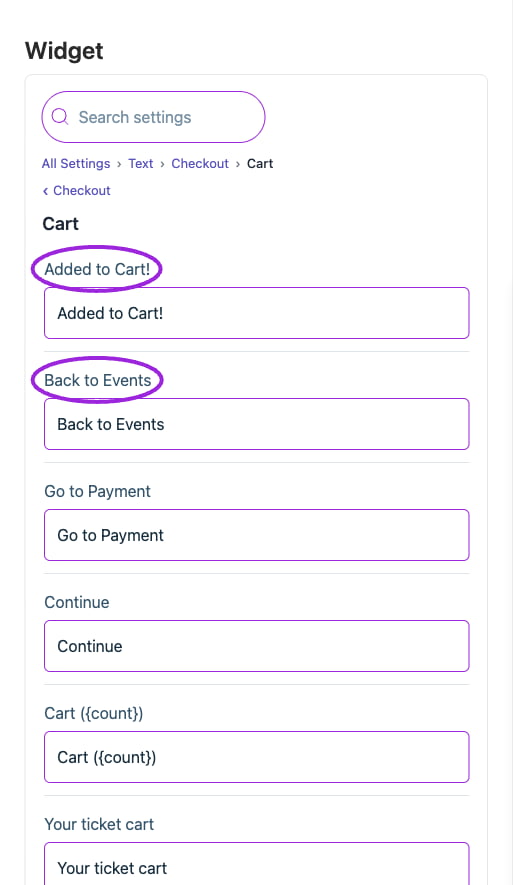
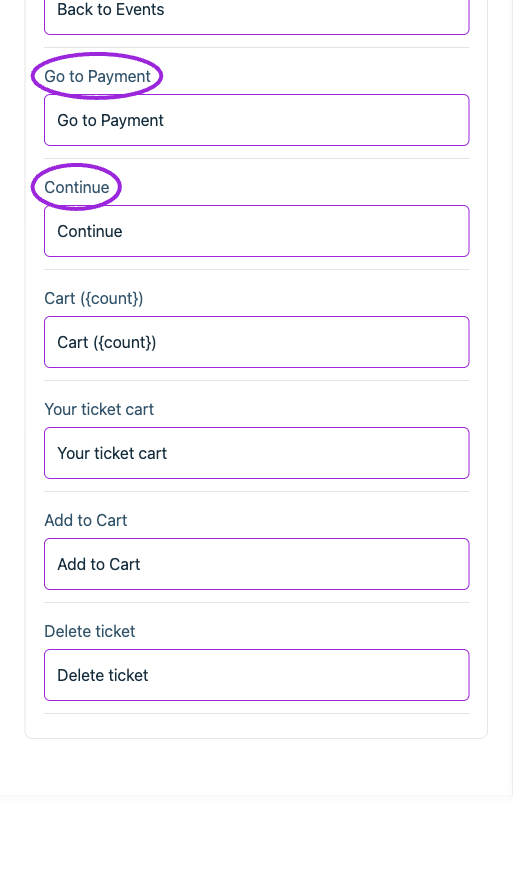
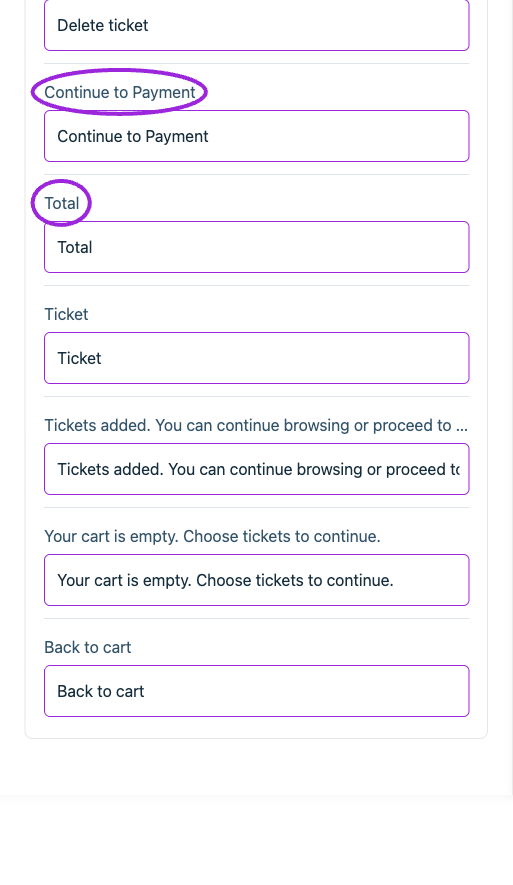
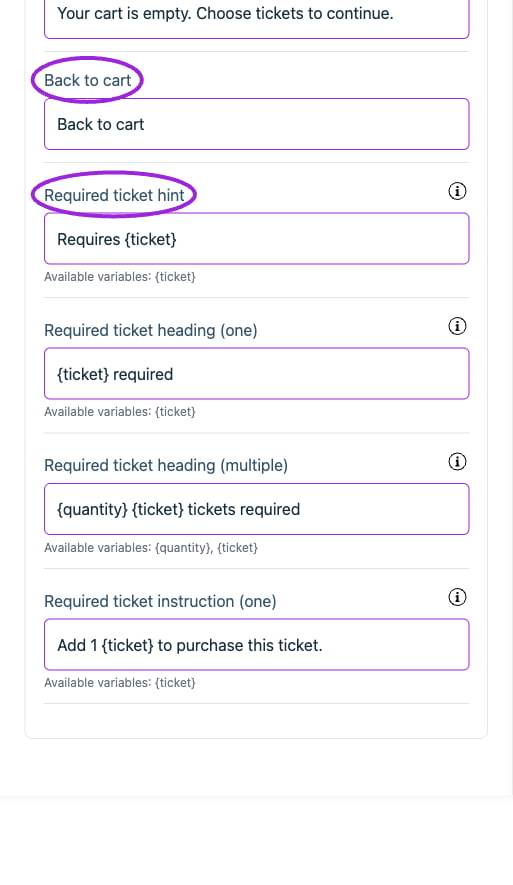
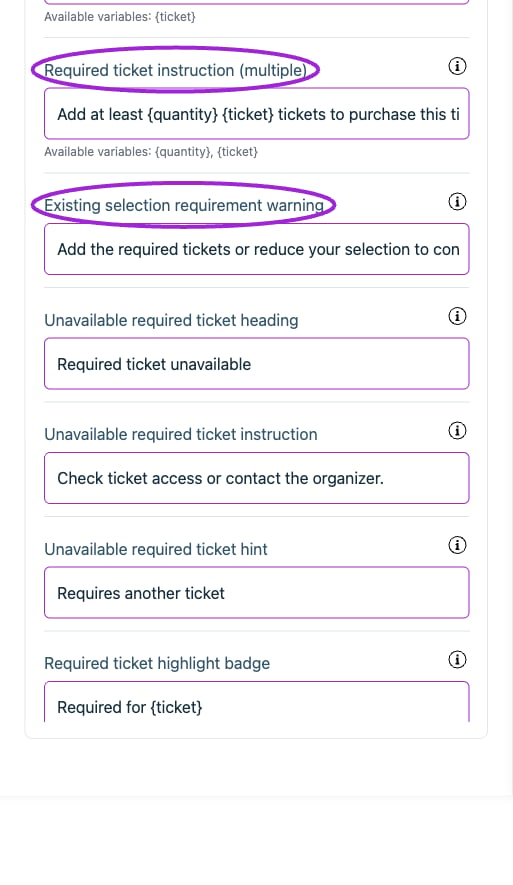
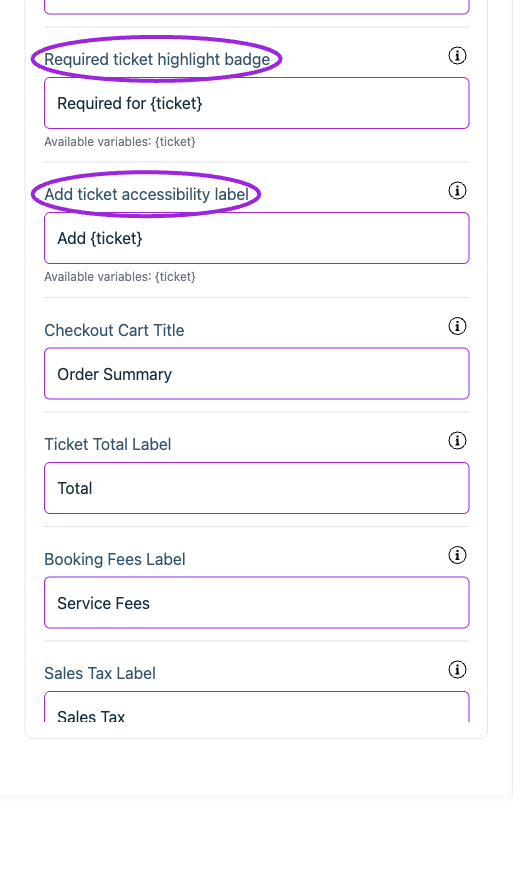
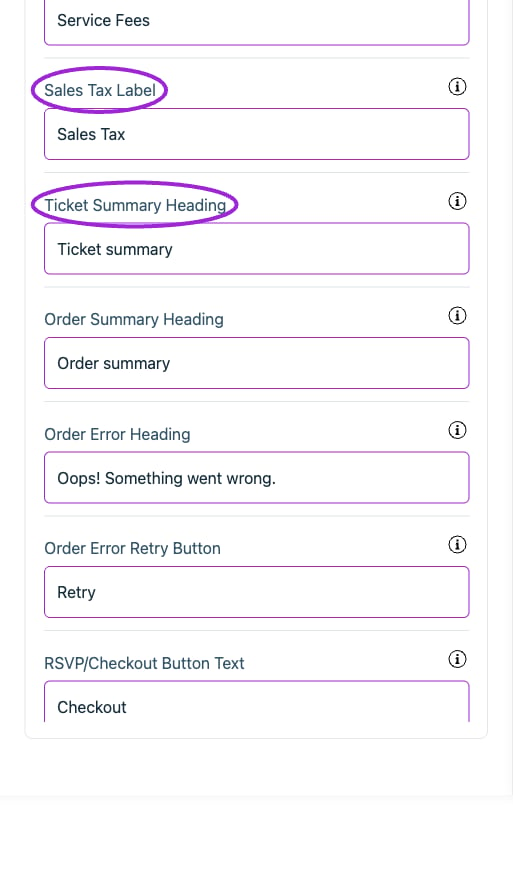
 | Option | Control | What it changes |
| - | - | - |
| **Add ticket accessibility label** | Setting | Accessible label for the plus button. Use \{ticket} for its name. |
| **Add to Cart** | Setting | Set the attendee-facing wording for this item. |
| **Added to Cart!** | Setting | Set the attendee-facing wording for this item. |
| **Back to cart** | Setting | Set the attendee-facing wording for this item. |
| **Back to Events** | Setting | Set the attendee-facing wording for this item. |
| **Booking Fees Label** | Setting | Label to show the booking fee amount in the checkout. |
| **Cart (\{count})** | Setting | Set the attendee-facing wording for this item. |
| **Checkout Cart Title** | Setting | Title for the checkout cart that contains all the details of the purchased tickets. |
| **Continue** | Setting | Set the attendee-facing wording for this item. |
| **Continue to Payment** | Setting | Set the attendee-facing wording for this item. |
| **Delete ticket** | Setting | Set the attendee-facing wording for this item. |
| **Existing selection requirement warning** | Setting | Shown if a required ticket is removed from an existing selection. |
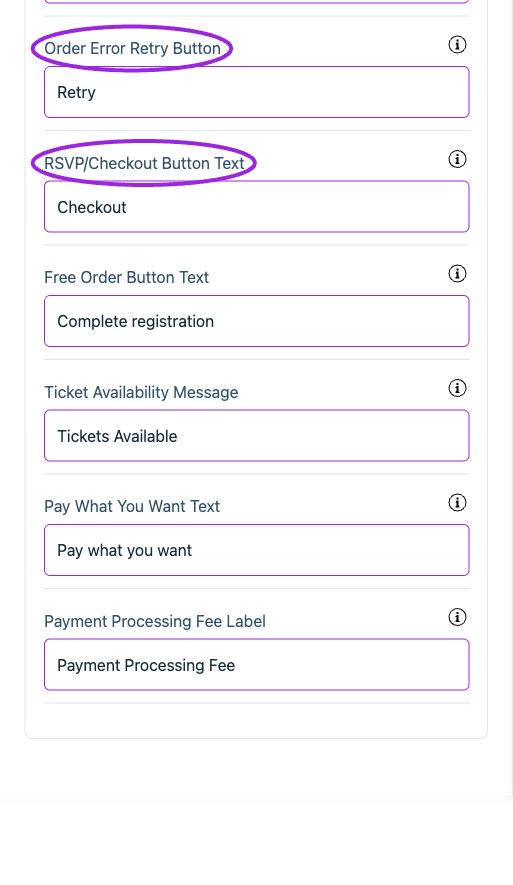
| **Free Order Button Text** | Setting | Replaces the checkout button when the order total is zero and there is nothing to pay. |
| **Go to Payment** | Setting | Set the attendee-facing wording for this item. |
| **Order Error Heading** | Setting | Heading shown on the review step when placing the order failed. |
| **Order Error Retry Button** | Setting | Action that restarts checkout after a failed order. |
| **Order Summary Heading** | Setting | Heading above the order breakdown on the final review step. |
| **Pay What You Want Text** | Setting | The label for the pay what you want input field |
| **Payment Processing Fee Label** | Setting | Label for payment processing fees in the order total. |
| **Required ticket heading (multiple)** | Setting | Use \{quantity} and \{ticket} for the minimum and ticket name. |
| **Required ticket heading (one)** | Setting | Use \{ticket} for the required ticket name. |
| **Required ticket highlight badge** | Setting | Use \{ticket} for the ticket the customer tried to add. |
| **Required ticket hint** | Setting | Use \{ticket} for the required ticket name. |
| **Required ticket instruction (multiple)** | Setting | Use \{quantity} and \{ticket} for the number still needed and ticket name. |
| **Required ticket instruction (one)** | Setting | Use \{ticket} for the required ticket name. |
| **RSVP/Checkout Button Text** | Setting | Text for the checkout button. |
| **Sales Tax Label** | Setting | Label for sales tax if it's included in the checkout. |
| **Ticket** | Setting | Set the attendee-facing wording for this item. |
| **Ticket Availability Message** | Setting | Message indicating how many tickets are available for purchase. |
| **Ticket Summary Heading** | Setting | Heading above the read-only list of tickets on the workshops and memberships steps. |
| **Ticket Total Label** | Setting | Label to show the final payment amount in the checkout. |
| **Tickets added. You can continue browsing or proceed to payment.** | Setting | Set the attendee-facing wording for this item. |
| **Total** | Setting | Set the attendee-facing wording for this item. |
| **Unavailable required ticket heading** | Setting | Shown when the required ticket cannot be found in the available tickets. |
| **Unavailable required ticket hint** | Setting | Used instead of exposing the name of a hidden ticket. |
| **Unavailable required ticket instruction** | Setting | Shown when the prerequisite cannot be selected. |
| **Your cart is empty. Choose tickets to continue.** | Setting | Set the attendee-facing wording for this item. |
| **Your ticket cart** | Setting | Set the attendee-facing wording for this item. |
## Checkout › Date & time selection
| Option | Control | What it changes |
| - | - | - |
| **Add ticket accessibility label** | Setting | Accessible label for the plus button. Use \{ticket} for its name. |
| **Add to Cart** | Setting | Set the attendee-facing wording for this item. |
| **Added to Cart!** | Setting | Set the attendee-facing wording for this item. |
| **Back to cart** | Setting | Set the attendee-facing wording for this item. |
| **Back to Events** | Setting | Set the attendee-facing wording for this item. |
| **Booking Fees Label** | Setting | Label to show the booking fee amount in the checkout. |
| **Cart (\{count})** | Setting | Set the attendee-facing wording for this item. |
| **Checkout Cart Title** | Setting | Title for the checkout cart that contains all the details of the purchased tickets. |
| **Continue** | Setting | Set the attendee-facing wording for this item. |
| **Continue to Payment** | Setting | Set the attendee-facing wording for this item. |
| **Delete ticket** | Setting | Set the attendee-facing wording for this item. |
| **Existing selection requirement warning** | Setting | Shown if a required ticket is removed from an existing selection. |
| **Free Order Button Text** | Setting | Replaces the checkout button when the order total is zero and there is nothing to pay. |
| **Go to Payment** | Setting | Set the attendee-facing wording for this item. |
| **Order Error Heading** | Setting | Heading shown on the review step when placing the order failed. |
| **Order Error Retry Button** | Setting | Action that restarts checkout after a failed order. |
| **Order Summary Heading** | Setting | Heading above the order breakdown on the final review step. |
| **Pay What You Want Text** | Setting | The label for the pay what you want input field |
| **Payment Processing Fee Label** | Setting | Label for payment processing fees in the order total. |
| **Required ticket heading (multiple)** | Setting | Use \{quantity} and \{ticket} for the minimum and ticket name. |
| **Required ticket heading (one)** | Setting | Use \{ticket} for the required ticket name. |
| **Required ticket highlight badge** | Setting | Use \{ticket} for the ticket the customer tried to add. |
| **Required ticket hint** | Setting | Use \{ticket} for the required ticket name. |
| **Required ticket instruction (multiple)** | Setting | Use \{quantity} and \{ticket} for the number still needed and ticket name. |
| **Required ticket instruction (one)** | Setting | Use \{ticket} for the required ticket name. |
| **RSVP/Checkout Button Text** | Setting | Text for the checkout button. |
| **Sales Tax Label** | Setting | Label for sales tax if it's included in the checkout. |
| **Ticket** | Setting | Set the attendee-facing wording for this item. |
| **Ticket Availability Message** | Setting | Message indicating how many tickets are available for purchase. |
| **Ticket Summary Heading** | Setting | Heading above the read-only list of tickets on the workshops and memberships steps. |
| **Ticket Total Label** | Setting | Label to show the final payment amount in the checkout. |
| **Tickets added. You can continue browsing or proceed to payment.** | Setting | Set the attendee-facing wording for this item. |
| **Total** | Setting | Set the attendee-facing wording for this item. |
| **Unavailable required ticket heading** | Setting | Shown when the required ticket cannot be found in the available tickets. |
| **Unavailable required ticket hint** | Setting | Used instead of exposing the name of a hidden ticket. |
| **Unavailable required ticket instruction** | Setting | Shown when the prerequisite cannot be selected. |
| **Your cart is empty. Choose tickets to continue.** | Setting | Set the attendee-facing wording for this item. |
| **Your ticket cart** | Setting | Set the attendee-facing wording for this item. |
## Checkout › Date & time selection
 | Option | Control | What it changes |
| - | - | - |
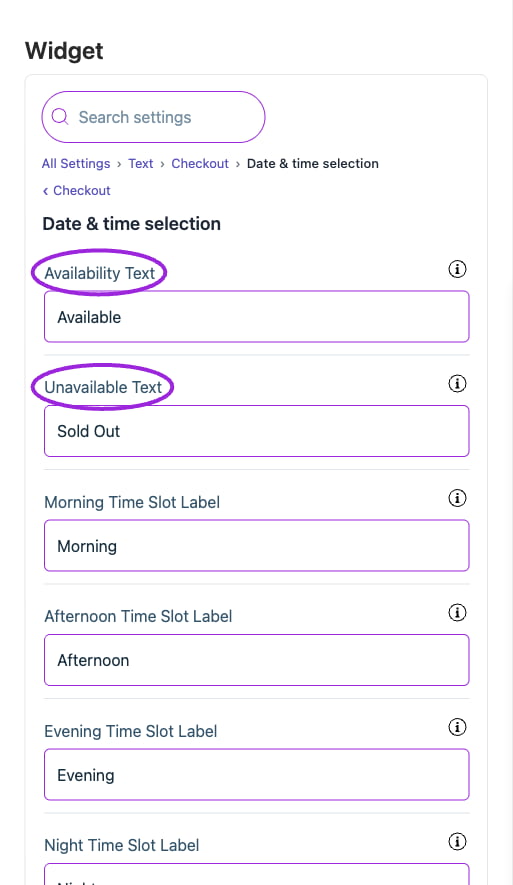
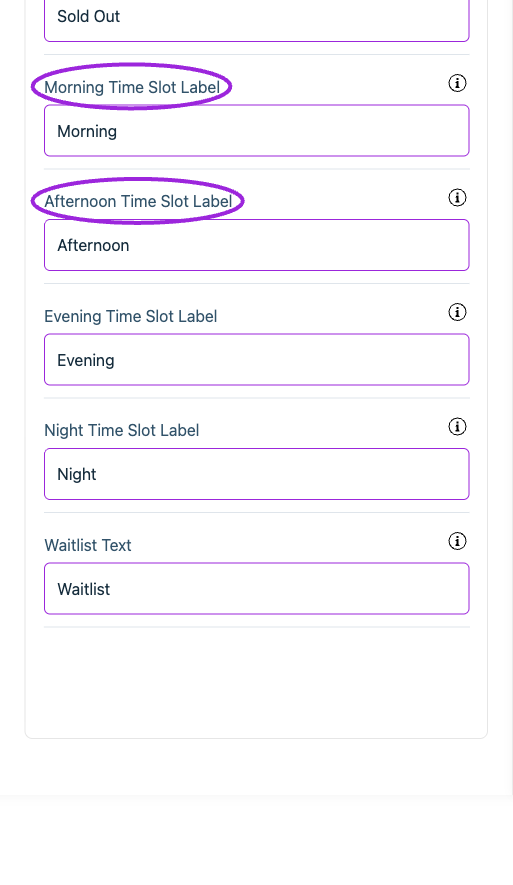
| **Afternoon Time Slot Label** | Setting | Change the text for the afternoon time slot label. |
| **Availability Text** | Setting | This text indicates that tickets for the event are currently available for purchase. |
| **Evening Time Slot Label** | Setting | Change the text for the evening time slot label. |
| **Morning Time Slot Label** | Setting | Change the text for the morning time slot label. |
| **Night Time Slot Label** | Setting | Change the text for the night time slot label. |
| **Unavailable Text** | Setting | This text indicates that all tickets for the event have been sold. |
| **Waitlist Text** | Setting | Text shown when the selected date or time has a waitlist. |
## Checkout › Fast checkout
| Option | Control | What it changes |
| - | - | - |
| **Afternoon Time Slot Label** | Setting | Change the text for the afternoon time slot label. |
| **Availability Text** | Setting | This text indicates that tickets for the event are currently available for purchase. |
| **Evening Time Slot Label** | Setting | Change the text for the evening time slot label. |
| **Morning Time Slot Label** | Setting | Change the text for the morning time slot label. |
| **Night Time Slot Label** | Setting | Change the text for the night time slot label. |
| **Unavailable Text** | Setting | This text indicates that all tickets for the event have been sold. |
| **Waitlist Text** | Setting | Text shown when the selected date or time has a waitlist. |
## Checkout › Fast checkout
 | Option | Control | What it changes |
| - | - | - |
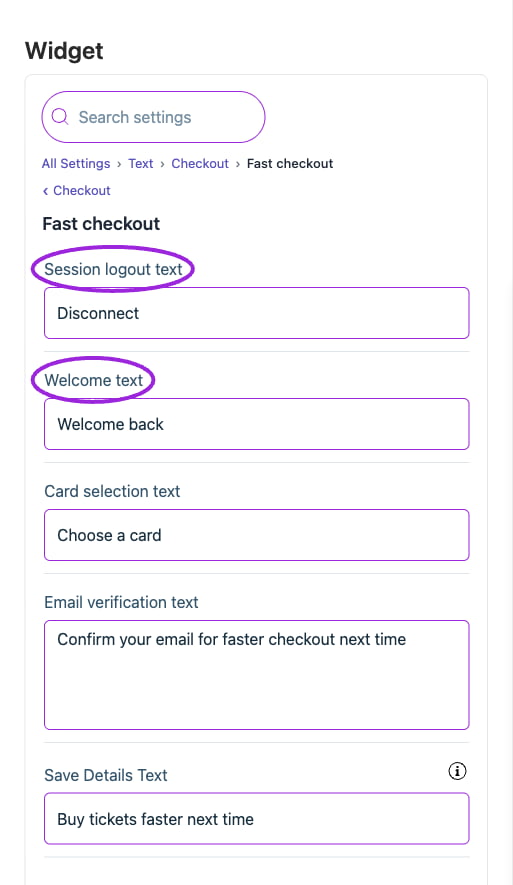
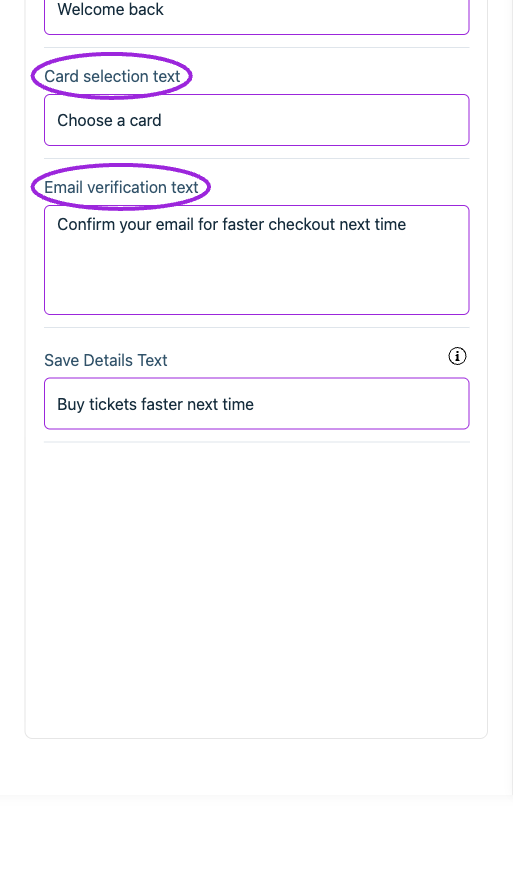
| **Card selection text** | Setting | Set the attendee-facing wording for this item. |
| **Email verification text** | Setting | Set the attendee-facing wording for this item. |
| **Save Details Text** | Setting | Label for saving buyer details for faster checkout next time. |
| **Session logout text** | Setting | Set the attendee-facing wording for this item. |
| **Welcome text** | Setting | Set the attendee-facing wording for this item. |
## Checkout › General
| Option | Control | What it changes |
| - | - | - |
| **Card selection text** | Setting | Set the attendee-facing wording for this item. |
| **Email verification text** | Setting | Set the attendee-facing wording for this item. |
| **Save Details Text** | Setting | Label for saving buyer details for faster checkout next time. |
| **Session logout text** | Setting | Set the attendee-facing wording for this item. |
| **Welcome text** | Setting | Set the attendee-facing wording for this item. |
## Checkout › General
 | Option | Control | What it changes |
| - | - | - |
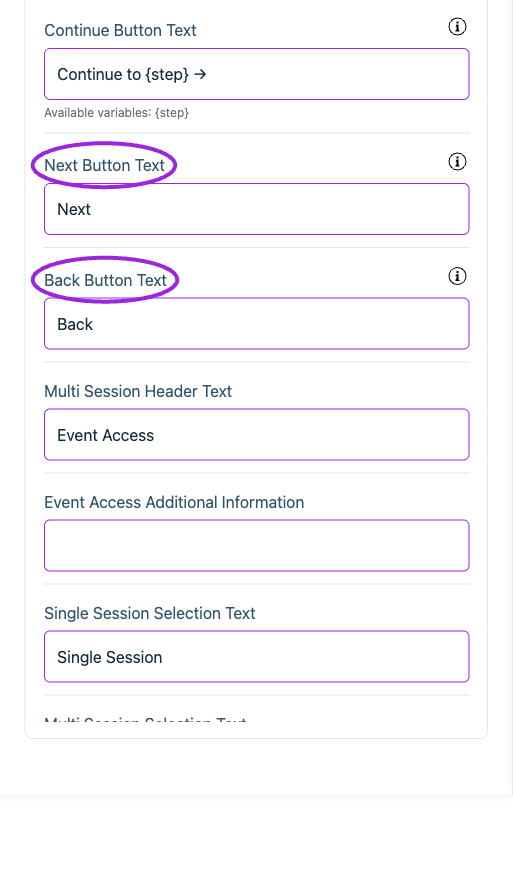
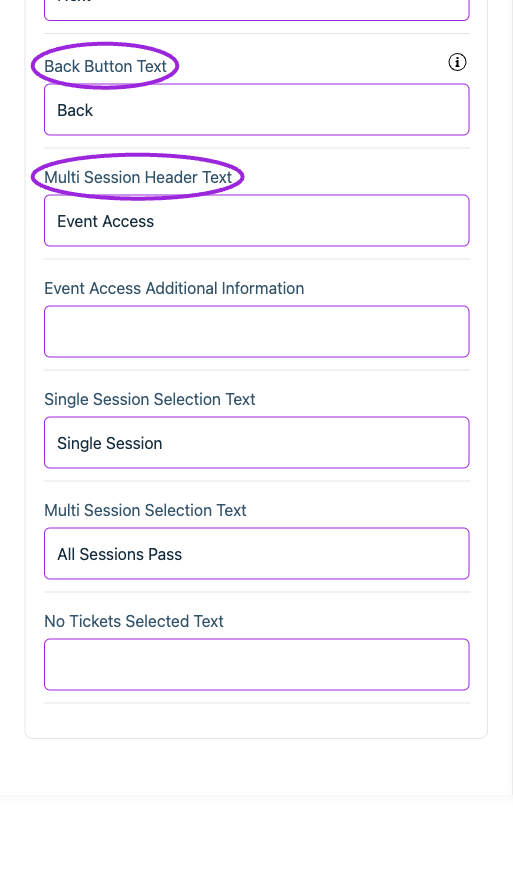
| **Back Button Text** | Setting | Set the text for the button returning users to the previous checkout step. |
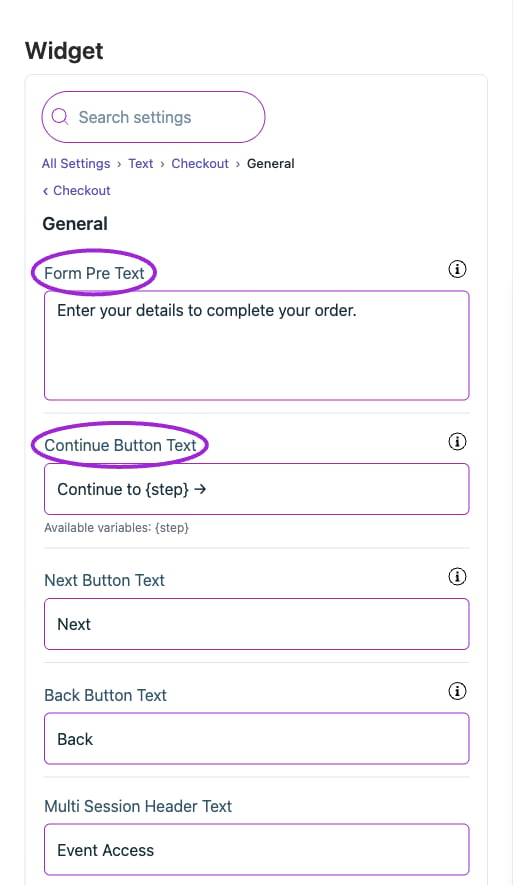
| **Continue Button Text** | Setting | Button that advances checkout, naming the step it leads to. Use \{step} as a placeholder for the step name. |
| **Event Access Additional Information** | Setting | Set the attendee-facing wording for this item. |
| **Form Pre Text** | Setting | Initial checkout information text shown to users when they open the checkout. |
| **Multi Session Header Text** | Setting | Set the attendee-facing wording for this item. |
| **Multi Session Selection Text** | Setting | Set the attendee-facing wording for this item. |
| **Next Button Text** | Setting | Fallback for the continue button when there is no next step to name. |
| **No Tickets Selected Text** | Setting | Set the attendee-facing wording for this item. |
| **Single Session Selection Text** | Setting | Set the attendee-facing wording for this item. |
## Checkout › Memberships
| Option | Control | What it changes |
| - | - | - |
| **Back Button Text** | Setting | Set the text for the button returning users to the previous checkout step. |
| **Continue Button Text** | Setting | Button that advances checkout, naming the step it leads to. Use \{step} as a placeholder for the step name. |
| **Event Access Additional Information** | Setting | Set the attendee-facing wording for this item. |
| **Form Pre Text** | Setting | Initial checkout information text shown to users when they open the checkout. |
| **Multi Session Header Text** | Setting | Set the attendee-facing wording for this item. |
| **Multi Session Selection Text** | Setting | Set the attendee-facing wording for this item. |
| **Next Button Text** | Setting | Fallback for the continue button when there is no next step to name. |
| **No Tickets Selected Text** | Setting | Set the attendee-facing wording for this item. |
| **Single Session Selection Text** | Setting | Set the attendee-facing wording for this item. |
## Checkout › Memberships
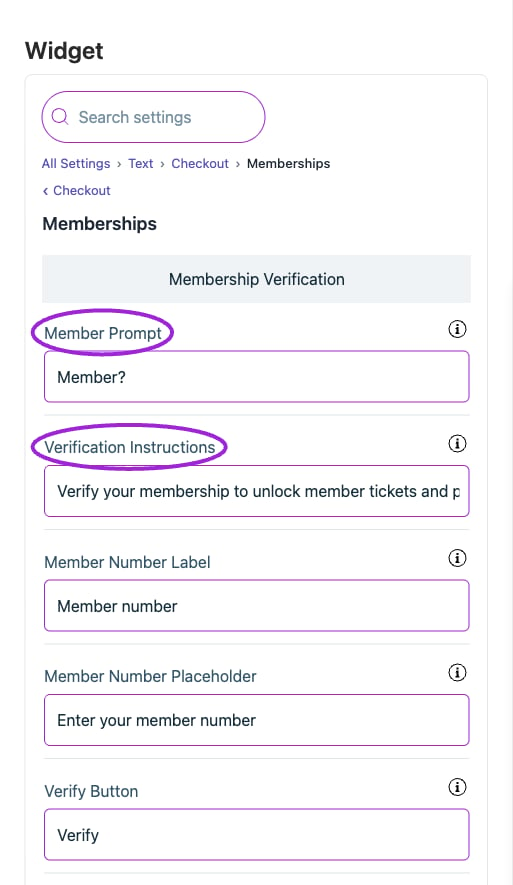
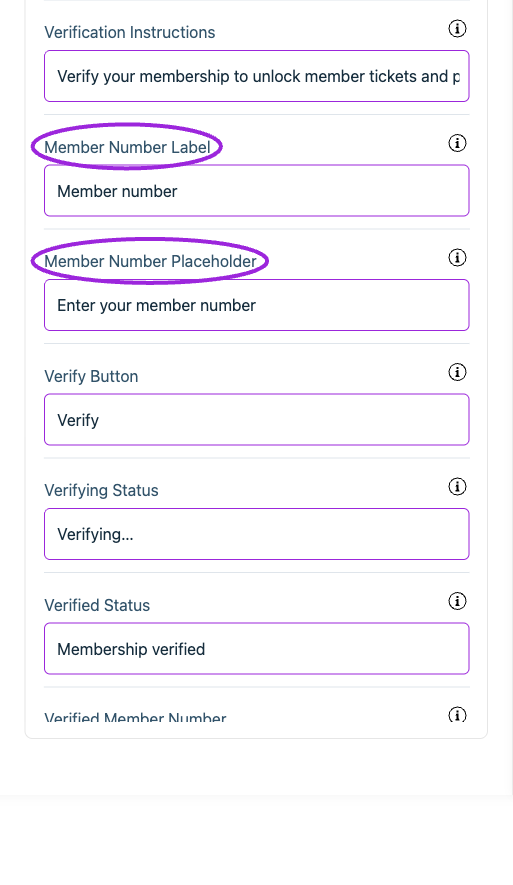
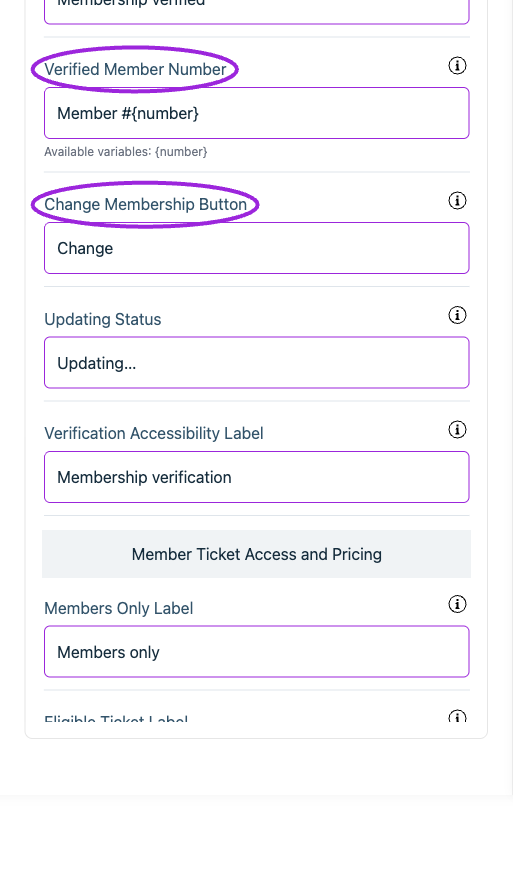
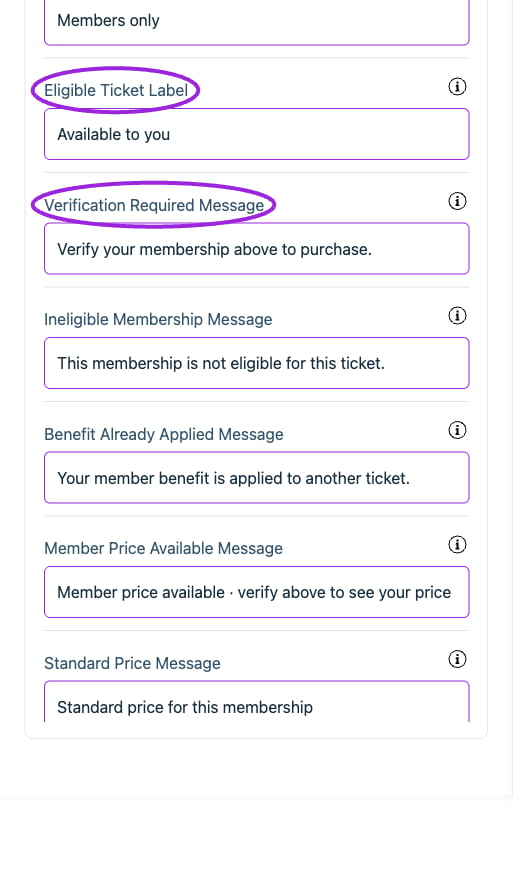
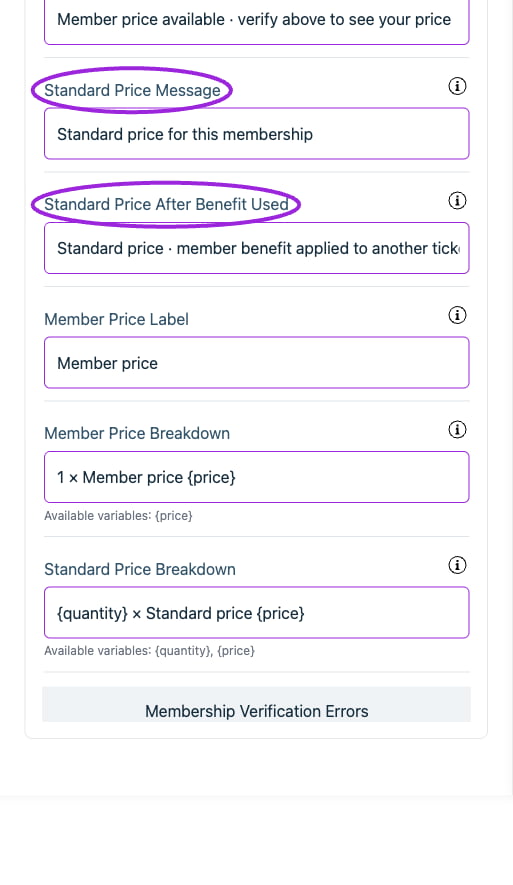
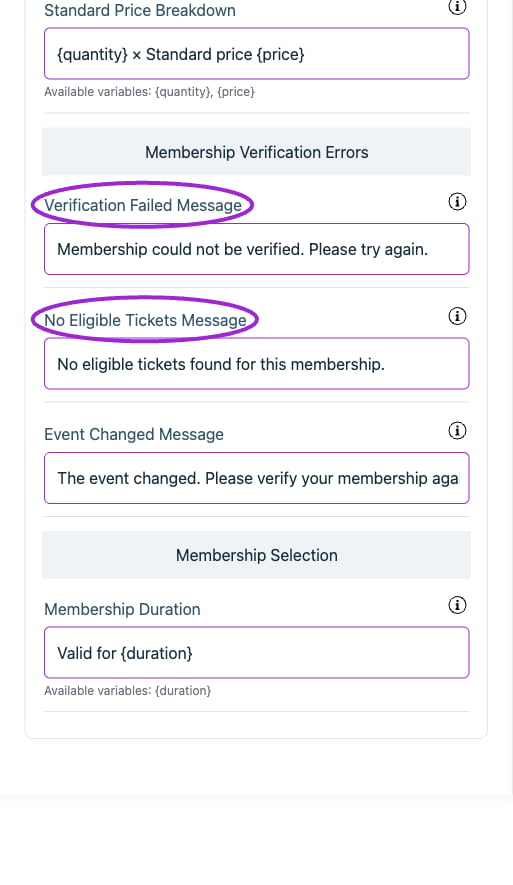
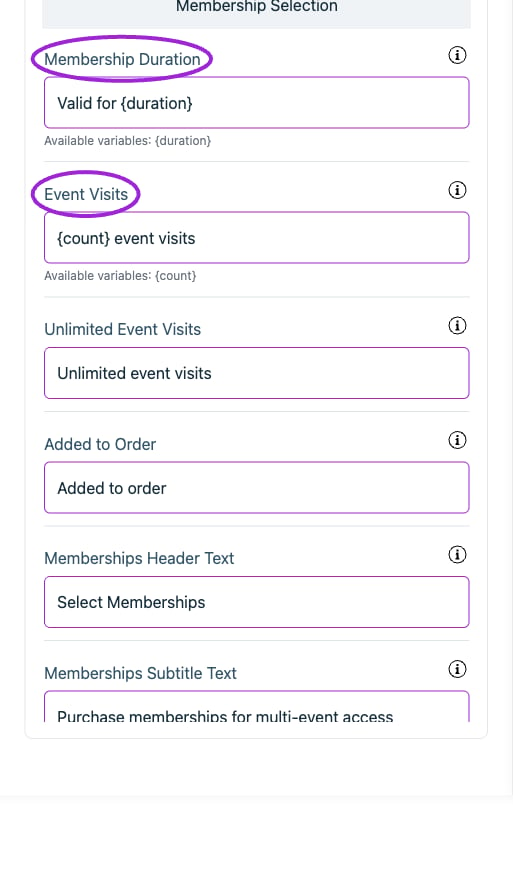
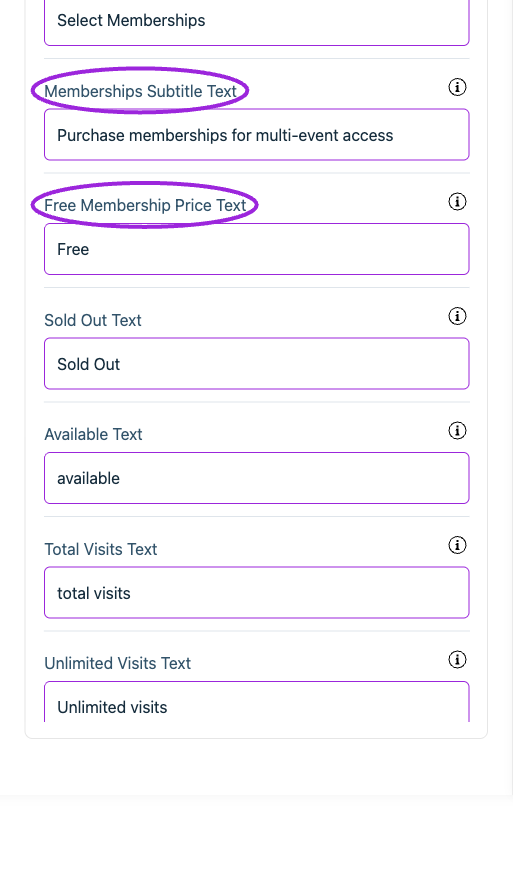
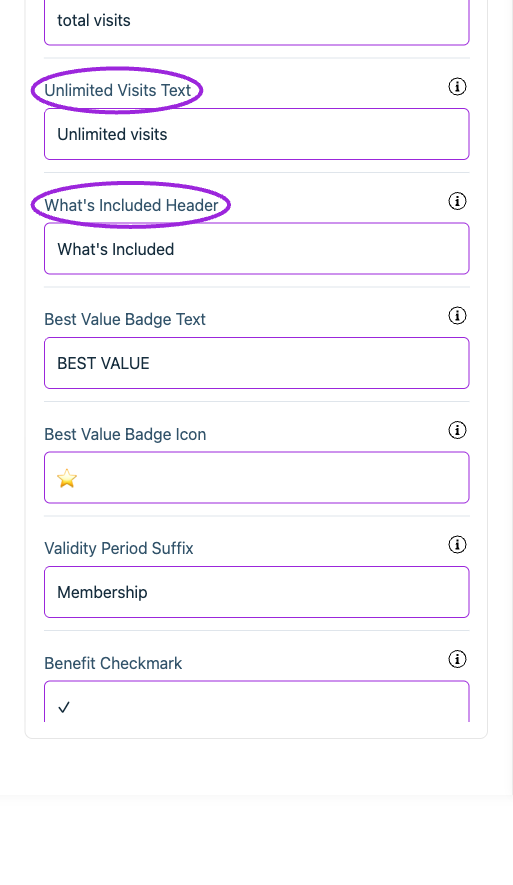
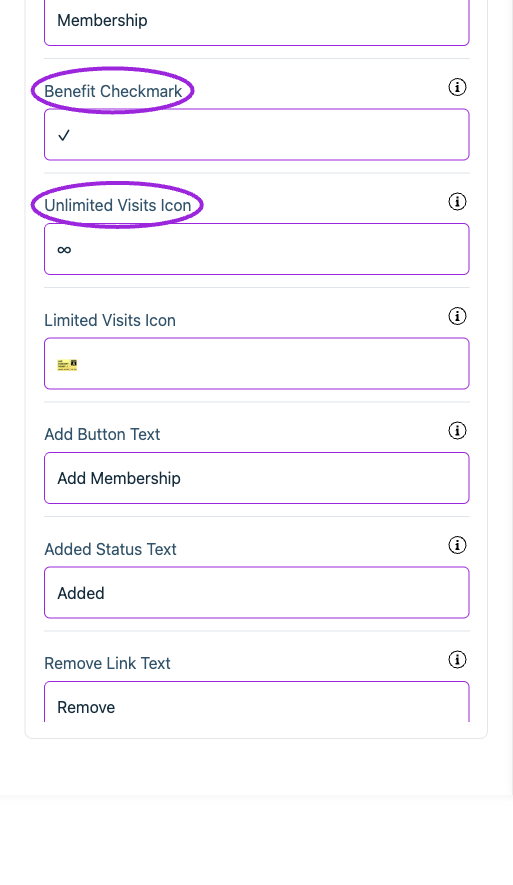
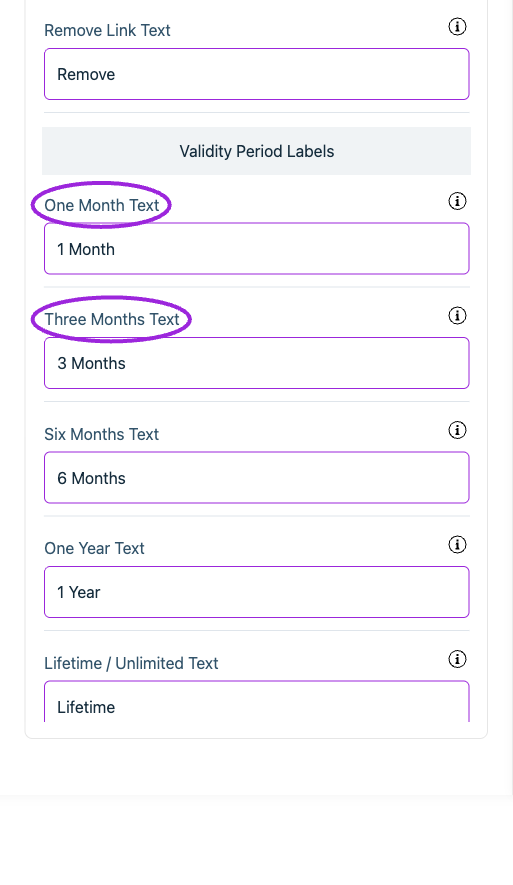 | Option | Control | What it changes |
| - | - | - |
| **Add Button Text** | Setting | Text for add membership button. |
| **Added Status Text** | Setting | Text shown when membership is added to cart. |
| **Added to Order** | Setting | Quiet confirmation after adding a membership. |
| **Available Text** | Setting | Text shown for available quantity. Example: '5 available' |
| **Benefit Already Applied Message** | Setting | Explains that the member benefit is applied to another ticket. |
| **Benefit Checkmark** | Setting | Character shown next to each benefit (e.g., ✓, ✔, •). |
| **Best Value Badge Icon** | Setting | Icon shown before best value text (e.g., ⭐, 🏆, 👑). |
| **Best Value Badge Text** | Setting | Text shown on featured membership badge. |
| **Change Membership Button** | Setting | Button for changing the verified membership. |
| **Eligible Ticket Label** | Setting | Label when a verified member can purchase the ticket. |
| **Event Changed Message** | Setting | Asks the visitor to verify again after the selected event changes. |
| **Event Visits** | Setting | Use \{count} for the total number of event visits. |
| **Free Membership Price Text** | Setting | Text displayed for free memberships instead of price. |
| **Ineligible Membership Message** | Setting | Message when the verified membership does not qualify for this ticket. |
| **Lifetime / Unlimited Text** | Setting | Text for unlimited/lifetime validity period. |
| **Limited Visits Icon** | Setting | Icon for limited visits (e.g., 🎫, 🎟, 🔢). |
| **Member Number Label** | Setting | Label above the member number field. |
| **Member Number Placeholder** | Setting | Placeholder inside the member number field. |
| **Member Price Available Message** | Setting | Invitation to verify and see the member price. |
| **Member Price Breakdown** | Setting | Price summary for one member ticket. Use \{price} for the formatted member price. |
| **Member Price Label** | Setting | Label beside the discounted member price. |
| **Member Prompt** | Setting | Short heading inviting existing members to verify. |
| **Members Only Label** | Setting | Label for tickets restricted to members. |
| **Membership Duration** | Setting | Use \{duration} for the membership validity period. |
| **Memberships Header Text** | Setting | Header text displayed at the top of the memberships selection screen. |
| **Memberships Subtitle Text** | Setting | Subtitle text explaining membership benefits. Example: 'Purchase memberships for multi-event access' |
| **No Eligible Tickets Message** | Setting | Message when the membership does not qualify for any tickets. |
| **One Month Text** | Setting | Text for one-month validity period. |
| **One Year Text** | Setting | Text for one-year validity period. |
| **Remove Link Text** | Setting | Text for remove membership link. |
| **Six Months Text** | Setting | Text for six-month validity period. |
| **Sold Out Text** | Setting | Text shown when membership is sold out. |
| **Standard Price After Benefit Used** | Setting | Explains the standard price when another ticket uses the member benefit. |
| **Standard Price Breakdown** | Setting | Summary for additional tickets. Use \{quantity} for the ticket count and \{price} for the formatted standard price. |
| **Standard Price Message** | Setting | Message when this membership receives the standard ticket price. |
| **Three Months Text** | Setting | Text for three-month validity period. |
| **Total Visits Text** | Setting | Text for limited visit memberships. Example: '10 total visits' |
| **Unlimited Event Visits** | Setting | Describes a membership without a total visit limit. |
| **Unlimited Visits Icon** | Setting | Icon for unlimited access (e.g., ∞, ♾, ⭐). |
| **Unlimited Visits Text** | Setting | Text for unlimited visit memberships. |
| **Updating Status** | Setting | Button text while changing the membership. |
| **Validity Period Suffix** | Setting | Text appended after validity period (e.g., '1 Year \[Membership]'). |
| **Verification Accessibility Label** | Setting | Section label announced by screen readers. |
| **Verification Failed Message** | Setting | Fallback error if membership verification fails. |
| **Verification Instructions** | Setting | Explains how verification unlocks member tickets and pricing. |
| **Verification Required Message** | Setting | Guidance shown on a locked ticket before verification. |
| **Verified Member Number** | Setting | Displays the verified member number. Use \{number} for the member number. |
| **Verified Status** | Setting | Confirmation shown after successful verification. |
| **Verify Button** | Setting | Button that verifies the member number. |
| **Verifying Status** | Setting | Button text while verification is in progress. |
| **What's Included Header** | Setting | Header for benefits list section. |
## Checkout › Payment information
| Option | Control | What it changes |
| - | - | - |
| **Add Button Text** | Setting | Text for add membership button. |
| **Added Status Text** | Setting | Text shown when membership is added to cart. |
| **Added to Order** | Setting | Quiet confirmation after adding a membership. |
| **Available Text** | Setting | Text shown for available quantity. Example: '5 available' |
| **Benefit Already Applied Message** | Setting | Explains that the member benefit is applied to another ticket. |
| **Benefit Checkmark** | Setting | Character shown next to each benefit (e.g., ✓, ✔, •). |
| **Best Value Badge Icon** | Setting | Icon shown before best value text (e.g., ⭐, 🏆, 👑). |
| **Best Value Badge Text** | Setting | Text shown on featured membership badge. |
| **Change Membership Button** | Setting | Button for changing the verified membership. |
| **Eligible Ticket Label** | Setting | Label when a verified member can purchase the ticket. |
| **Event Changed Message** | Setting | Asks the visitor to verify again after the selected event changes. |
| **Event Visits** | Setting | Use \{count} for the total number of event visits. |
| **Free Membership Price Text** | Setting | Text displayed for free memberships instead of price. |
| **Ineligible Membership Message** | Setting | Message when the verified membership does not qualify for this ticket. |
| **Lifetime / Unlimited Text** | Setting | Text for unlimited/lifetime validity period. |
| **Limited Visits Icon** | Setting | Icon for limited visits (e.g., 🎫, 🎟, 🔢). |
| **Member Number Label** | Setting | Label above the member number field. |
| **Member Number Placeholder** | Setting | Placeholder inside the member number field. |
| **Member Price Available Message** | Setting | Invitation to verify and see the member price. |
| **Member Price Breakdown** | Setting | Price summary for one member ticket. Use \{price} for the formatted member price. |
| **Member Price Label** | Setting | Label beside the discounted member price. |
| **Member Prompt** | Setting | Short heading inviting existing members to verify. |
| **Members Only Label** | Setting | Label for tickets restricted to members. |
| **Membership Duration** | Setting | Use \{duration} for the membership validity period. |
| **Memberships Header Text** | Setting | Header text displayed at the top of the memberships selection screen. |
| **Memberships Subtitle Text** | Setting | Subtitle text explaining membership benefits. Example: 'Purchase memberships for multi-event access' |
| **No Eligible Tickets Message** | Setting | Message when the membership does not qualify for any tickets. |
| **One Month Text** | Setting | Text for one-month validity period. |
| **One Year Text** | Setting | Text for one-year validity period. |
| **Remove Link Text** | Setting | Text for remove membership link. |
| **Six Months Text** | Setting | Text for six-month validity period. |
| **Sold Out Text** | Setting | Text shown when membership is sold out. |
| **Standard Price After Benefit Used** | Setting | Explains the standard price when another ticket uses the member benefit. |
| **Standard Price Breakdown** | Setting | Summary for additional tickets. Use \{quantity} for the ticket count and \{price} for the formatted standard price. |
| **Standard Price Message** | Setting | Message when this membership receives the standard ticket price. |
| **Three Months Text** | Setting | Text for three-month validity period. |
| **Total Visits Text** | Setting | Text for limited visit memberships. Example: '10 total visits' |
| **Unlimited Event Visits** | Setting | Describes a membership without a total visit limit. |
| **Unlimited Visits Icon** | Setting | Icon for unlimited access (e.g., ∞, ♾, ⭐). |
| **Unlimited Visits Text** | Setting | Text for unlimited visit memberships. |
| **Updating Status** | Setting | Button text while changing the membership. |
| **Validity Period Suffix** | Setting | Text appended after validity period (e.g., '1 Year \[Membership]'). |
| **Verification Accessibility Label** | Setting | Section label announced by screen readers. |
| **Verification Failed Message** | Setting | Fallback error if membership verification fails. |
| **Verification Instructions** | Setting | Explains how verification unlocks member tickets and pricing. |
| **Verification Required Message** | Setting | Guidance shown on a locked ticket before verification. |
| **Verified Member Number** | Setting | Displays the verified member number. Use \{number} for the member number. |
| **Verified Status** | Setting | Confirmation shown after successful verification. |
| **Verify Button** | Setting | Button that verifies the member number. |
| **Verifying Status** | Setting | Button text while verification is in progress. |
| **What's Included Header** | Setting | Header for benefits list section. |
## Checkout › Payment information
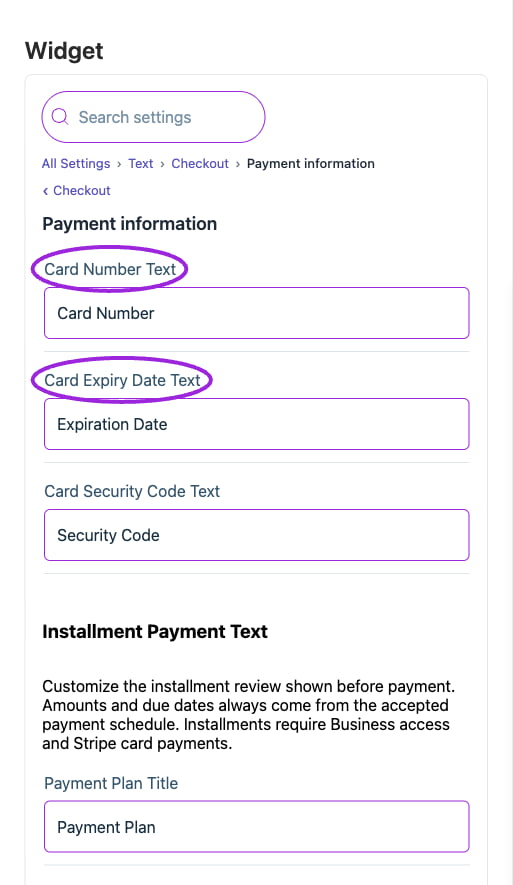
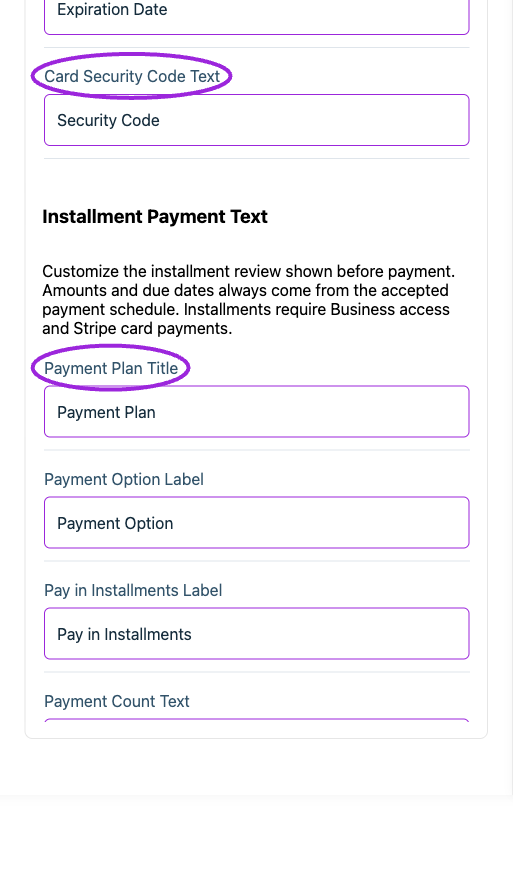
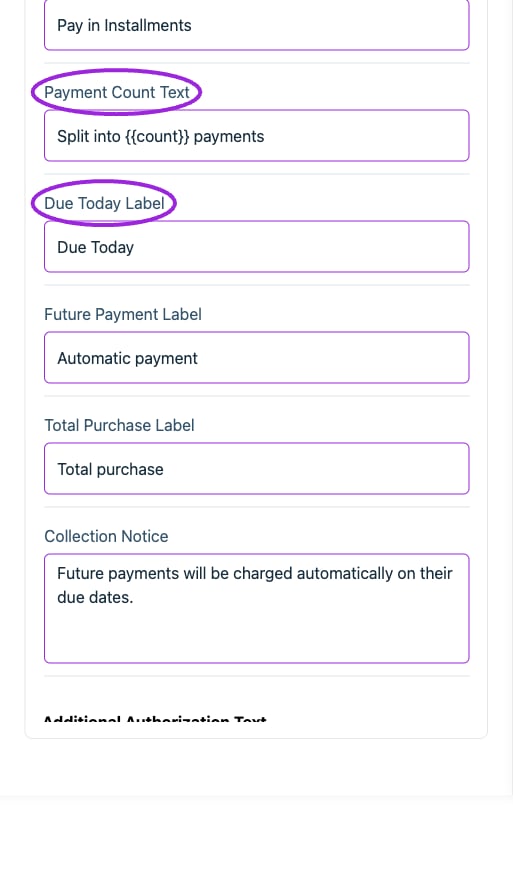
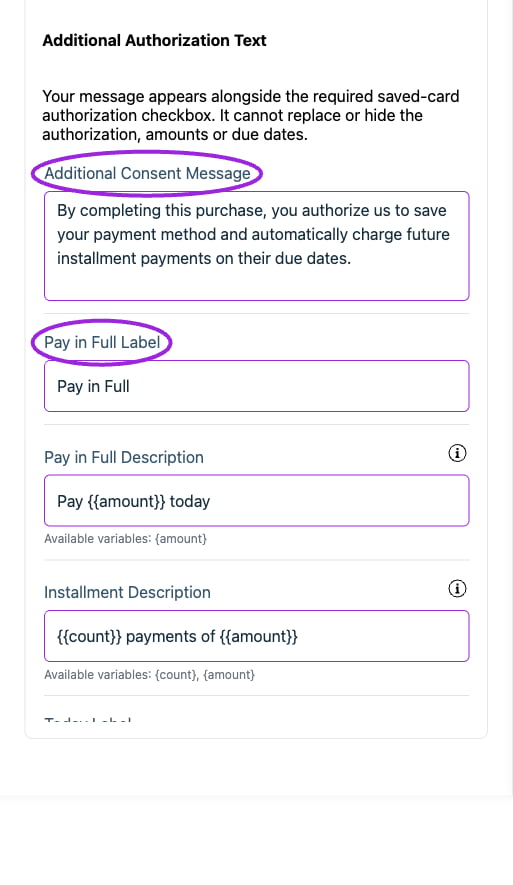
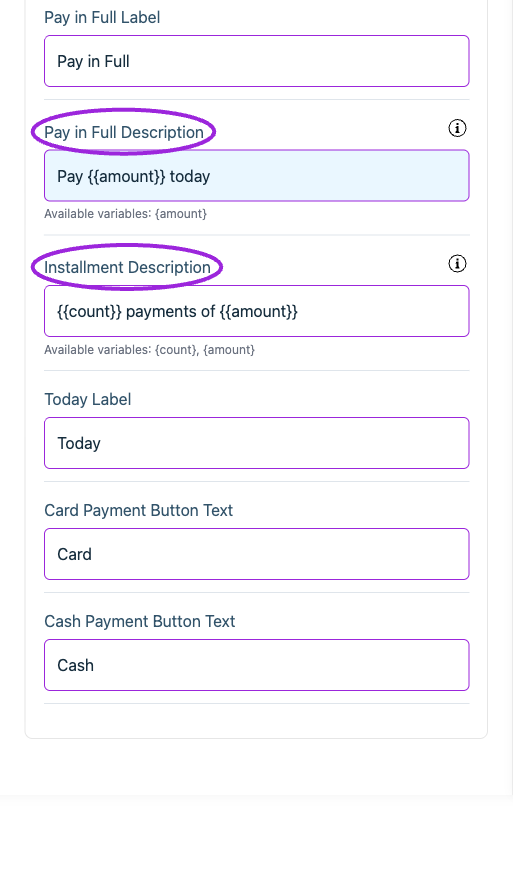 | Option | Control | What it changes |
| - | - | - |
| **Additional Consent Message** | Setting | Set the attendee-facing wording for this item. |
| **Card Expiry Date Text** | Setting | Set the attendee-facing wording for this item. |
| **Card Number Text** | Setting | Set the attendee-facing wording for this item. |
| **Card Payment Button Text** | Setting | Set the attendee-facing wording for this item. |
| **Card Security Code Text** | Setting | Set the attendee-facing wording for this item. |
| **Cash Payment Button Text** | Setting | Set the attendee-facing wording for this item. |
| **Collection Notice** | Setting | Set the attendee-facing wording for this item. |
| **Due Today Label** | Setting | Set the attendee-facing wording for this item. |
| **Future Payment Label** | Setting | Set the attendee-facing wording for this item. |
| **Installment Description** | Setting | Use \{\{count}} for the payment count and \{\{amount}} for each payment. |
| **Pay in Full Description** | Setting | Use \{\{amount}} for the amount due today. |
| **Pay in Full Label** | Setting | Set the attendee-facing wording for this item. |
| **Pay in Installments Label** | Setting | Set the attendee-facing wording for this item. |
| **Payment Count Text** | Setting | Set the attendee-facing wording for this item. |
| **Payment Option Label** | Setting | Set the attendee-facing wording for this item. |
| **Payment Plan Title** | Setting | Set the attendee-facing wording for this item. |
| **Today Label** | Setting | Set the attendee-facing wording for this item. |
| **Total Purchase Label** | Setting | Set the attendee-facing wording for this item. |
## Checkout › Promotional messages
| Option | Control | What it changes |
| - | - | - |
| **Additional Consent Message** | Setting | Set the attendee-facing wording for this item. |
| **Card Expiry Date Text** | Setting | Set the attendee-facing wording for this item. |
| **Card Number Text** | Setting | Set the attendee-facing wording for this item. |
| **Card Payment Button Text** | Setting | Set the attendee-facing wording for this item. |
| **Card Security Code Text** | Setting | Set the attendee-facing wording for this item. |
| **Cash Payment Button Text** | Setting | Set the attendee-facing wording for this item. |
| **Collection Notice** | Setting | Set the attendee-facing wording for this item. |
| **Due Today Label** | Setting | Set the attendee-facing wording for this item. |
| **Future Payment Label** | Setting | Set the attendee-facing wording for this item. |
| **Installment Description** | Setting | Use \{\{count}} for the payment count and \{\{amount}} for each payment. |
| **Pay in Full Description** | Setting | Use \{\{amount}} for the amount due today. |
| **Pay in Full Label** | Setting | Set the attendee-facing wording for this item. |
| **Pay in Installments Label** | Setting | Set the attendee-facing wording for this item. |
| **Payment Count Text** | Setting | Set the attendee-facing wording for this item. |
| **Payment Option Label** | Setting | Set the attendee-facing wording for this item. |
| **Payment Plan Title** | Setting | Set the attendee-facing wording for this item. |
| **Today Label** | Setting | Set the attendee-facing wording for this item. |
| **Total Purchase Label** | Setting | Set the attendee-facing wording for this item. |
## Checkout › Promotional messages
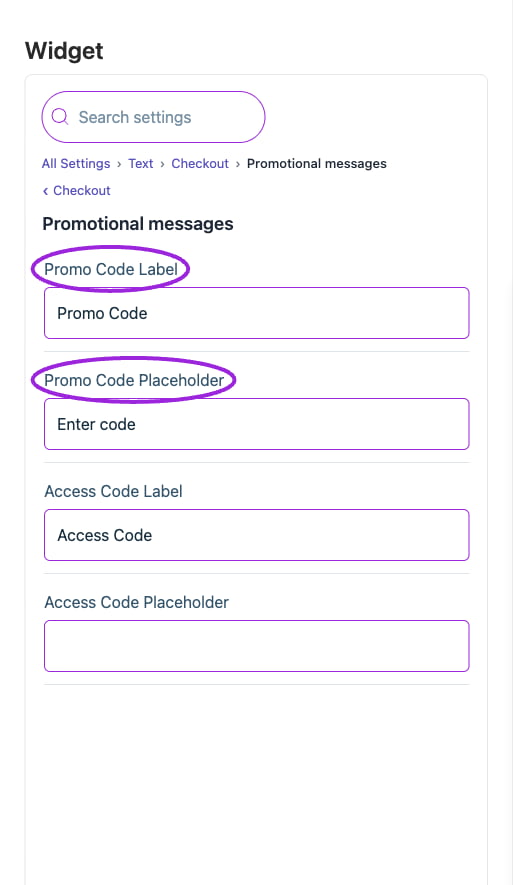 | Option | Control | What it changes |
| - | - | - |
| **Access Code Label** | Setting | Set the attendee-facing wording for this item. |
| **Access Code Placeholder** | Setting | Set the attendee-facing wording for this item. |
| **Promo Code Label** | Setting | Set the attendee-facing wording for this item. |
| **Promo Code Placeholder** | Setting | Set the attendee-facing wording for this item. |
## Checkout › Seating
| Option | Control | What it changes |
| - | - | - |
| **Access Code Label** | Setting | Set the attendee-facing wording for this item. |
| **Access Code Placeholder** | Setting | Set the attendee-facing wording for this item. |
| **Promo Code Label** | Setting | Set the attendee-facing wording for this item. |
| **Promo Code Placeholder** | Setting | Set the attendee-facing wording for this item. |
## Checkout › Seating
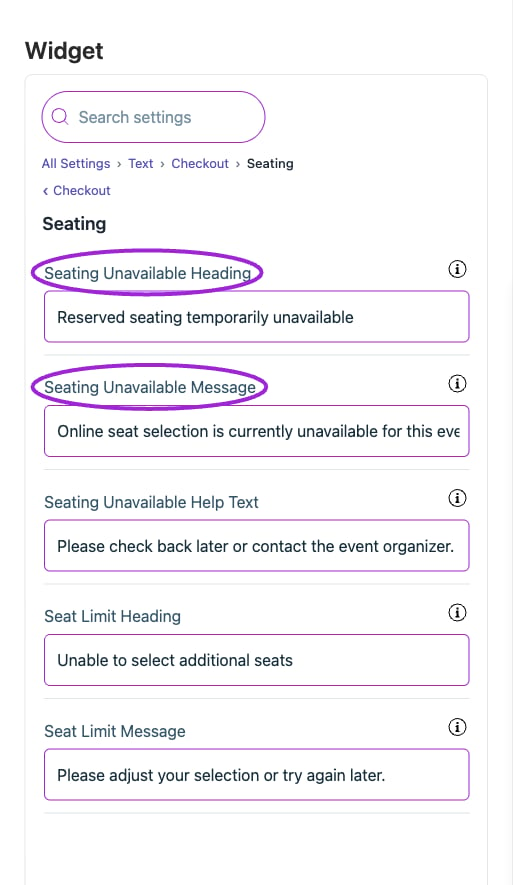 | Option | Control | What it changes |
| - | - | - |
| **Seat Limit Heading** | Setting | Heading on the notice shown when the buyer cannot add any more seats. |
| **Seat Limit Message** | Setting | Explanation shown when the buyer cannot add any more seats. |
| **Seating Unavailable Heading** | Setting | Heading on the card shown over a seating chart that cannot take selections. |
| **Seating Unavailable Help Text** | Setting | Suggested next step for a buyer who cannot select seats online. |
| **Seating Unavailable Message** | Setting | Explanation shown over a seating chart that cannot take selections. |
## Checkout › Section labels
| Option | Control | What it changes |
| - | - | - |
| **Seat Limit Heading** | Setting | Heading on the notice shown when the buyer cannot add any more seats. |
| **Seat Limit Message** | Setting | Explanation shown when the buyer cannot add any more seats. |
| **Seating Unavailable Heading** | Setting | Heading on the card shown over a seating chart that cannot take selections. |
| **Seating Unavailable Help Text** | Setting | Suggested next step for a buyer who cannot select seats online. |
| **Seating Unavailable Message** | Setting | Explanation shown over a seating chart that cannot take selections. |
## Checkout › Section labels
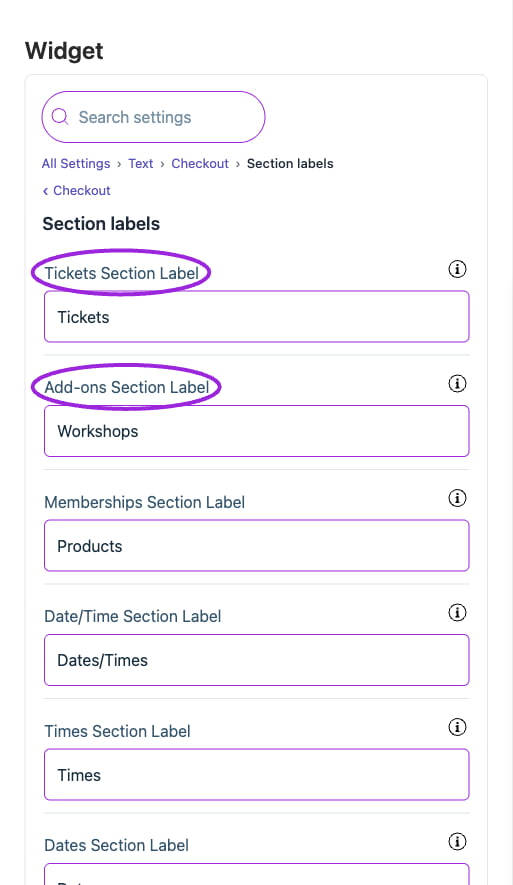
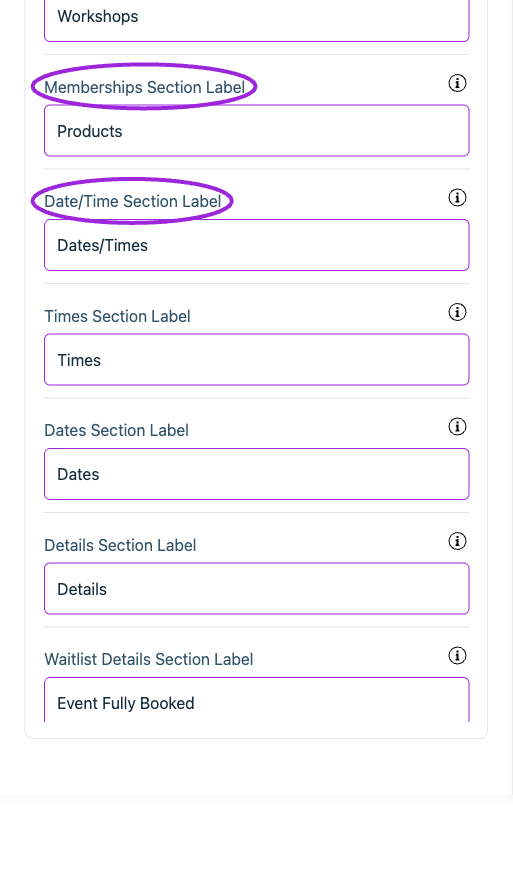
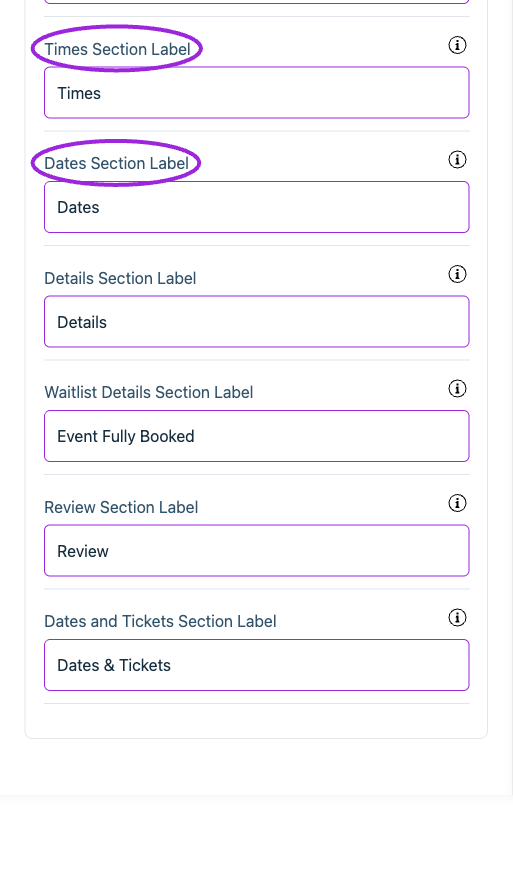 | Option | Control | What it changes |
| - | - | - |
| **Add-ons Section Label** | Setting | Label for the section where attendees select optional event add-ons (workshops, sessions, etc.). |
| **Date/Time Section Label** | Setting | Label for the section where attendees select the dates or times. |
| **Dates and Tickets Section Label** | Setting | Label for the combined date and ticket selection step. |
| **Dates Section Label** | Setting | Label for the section where attendees select the dates only. |
| **Details Section Label** | Setting | Label for the section where attendees enter their details. |
| **Memberships Section Label** | Setting | Label for the section where attendees select memberships (products, passes, etc.). |
| **Review Section Label** | Setting | Label for the final checkout step, where the order is confirmed and paid for if there is anything to pay. |
| **Tickets Section Label** | Setting | Label for the section where attendees select their tickets. |
| **Times Section Label** | Setting | Label for the section where attendees select the times only. |
| **Waitlist Details Section Label** | Setting | Label for the section where attendees enter their details for the waitlist. |
## Event details
| Option | Control | What it changes |
| - | - | - |
| **Add-ons Section Label** | Setting | Label for the section where attendees select optional event add-ons (workshops, sessions, etc.). |
| **Date/Time Section Label** | Setting | Label for the section where attendees select the dates or times. |
| **Dates and Tickets Section Label** | Setting | Label for the combined date and ticket selection step. |
| **Dates Section Label** | Setting | Label for the section where attendees select the dates only. |
| **Details Section Label** | Setting | Label for the section where attendees enter their details. |
| **Memberships Section Label** | Setting | Label for the section where attendees select memberships (products, passes, etc.). |
| **Review Section Label** | Setting | Label for the final checkout step, where the order is confirmed and paid for if there is anything to pay. |
| **Tickets Section Label** | Setting | Label for the section where attendees select their tickets. |
| **Times Section Label** | Setting | Label for the section where attendees select the times only. |
| **Waitlist Details Section Label** | Setting | Label for the section where attendees enter their details for the waitlist. |
## Event details
 | Option | Control | What it changes |
| - | - | - |
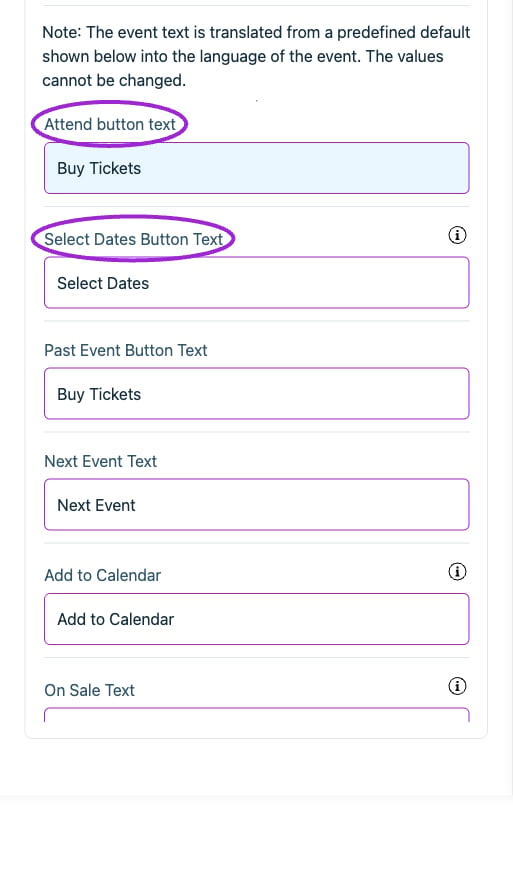
| **Add to Calendar** | Setting | Text for the 'Add to Calendar' button. |
| **Attend button text** | Setting | Set the attendee-facing wording for this item. |
| **Automatic search filter translation** | Setting | Automatically translates search filters, including time periods like months and weeks. |
| **Automatic translation** | Setting | Event components will be automatically translated based on the user's current language. |
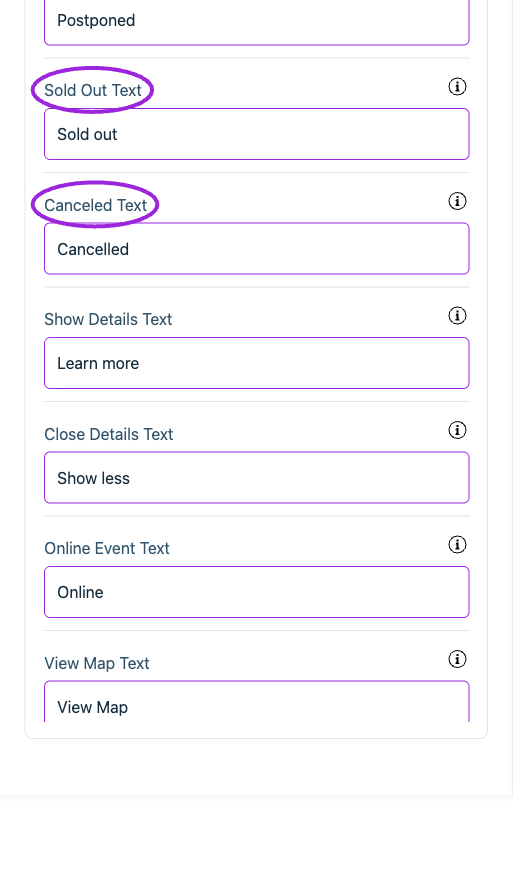
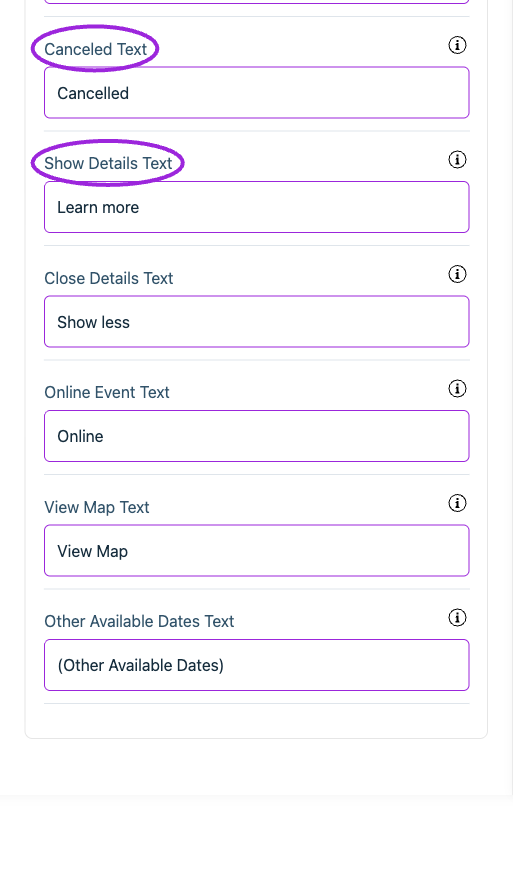
| **Canceled Text** | Setting | Text displayed when the event or ticket sales have been canceled. |
| **Close Details Text** | Setting | Button label to hide the additional information. |
| **Next Event Text** | Setting | Set the attendee-facing wording for this item. |
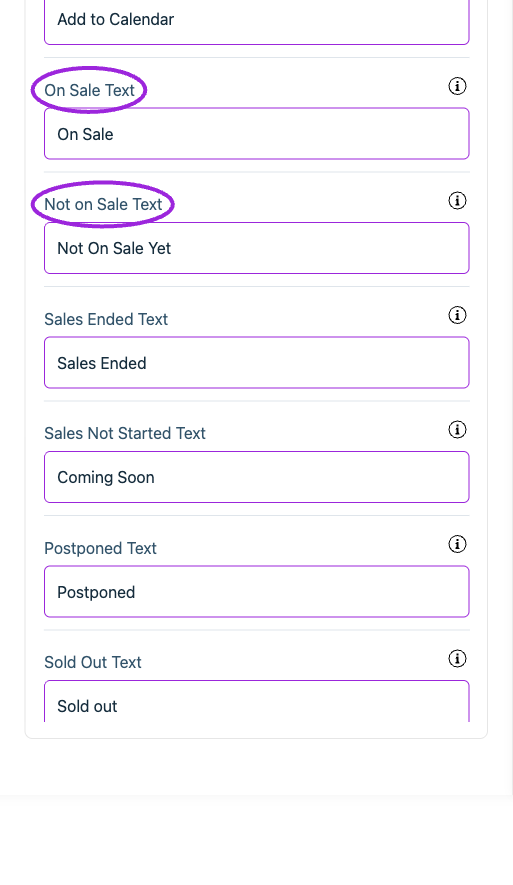
| **Not on Sale Text** | Setting | Text displayed when tickets are not available for purchase. |
| **On Sale Text** | Setting | Text displayed when tickets are available for purchase. |
| **Online Event Text** | Setting | Text displayed when the event is taking place online. |
| **Other Available Dates Text** | Setting | Label for other dates in a recurring event series. |
| **Past Event Button Text** | Setting | Set the attendee-facing wording for this item. |
| **Postponed Text** | Setting | Text displayed when ticket sales have been delayed or rescheduled. |
| **Sales Ended Text** | Setting | Text displayed when the sale period for tickets has ended. |
| **Sales Not Started Text** | Setting | Text displayed when the sale period for tickets has not started. |
| **Select Dates Button Text** | Setting | Button shown instead of Register when visitors select dates for a multi-date event. |
| **Show Details Text** | Setting | Button label to reveal additional information. |
| **Sold Out Text** | Setting | Text displayed when all available tickets have been purchased. |
| **View Map Text** | Setting | Button for viewing the event location on a map. |
## Search filters
| Option | Control | What it changes |
| - | - | - |
| **Add to Calendar** | Setting | Text for the 'Add to Calendar' button. |
| **Attend button text** | Setting | Set the attendee-facing wording for this item. |
| **Automatic search filter translation** | Setting | Automatically translates search filters, including time periods like months and weeks. |
| **Automatic translation** | Setting | Event components will be automatically translated based on the user's current language. |
| **Canceled Text** | Setting | Text displayed when the event or ticket sales have been canceled. |
| **Close Details Text** | Setting | Button label to hide the additional information. |
| **Next Event Text** | Setting | Set the attendee-facing wording for this item. |
| **Not on Sale Text** | Setting | Text displayed when tickets are not available for purchase. |
| **On Sale Text** | Setting | Text displayed when tickets are available for purchase. |
| **Online Event Text** | Setting | Text displayed when the event is taking place online. |
| **Other Available Dates Text** | Setting | Label for other dates in a recurring event series. |
| **Past Event Button Text** | Setting | Set the attendee-facing wording for this item. |
| **Postponed Text** | Setting | Text displayed when ticket sales have been delayed or rescheduled. |
| **Sales Ended Text** | Setting | Text displayed when the sale period for tickets has ended. |
| **Sales Not Started Text** | Setting | Text displayed when the sale period for tickets has not started. |
| **Select Dates Button Text** | Setting | Button shown instead of Register when visitors select dates for a multi-date event. |
| **Show Details Text** | Setting | Button label to reveal additional information. |
| **Sold Out Text** | Setting | Text displayed when all available tickets have been purchased. |
| **View Map Text** | Setting | Button for viewing the event location on a map. |
## Search filters
 | Option | Control | What it changes |
| - | - | - |
| **Category Filter Placeholder** | Setting | Set the attendee-facing wording for this item. |
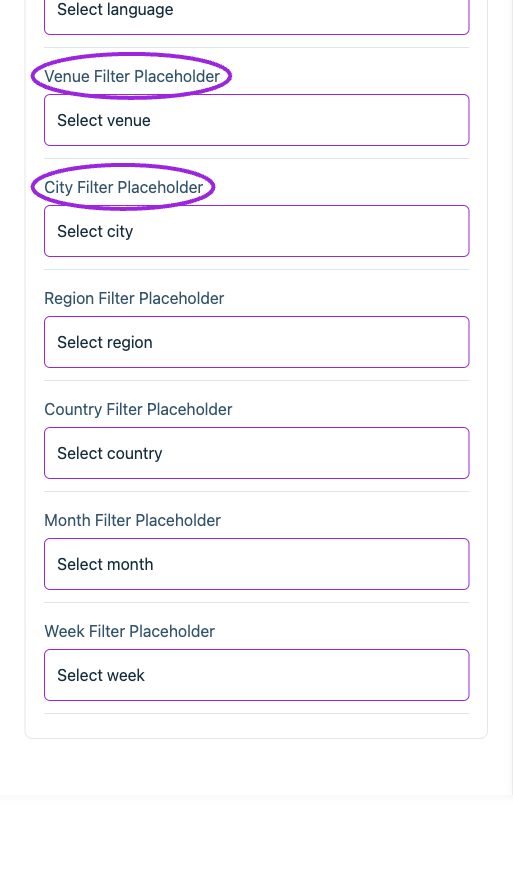
| **City Filter Placeholder** | Setting | Set the attendee-facing wording for this item. |
| **Country Filter Placeholder** | Setting | Set the attendee-facing wording for this item. |
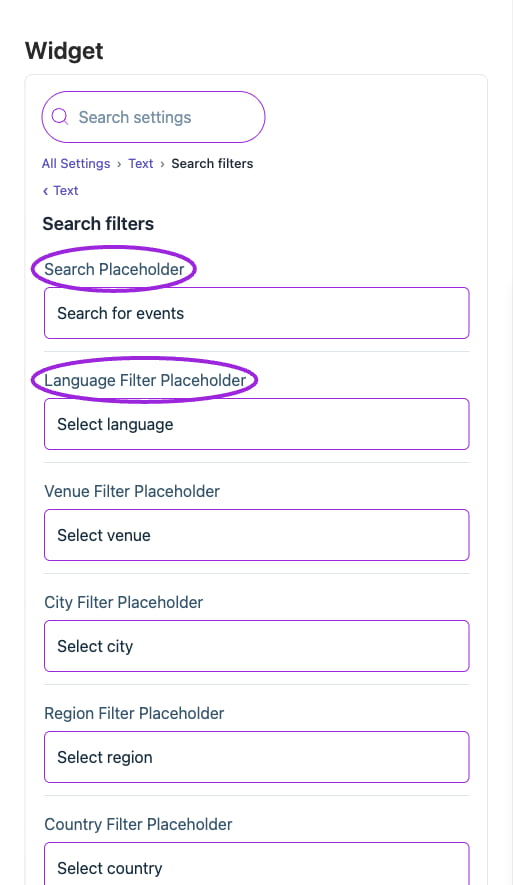
| **Language Filter Placeholder** | Setting | Set the attendee-facing wording for this item. |
| **Month Filter Placeholder** | Setting | Set the attendee-facing wording for this item. |
| **Region Filter Placeholder** | Setting | Set the attendee-facing wording for this item. |
| **Search Placeholder** | Setting | Set the attendee-facing wording for this item. |
| **Venue Filter Placeholder** | Setting | Set the attendee-facing wording for this item. |
| **Week Filter Placeholder** | Setting | Set the attendee-facing wording for this item. |
## Shopify product page
| Option | Control | What it changes |
| - | - | - |
| **Category Filter Placeholder** | Setting | Set the attendee-facing wording for this item. |
| **City Filter Placeholder** | Setting | Set the attendee-facing wording for this item. |
| **Country Filter Placeholder** | Setting | Set the attendee-facing wording for this item. |
| **Language Filter Placeholder** | Setting | Set the attendee-facing wording for this item. |
| **Month Filter Placeholder** | Setting | Set the attendee-facing wording for this item. |
| **Region Filter Placeholder** | Setting | Set the attendee-facing wording for this item. |
| **Search Placeholder** | Setting | Set the attendee-facing wording for this item. |
| **Venue Filter Placeholder** | Setting | Set the attendee-facing wording for this item. |
| **Week Filter Placeholder** | Setting | Set the attendee-facing wording for this item. |
## Shopify product page
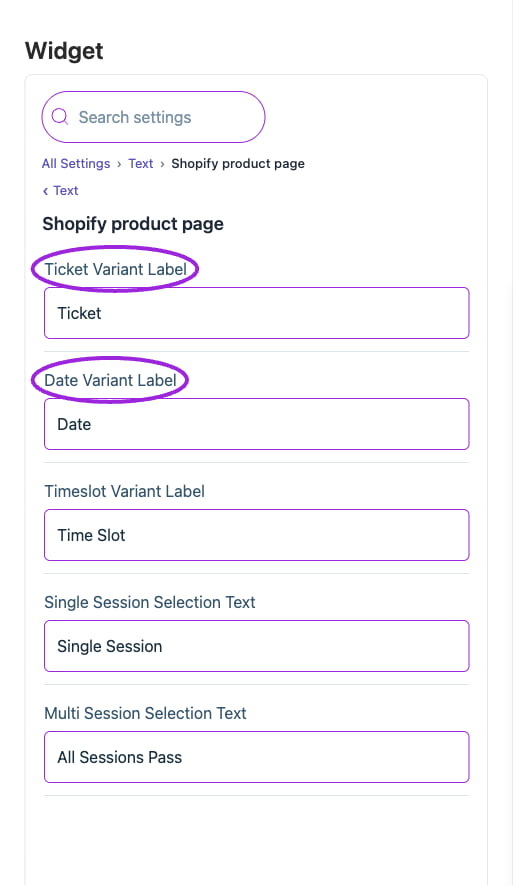 | Option | Control | What it changes |
| - | - | - |
| **Date Variant Label** | Setting | Set the attendee-facing wording for this item. |
| **Ticket Variant Label** | Setting | Set the attendee-facing wording for this item. |
| **Timeslot Variant Label** | Setting | Set the attendee-facing wording for this item. |
## Widget
| Option | Control | What it changes |
| - | - | - |
| **Date Variant Label** | Setting | Set the attendee-facing wording for this item. |
| **Ticket Variant Label** | Setting | Set the attendee-facing wording for this item. |
| **Timeslot Variant Label** | Setting | Set the attendee-facing wording for this item. |
## Widget
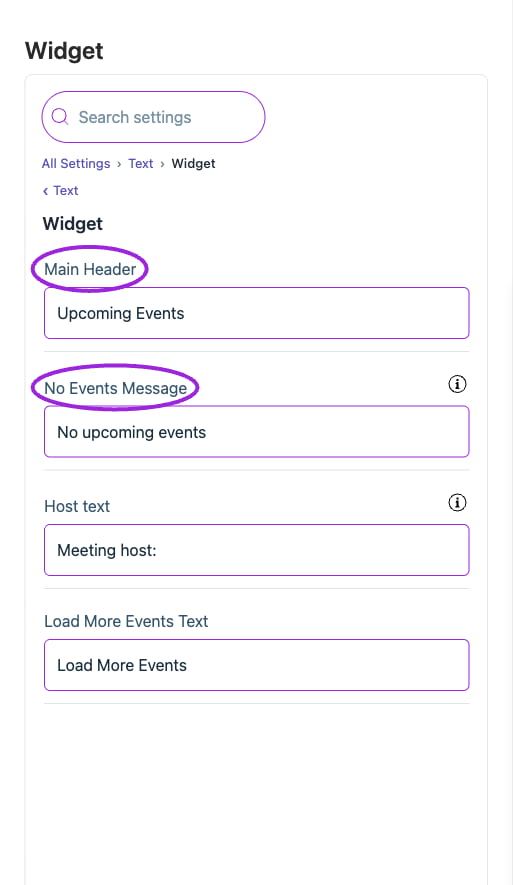 | Option | Control | What it changes |
| - | - | - |
| **Host text** | Setting | Visitors will see this message when you have no upcoming events. |
| **Load More Events Text** | Setting | Set the attendee-facing wording for this item. |
| **Main Header** | Setting | Set the attendee-facing wording for this item. |
| **No Events Message** | Setting | Visitors will see this message when you have no events. |
## Save and verify
Wait for the setting update to finish, check the preview, and open the installed widget to confirm the result. If a control is unavailable, review its prerequisite, site type, and plan. [Return to widget setup](./widget-customization-overview).
This documentation is built and hosted on [Mintlify](https://mintlify.com), a developer documentation platform.
| Option | Control | What it changes |
| - | - | - |
| **Host text** | Setting | Visitors will see this message when you have no upcoming events. |
| **Load More Events Text** | Setting | Set the attendee-facing wording for this item. |
| **Main Header** | Setting | Set the attendee-facing wording for this item. |
| **No Events Message** | Setting | Visitors will see this message when you have no events. |
## Save and verify
Wait for the setting update to finish, check the preview, and open the installed widget to confirm the result. If a control is unavailable, review its prerequisite, site type, and plan. [Return to widget setup](./widget-customization-overview).
This documentation is built and hosted on [Mintlify](https://mintlify.com), a developer documentation platform.