> ## Documentation Index
> Fetch the complete documentation index at: https://docs.ticketspotapp.com/llms.txt
> Use this file to discover all available pages before exploring further.
# Memberships and annual passes
> Choose between membership admission, members-only tickets, and member pricing for events and recurring programs.
Memberships give a person benefits across the events you assign. Use them for annual admission, season passes, class packages, or a club with discounted tickets. Membership creation and ticket access/pricing are available on Business and higher.
## Choose the right membership setup
| Use case | Suggested setup |
| - | - |
| **Annual attraction pass** | One-year duration, assigned admission events, and the total/per-event visit limits appropriate to your attraction. |
| **Season pass** | Assign the season's events; use one visit per event if each event permits one admission. |
| **Ten-visit class package** | Set Total Visits Allowed to 10 and assign eligible class events. Set a per-event limit separately. |
| **Members-only event ticket** | Create the membership, then choose Members only and eligible memberships on the ticket. |
| **Club discount or free member ticket** | Keep ticket access open to Everyone if non-members can buy it; enable Member Pricing and enter the special price, or 0 for a free member ticket. |
The membership price is a **one-time price**. A duration of one year describes how long benefits last after purchase; it does not configure an automatically renewing subscription.
## Three separate controls
1. **Event assignment and admission** determine which events accept a membership, whether a ticket reservation is required, and whether the membership is offered at checkout.
2. **Ticket access** determines which active memberships qualify a person to purchase a members-only ticket.
3. **Member pricing** determines which active memberships qualify for the special ticket price.
Configure the control that matches your intended experience. Assigning a membership to an event does not by itself select that membership in a ticket's access or pricing fields.
## Set up your program
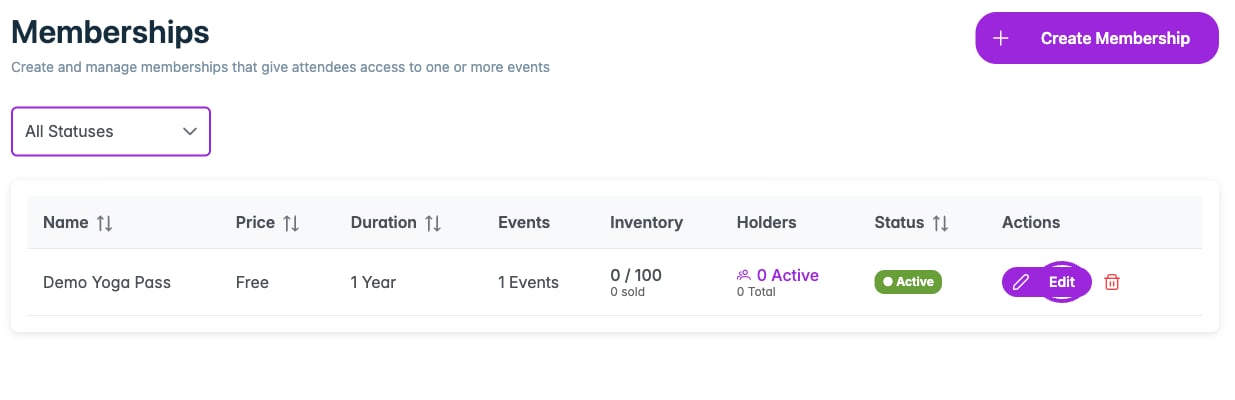 1. [Create the membership](./create-membership), including its duration, visit limits, inventory, and images.
2. [Assign it to events](./assign-to-events).
3. If attendees should reserve or purchase event tickets, [configure members-only access or member pricing](./ticket-access-and-pricing).
4. [View holders and membership details](./manage-members).
5. Test with a member and a non-member before promoting the program.
For the membership's downloadable design, open **Design → Tickets & Passes → Membership PDF**. Start with your [brand colors and logo](../branding-and-design/brand-design).
This documentation is built and hosted on [Mintlify](https://mintlify.com), a developer documentation platform.
1. [Create the membership](./create-membership), including its duration, visit limits, inventory, and images.
2. [Assign it to events](./assign-to-events).
3. If attendees should reserve or purchase event tickets, [configure members-only access or member pricing](./ticket-access-and-pricing).
4. [View holders and membership details](./manage-members).
5. Test with a member and a non-member before promoting the program.
For the membership's downloadable design, open **Design → Tickets & Passes → Membership PDF**. Start with your [brand colors and logo](../branding-and-design/brand-design).
This documentation is built and hosted on [Mintlify](https://mintlify.com), a developer documentation platform.