Navigation
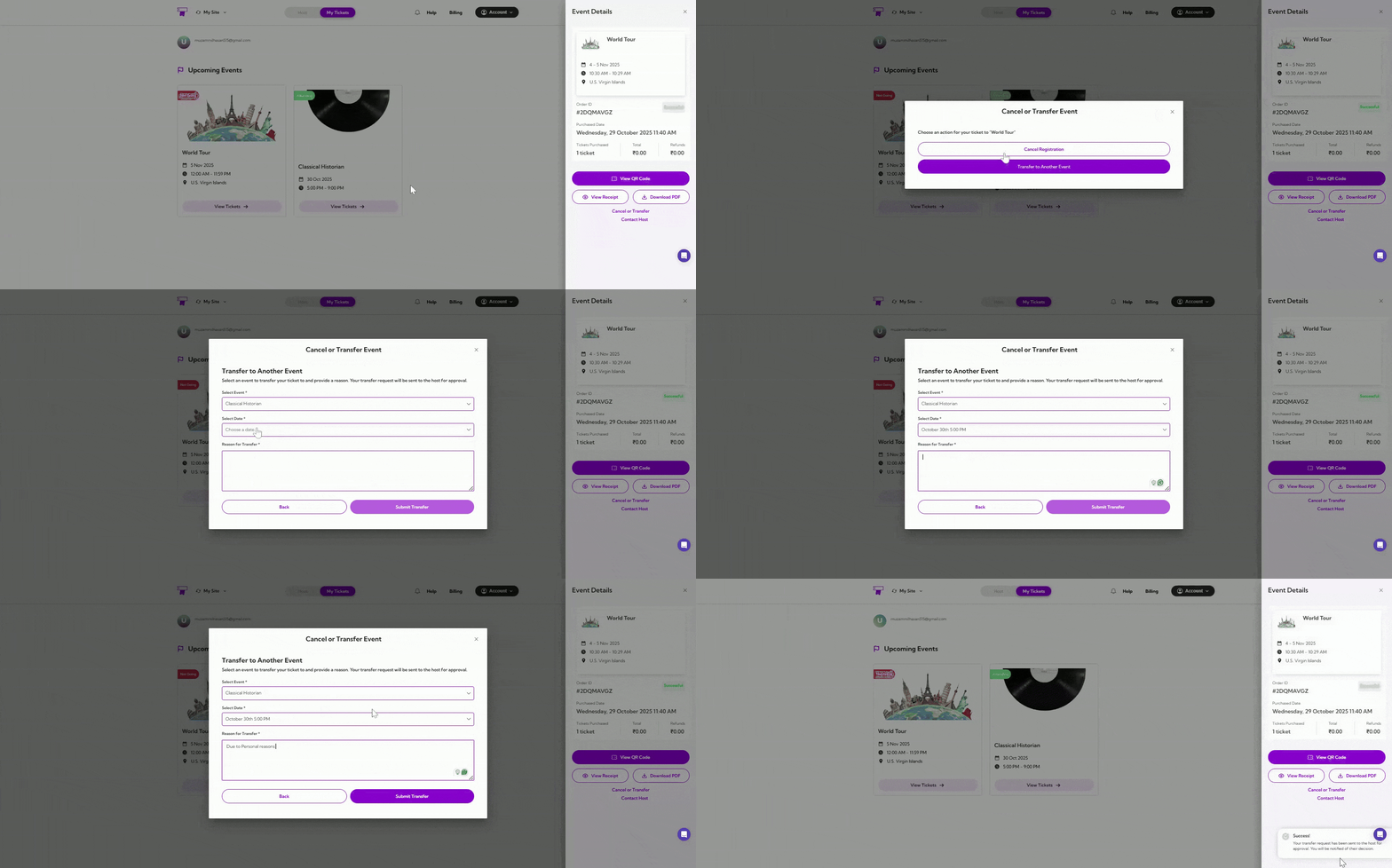
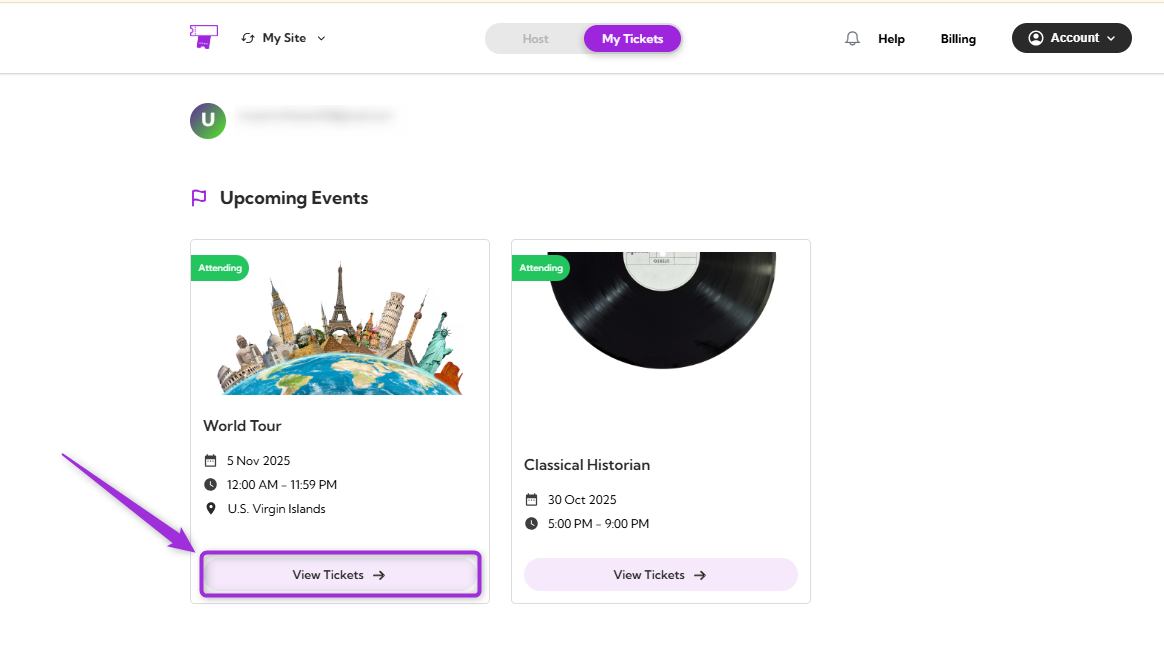
Step 1: Log in to your TicketSpot account and click on the My Tickets tab in the top navigation bar..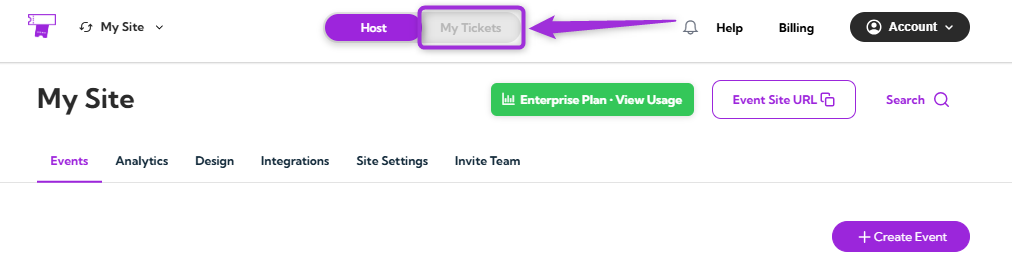
Cancel Registration
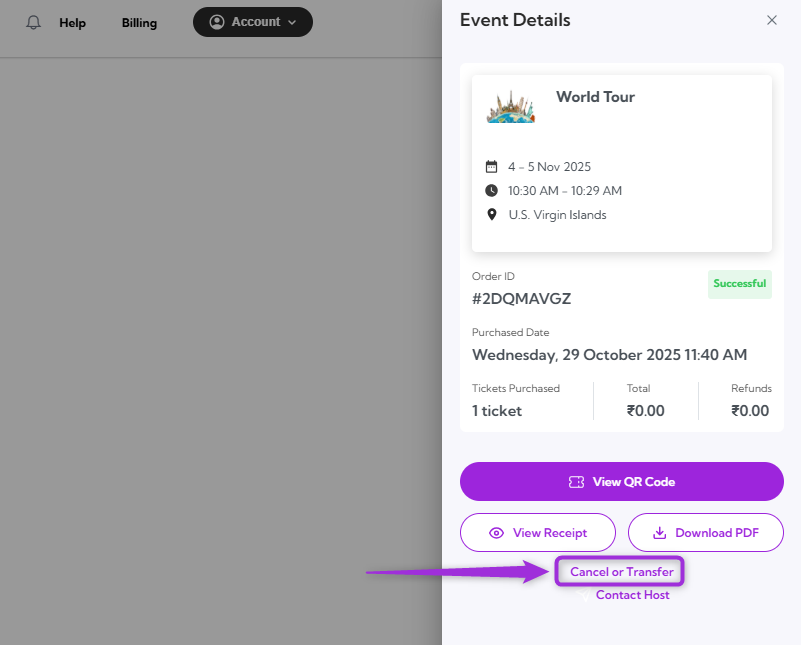
If you can no longer attend the event, click on the Cancel Registration. Provide a reason for your cancellation, then click on Submit Cancellation. Your status will be updated to Not Going immediately after the cancellation is processed.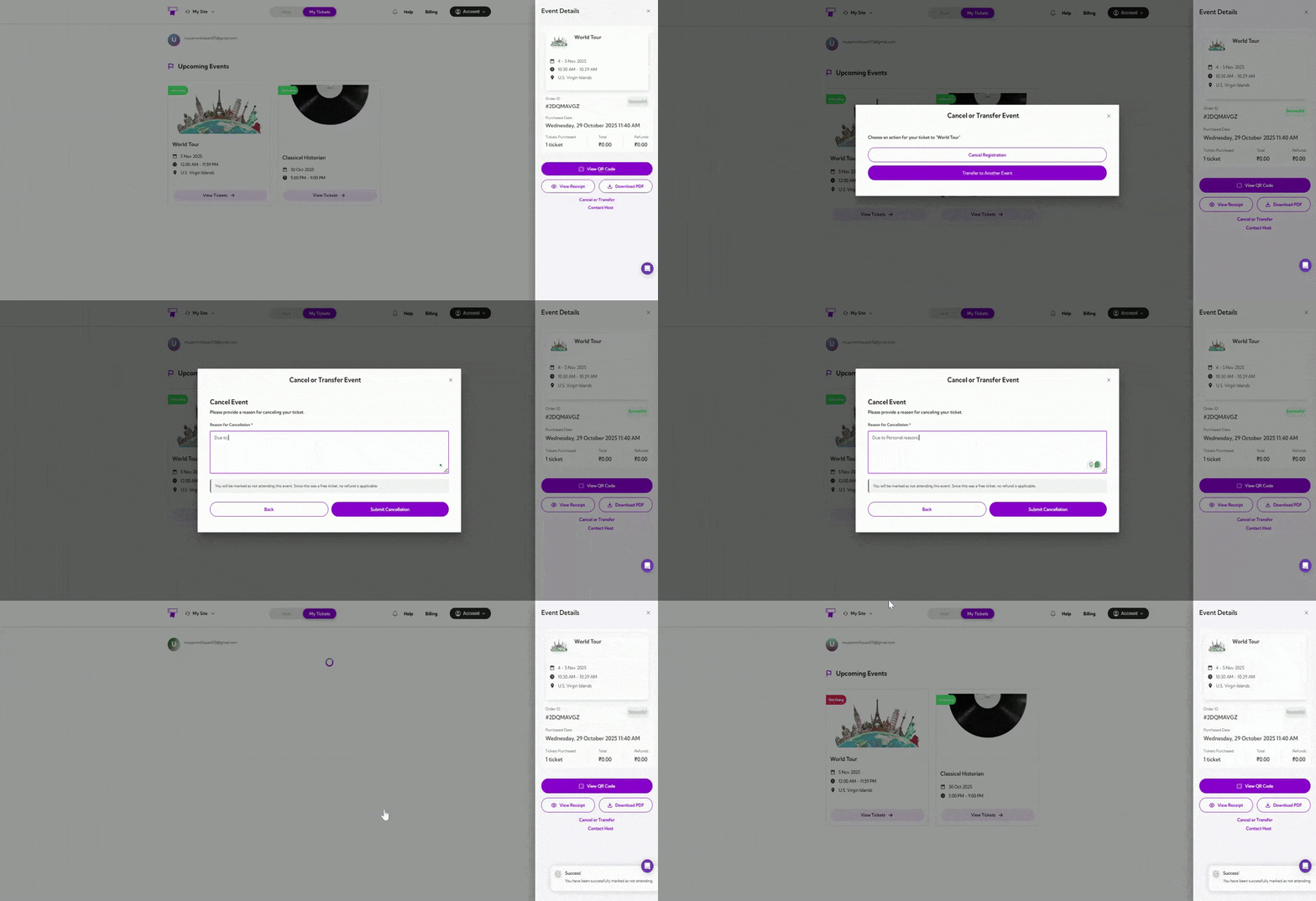
Transfer to Another Event
If you wish to move your registration to a different event, click Transfer to Another Event. From the dropdown menu, select the event you want to transfer your ticket to, choose the event date, and provide a reason for the transfer. After confirming your selections, click Submit Transfer to complete the process.