View QR Code
You can view your event QR codes directly from your TicketSpot account for quick check-in at the venue. Step 1: Log in to your TicketSpot account and click on the My Tickets tab in the top navigation bar.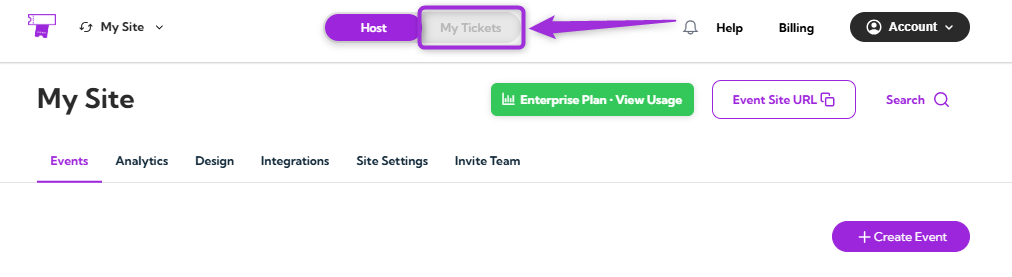
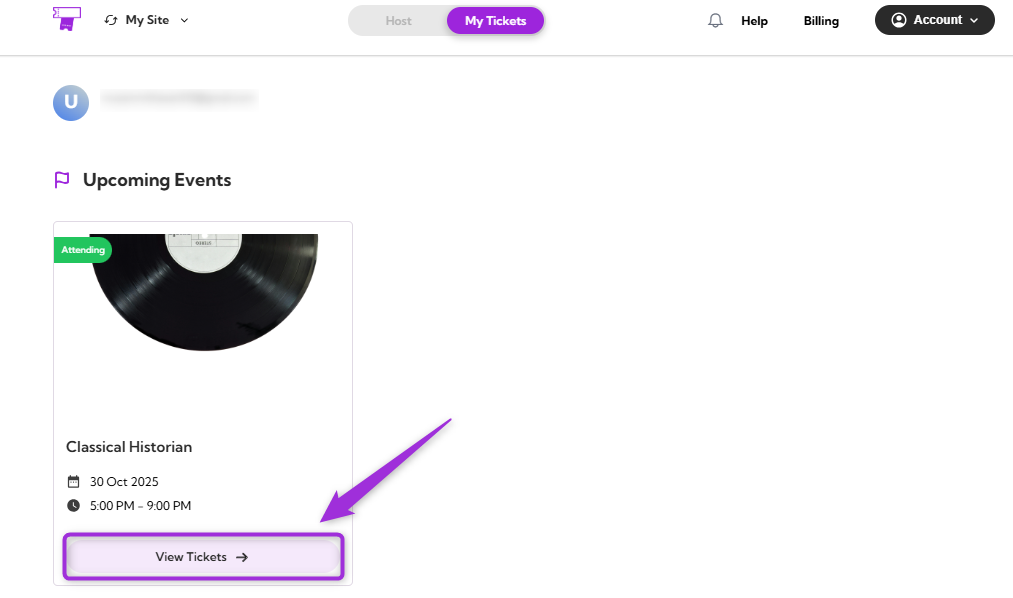
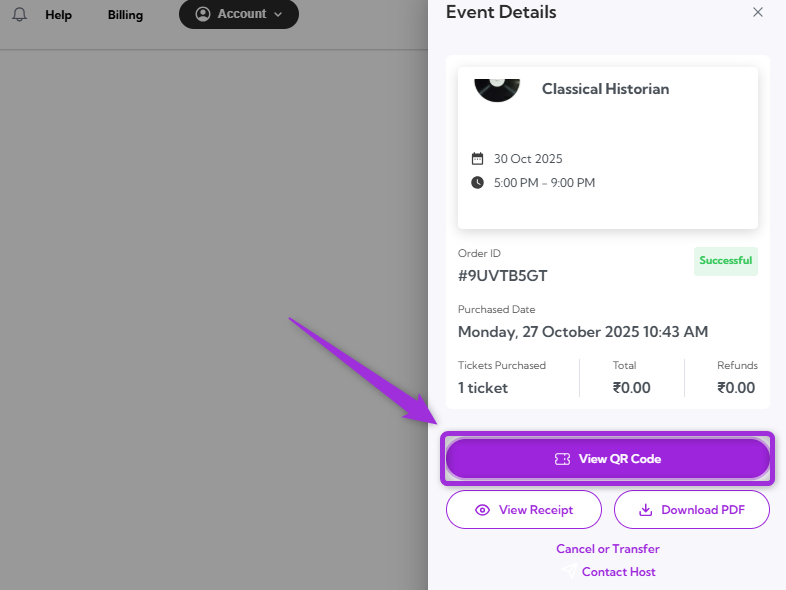
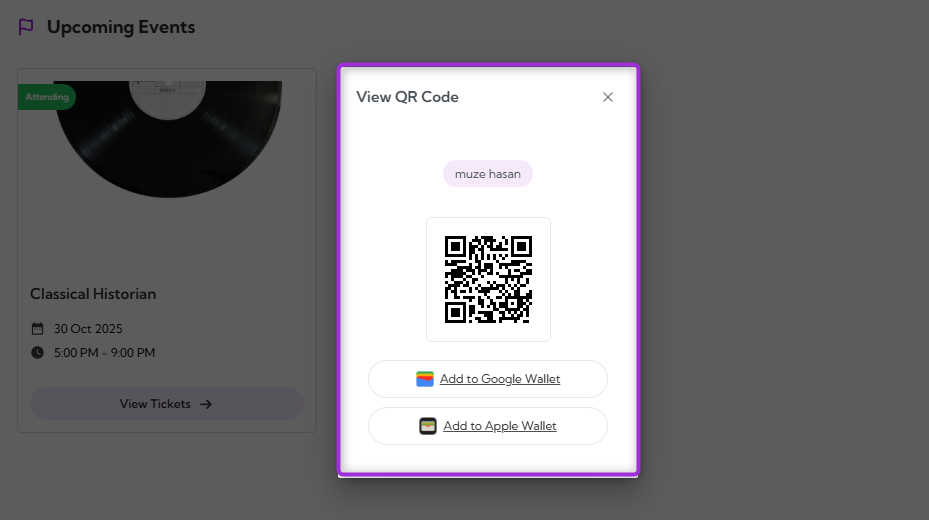
Note: Each ticket has a unique QR code. Once scanned at the event check-in, it can’t be reused. Make sure to present the correct QR code for each attendee to avoid access issues.
Digital Wallet
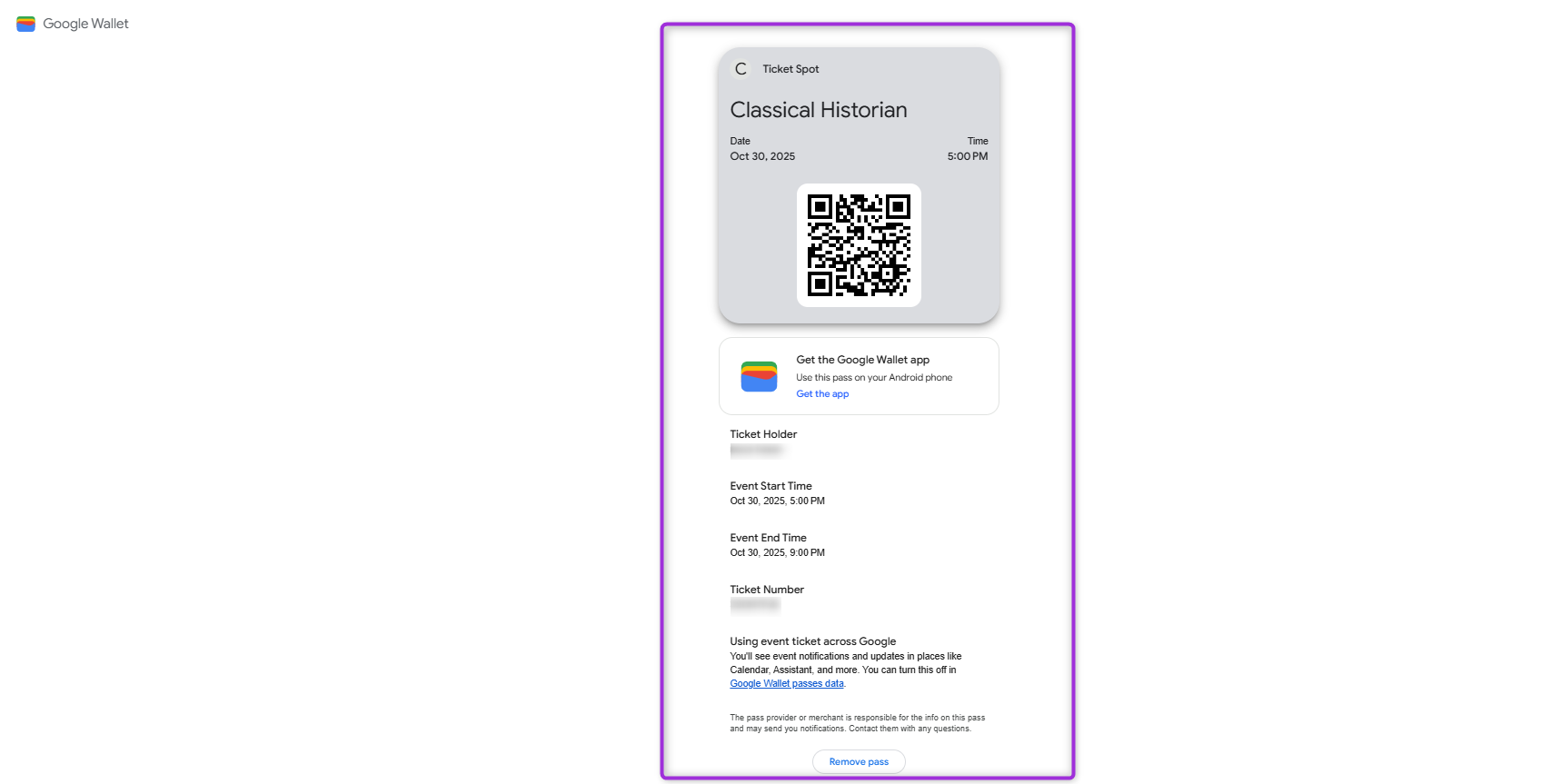
The Digital Wallet feature makes it easier to access your tickets during check-in. After viewing your QR code, you can save the ticket to your mobile wallet for quick and reliable access at the venue — even without an internet connection. Both Google Pay and Apple Wallet provide offline access to tickets, event reminders, and quick ticket display from your phone’s lock screen or notifications for quick and easy entry.Add to Google Wallet (Android)
- Click on the Add to Google Wallet below your QR code.
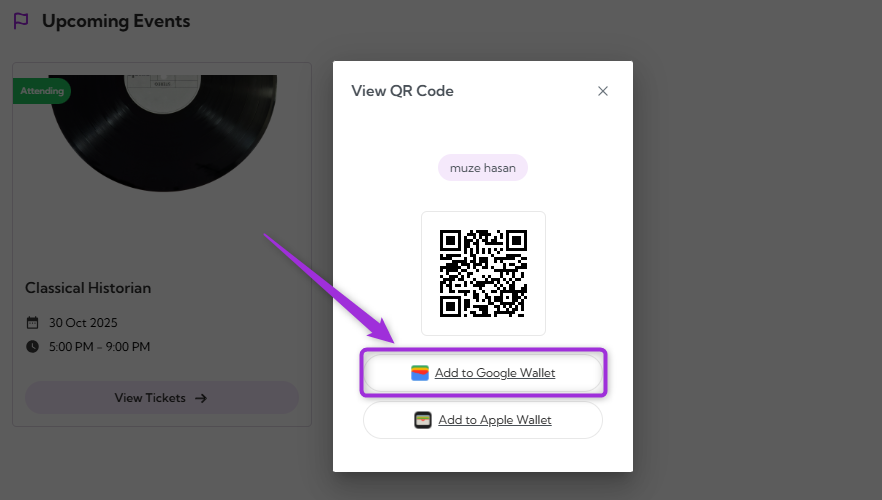
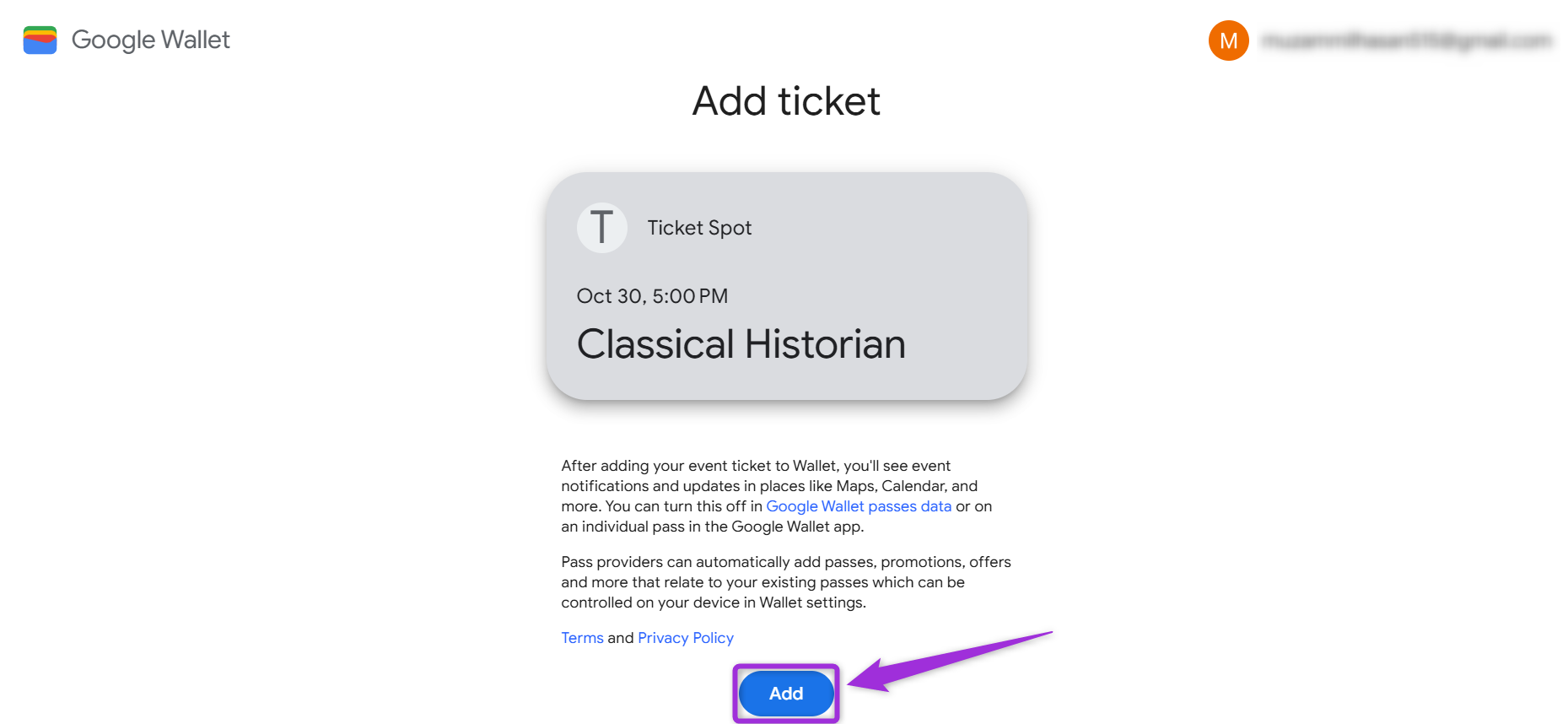
- Review the details of your event and click on Add to confirm. This saves your ticket pass to your Google Wallet.
For iOS (Apple Wallet)
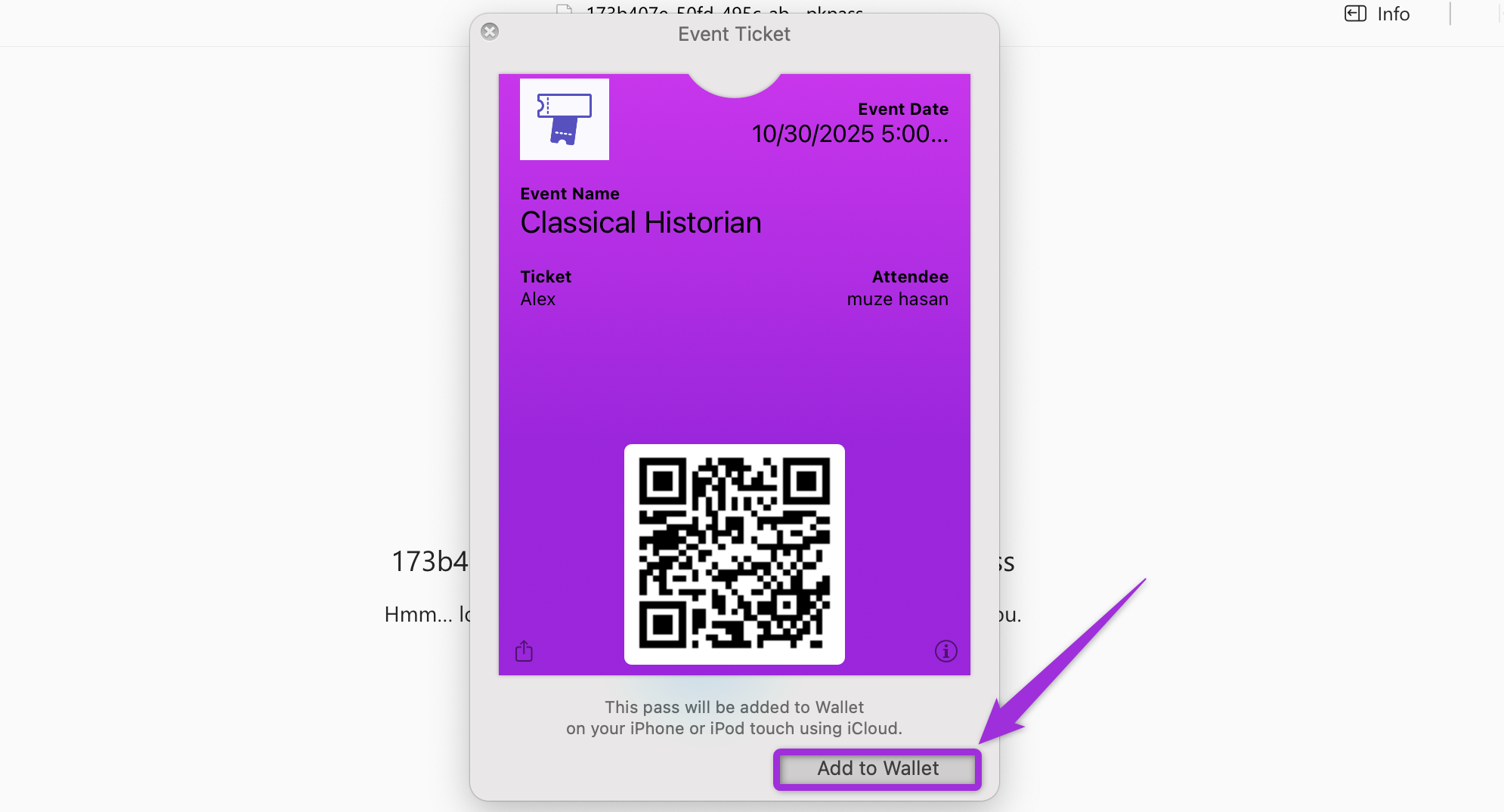
- Click on the Add to Apple Wallet below your QR code.
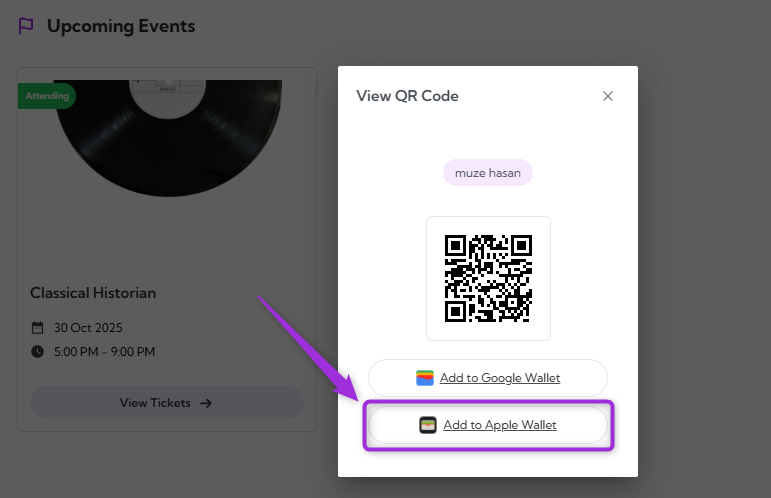
- Review the details of your event and click on Add to wallet to confirm. This saves your ticket pass to your Google Wallet.