Prerequisites
Before setting up the integration, make sure you have:- ✅ An active Ticket Spot account with access to the Integrations page.
- ✅ A valid tickettailor account with an API key generated. Follow the guide: How to Generate a tickettailor API Key to create one.
Integration
Step 1: Log in to your Ticket Spot account and click the Integrations tab from the top navigation bar to open the integrations page. Step 2: Find the tickettailor platform under the Event Platforms category and click the Connect button to open the integration setup window.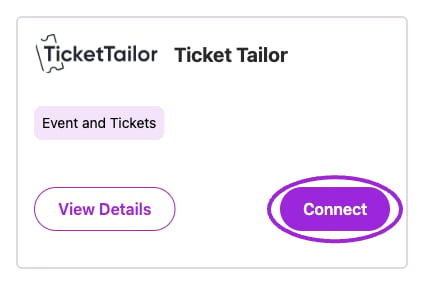
Open Integrations and choose Connect on the Ticket Tailor card. External authorization is a separate step.
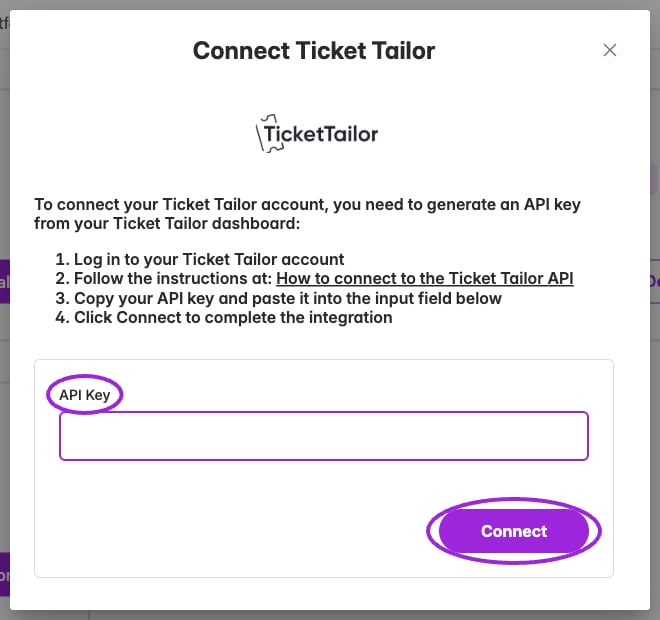
Paste a Ticket Tailor API key in the connection form. This capture uses an empty field and does not connect an account.
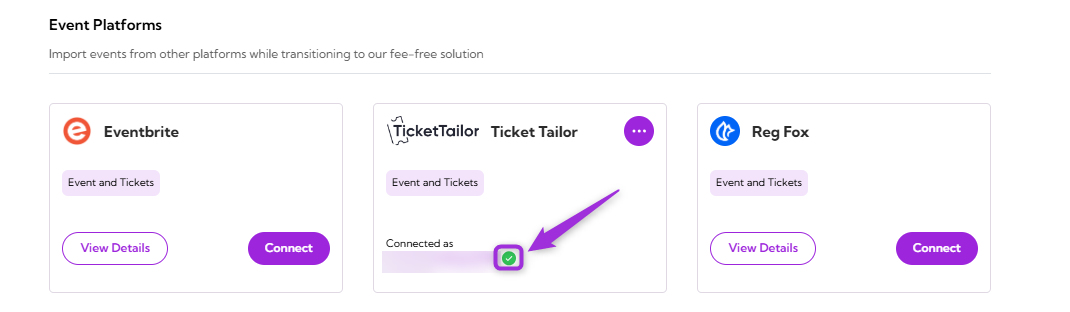
View Details
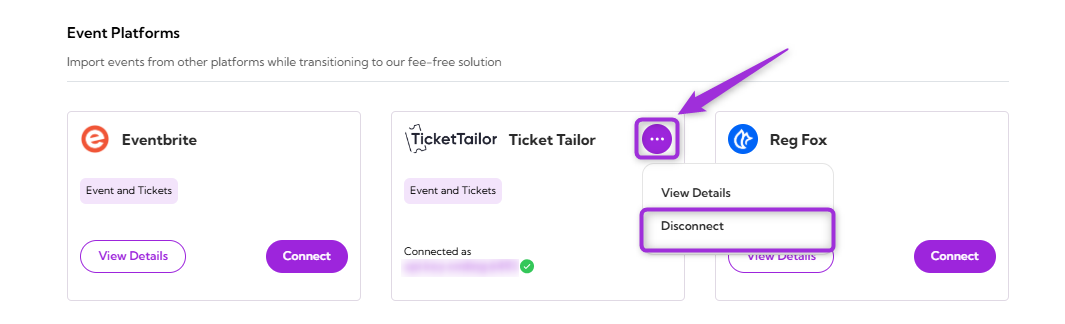
Choose View Details on an unconnected card, or from the three-dot menu on a connected card, to read what the integration supports. Check the card’s connected-account label to confirm which account is linked.Disconnect
Remove the existing connection between your Ticket Tailor account and Ticket Spot. Once disconnected, Ticket Spot will no longer be connected to the tickettailor platform. Click the three-dot menu icon on the tickettailor integration tile and select Disconnect from the dropdown menu.