Prerequisites
Before setting up the integration, make sure you have:- ✅ An active Ticket Spot account with access to the Integrations page.
- ✅ A valid ticketspice account with an API key generated. Follow the guide: How to Generate a ticketspice API Key to create one.
Integration
Step 1: Log in to your Ticket Spot account and click the Integrations tab from the top navigation bar to open the integrations page.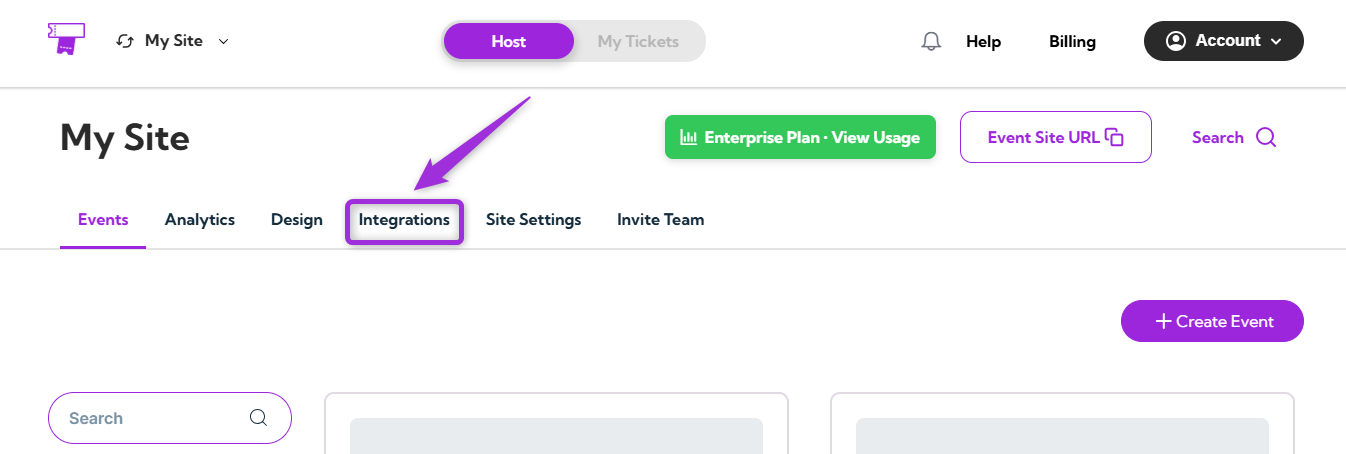
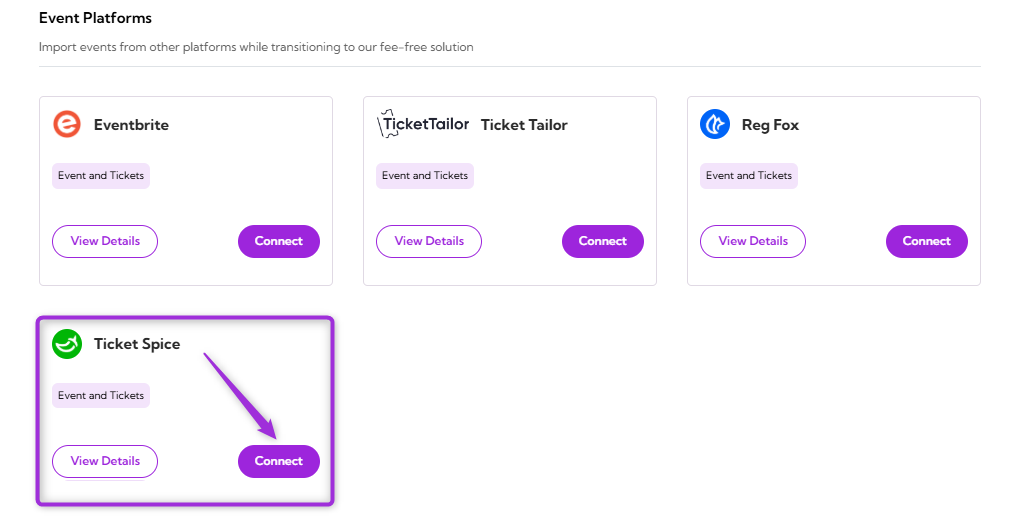
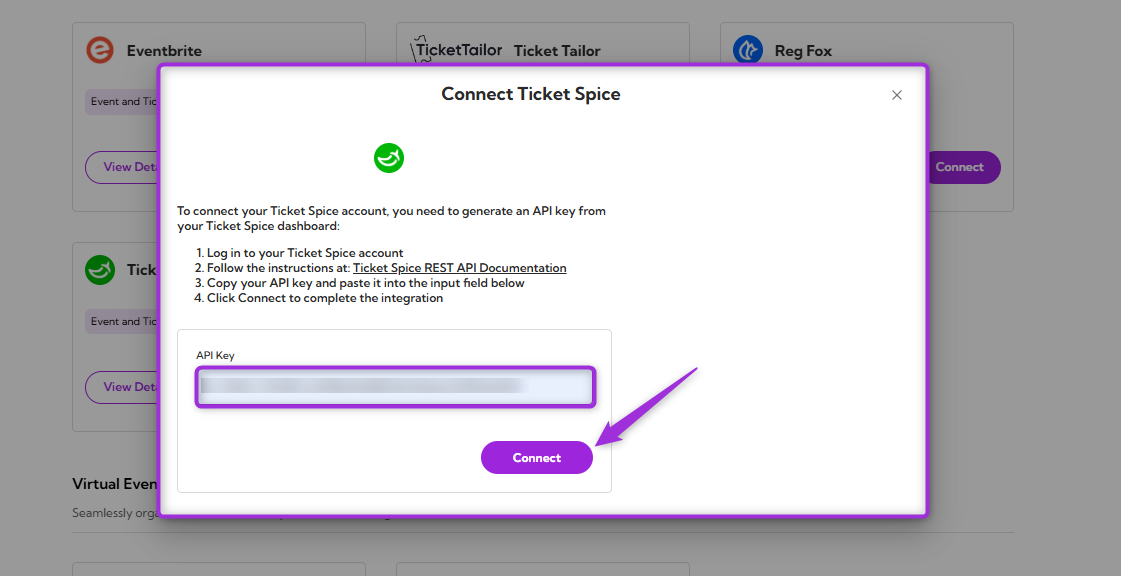
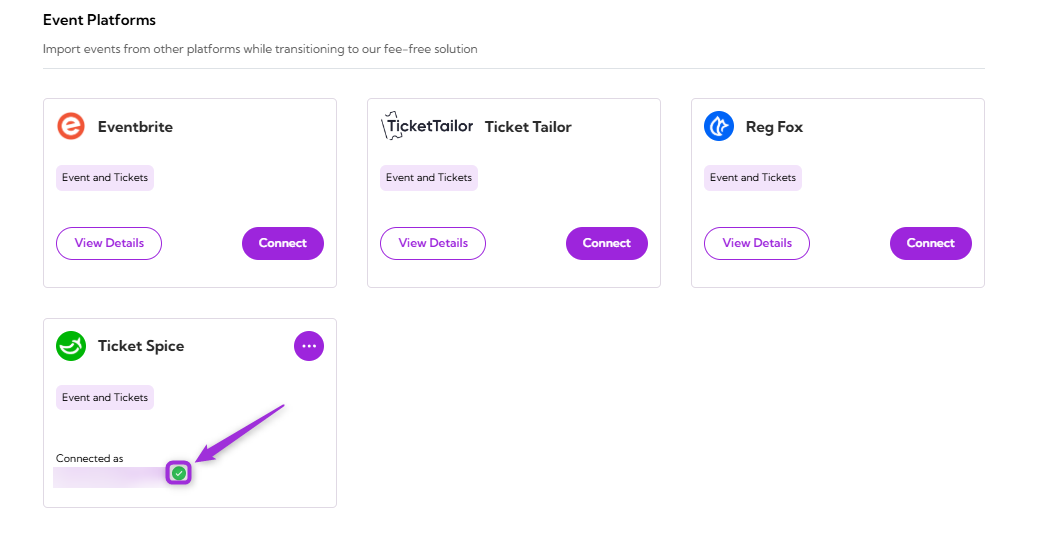
View Details
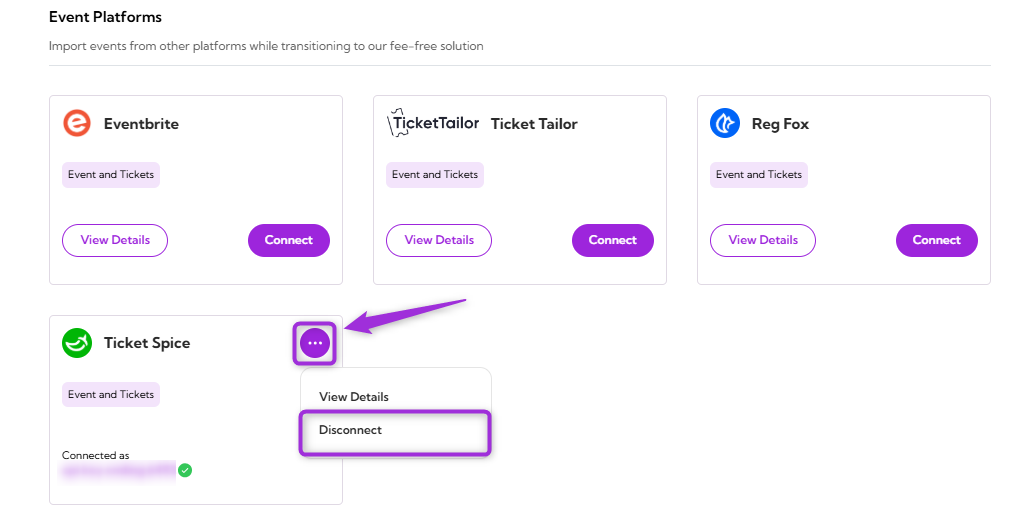
Review the connection details for your Ticket Spice integration, including the linked account and current status. To view details, click the horizontal ellipsis (⋯) icon on the Ticket Tailor integration tile and select View Details from the dropdown menu.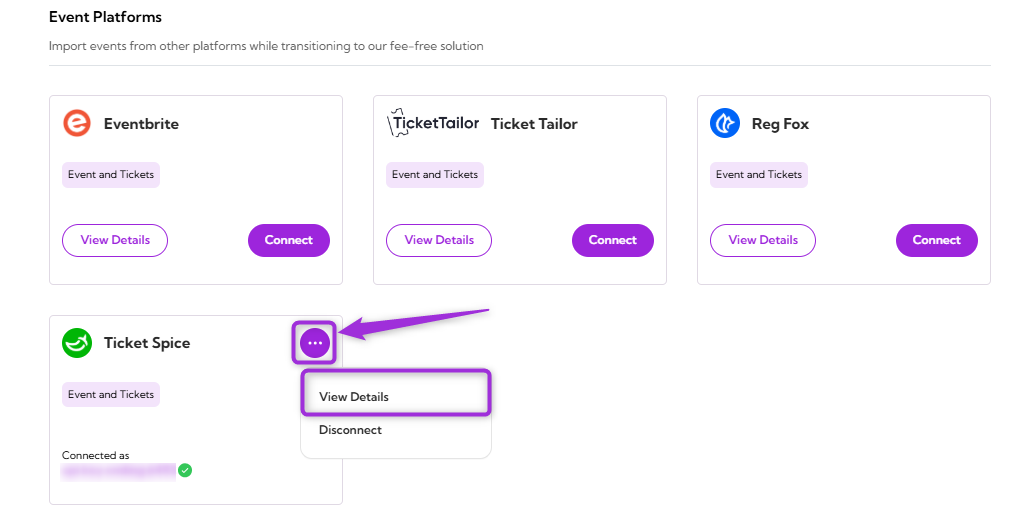
Disconnect
Remove the existing connection between your Ticket Spice account and Ticket Spot. Once disconnected, Ticket Spot will no longer be connected to the ticketspice platform. Click the horizontal ellipsis (⋯) icon on the ticketspice integration tile and select Disconnect from the dropdown menu.