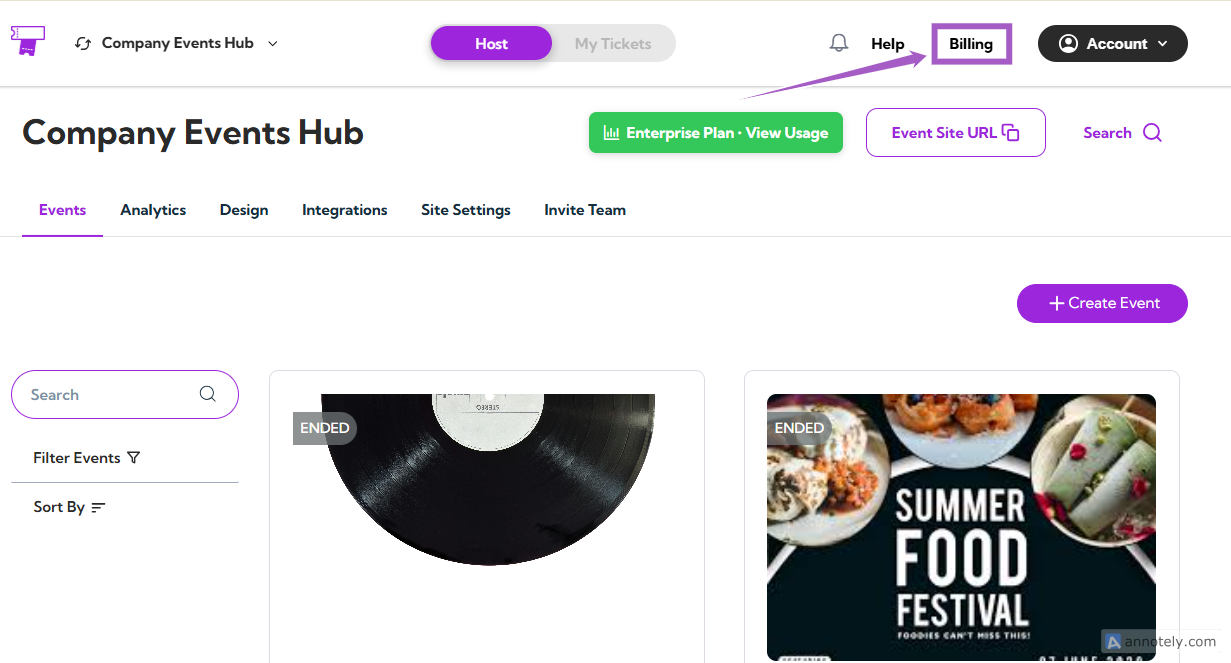
The Billing section helps you manage your current subscription plan, explore available upgrades, and monitor your event-related usage. You can easily switch between plans, view ticket limits, and access premium features as your event needs grow. Let’s get started 🚀 Log in to your Ticket Spot account and click on Billing from the top navigation bar. click-billing You’ll be redirected to the Choose Your Plan page — this is your billing dashboard, where you can view your current plan and all available upgrades. choose-your-plan
Understanding Billing Dashboard

1. Current Plan

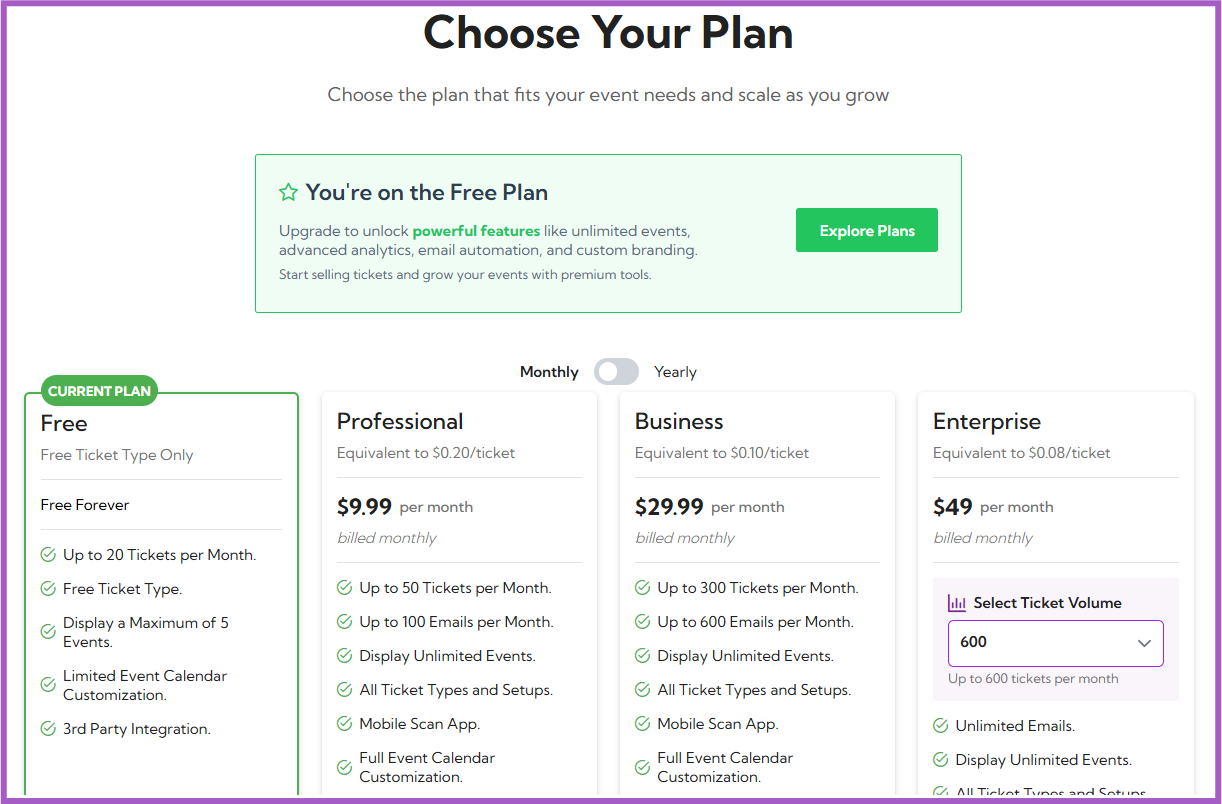
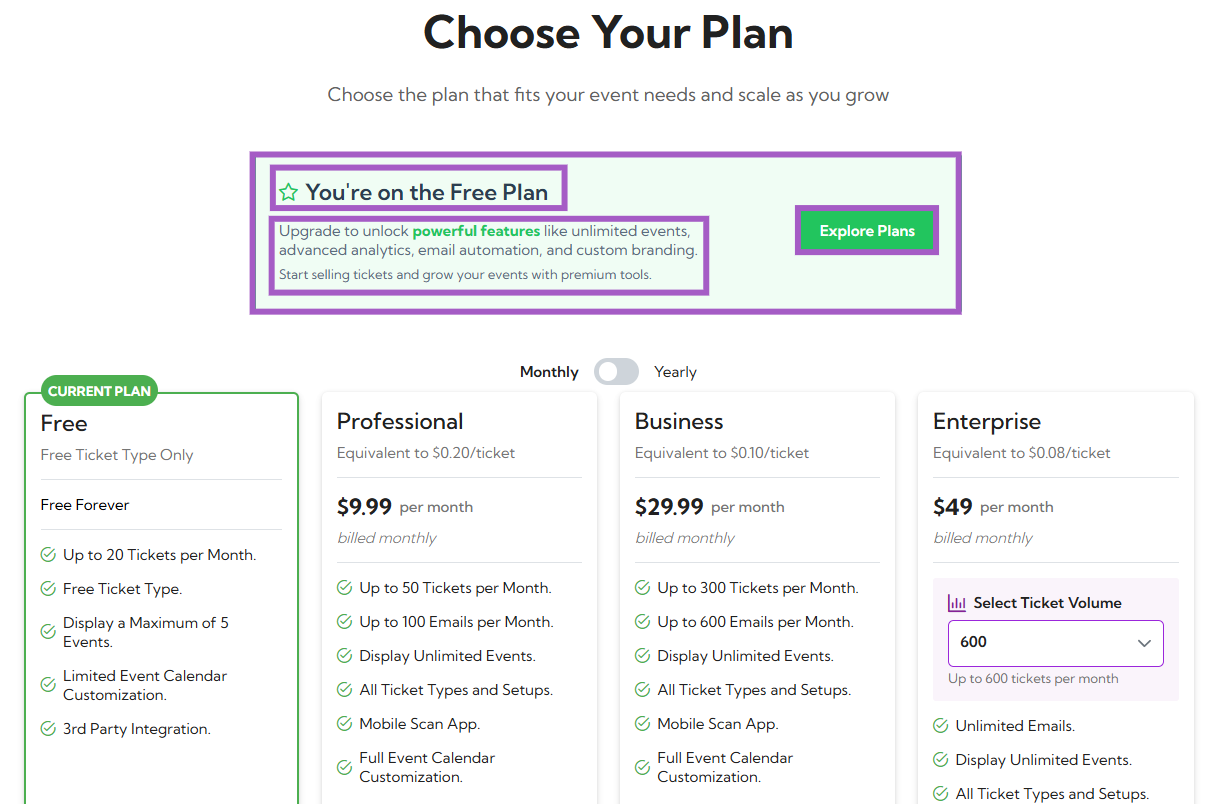
At the top of the page, you’ll see your current plan details inside a green box.
It includes:
  • Your current plan name (e.g., Free Plan)
  • A short description of your plan’s benefits
  • A button labeled Explore Plans, which takes you to view all available upgrades
billing-dashboard
Example: You’re on the Free Plan. Upgrade to unlock powerful features like unlimited events, advanced analytics, email automation, and custom branding.

2. Available Subscription Plans

You will see four plans displayed:
  • Free
  • Professional
  • Business
  • Enterprise
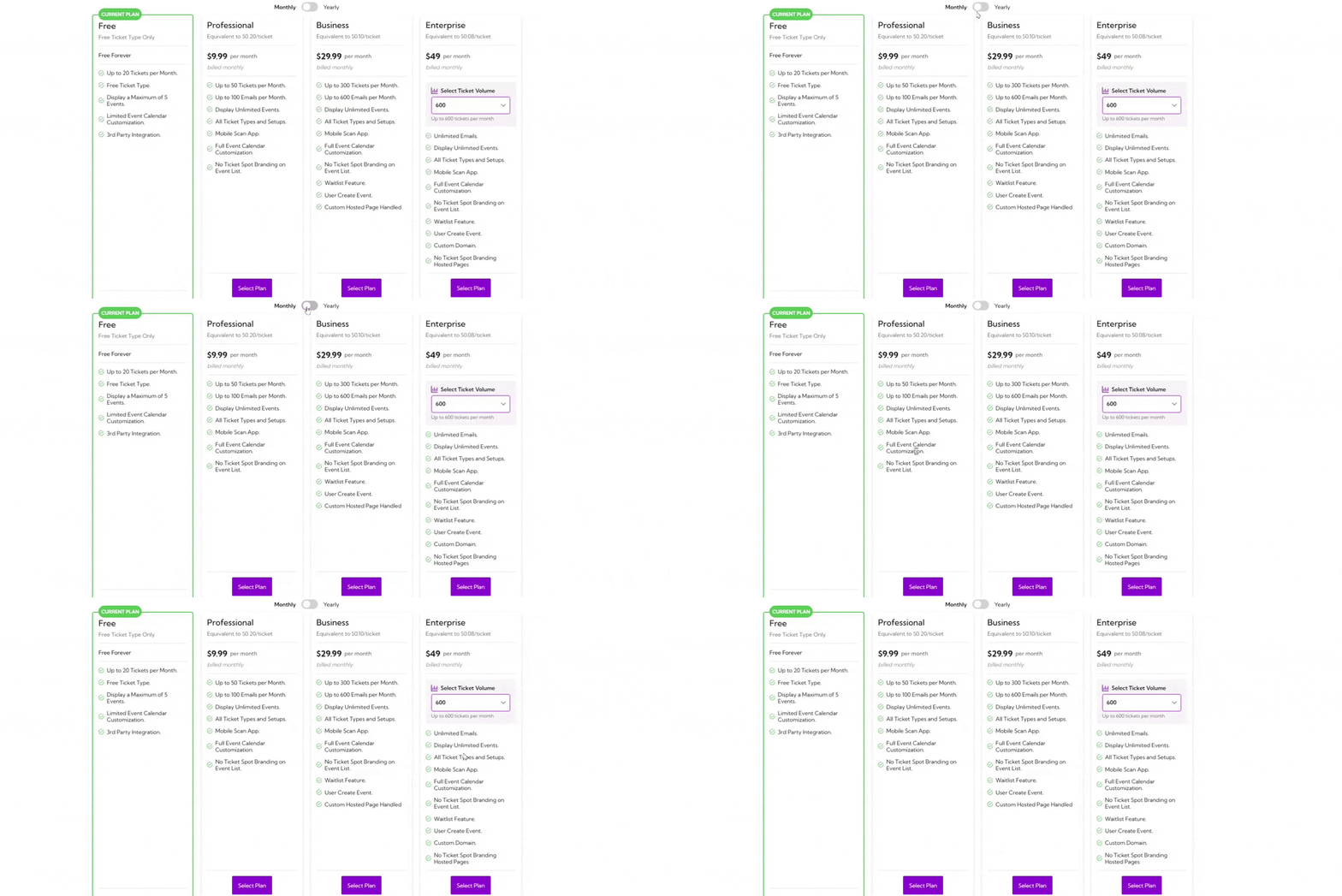
Each plan lists its features, ticket and email limits, and pricing. You can toggle between Monthly and Yearly billing options using the switch at the top. toggle-month-year
PlanPrice (Monthly)Ticket LimitEmail LimitKey Features
Free$0 (Free Forever)Up to 20 tickets/monthN/ALimited calendar customization, up to 5 events, free ticket type, 3rd party integration
Professional$9.99/monthUp to 50 tickets/monthUp to 100 emails/monthUnlimited events, mobile scan app, full calendar customization
Business$29.99/monthUp to 300 tickets/monthUp to 600 emails/monthWaitlist feature, user-created events, custom-hosted page
EnterpriseStarting at $49/monthUp to 600 tickets/month (configurable)Unlimited emailsCustom domain, no branding, advanced customization

Upgrading a Plan

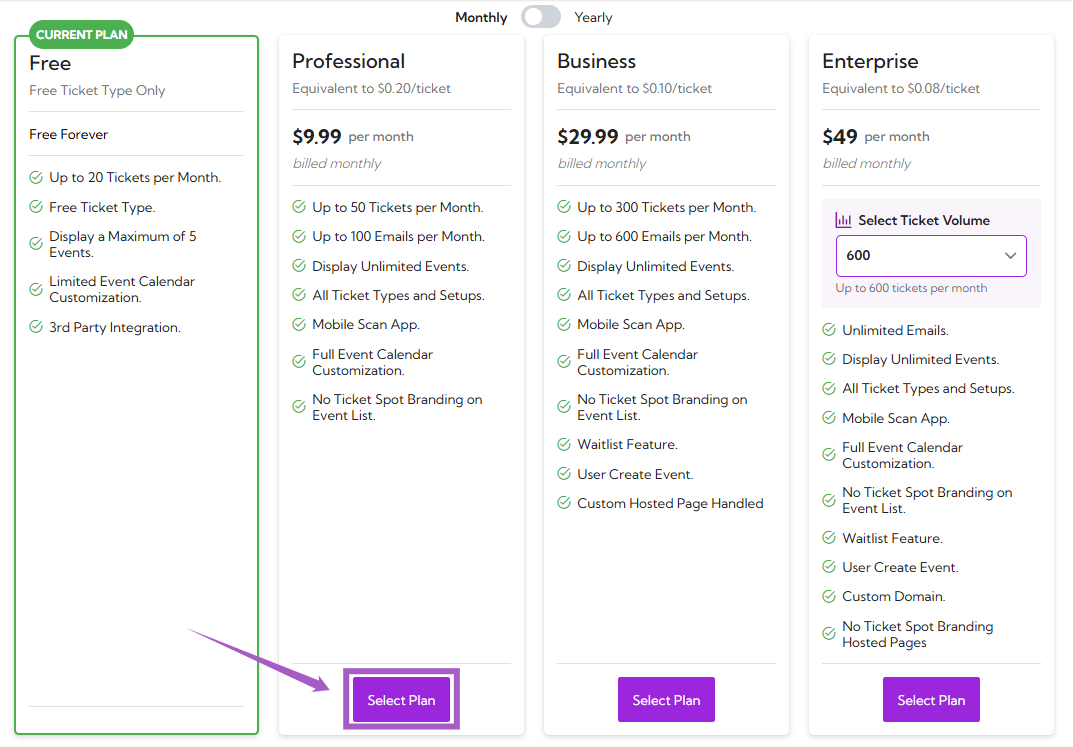
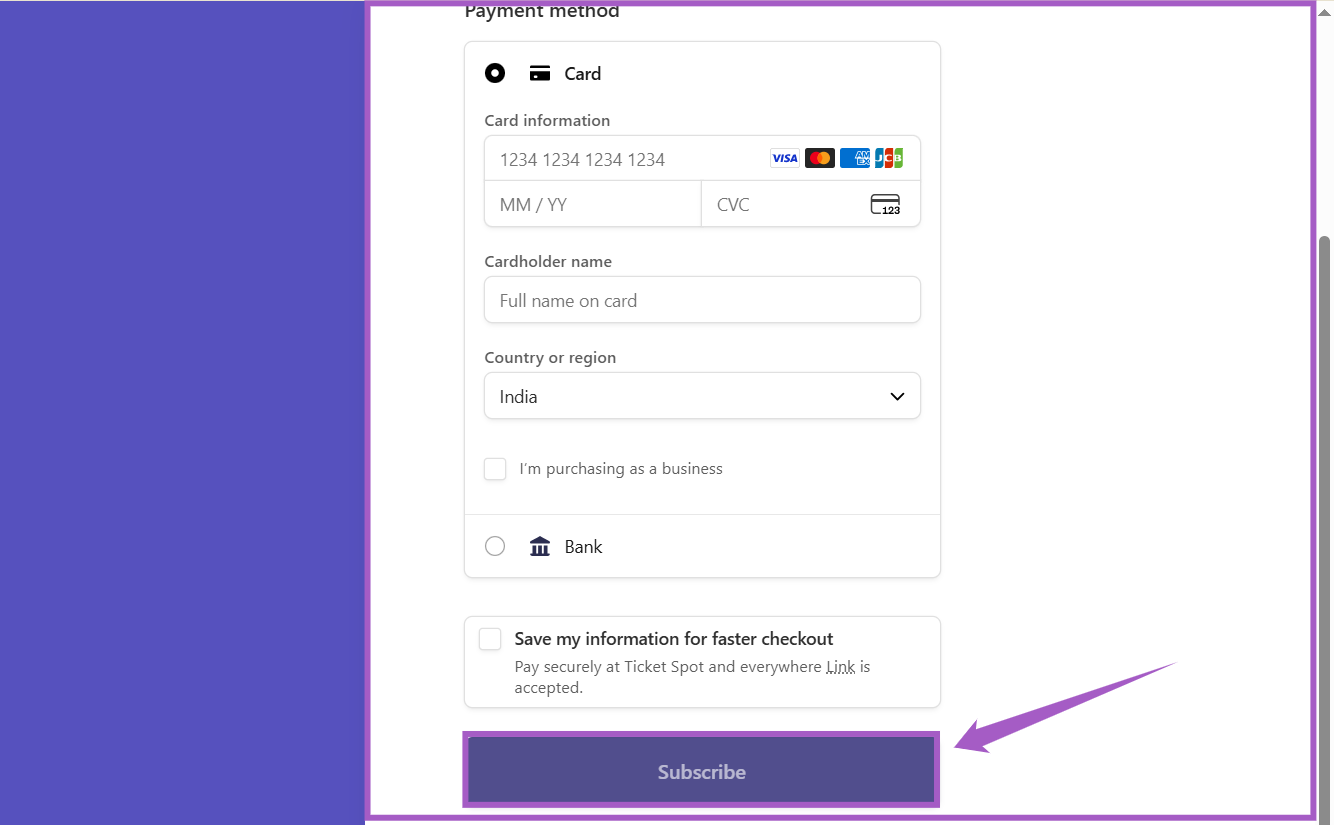
Step 1: Click on the Select Plan under your desired subscription. click-select-plan Step 2: A payment window will open. Enter your billing details and click on the Subscribe button to confirm your purchase. subscribe-payment-win Once the payment is successful, your new plan will be activated immediately and displayed as your current plan on the Billing dashboard.
Enterprise Plan Customization

If you’re selecting the Enterprise plan:
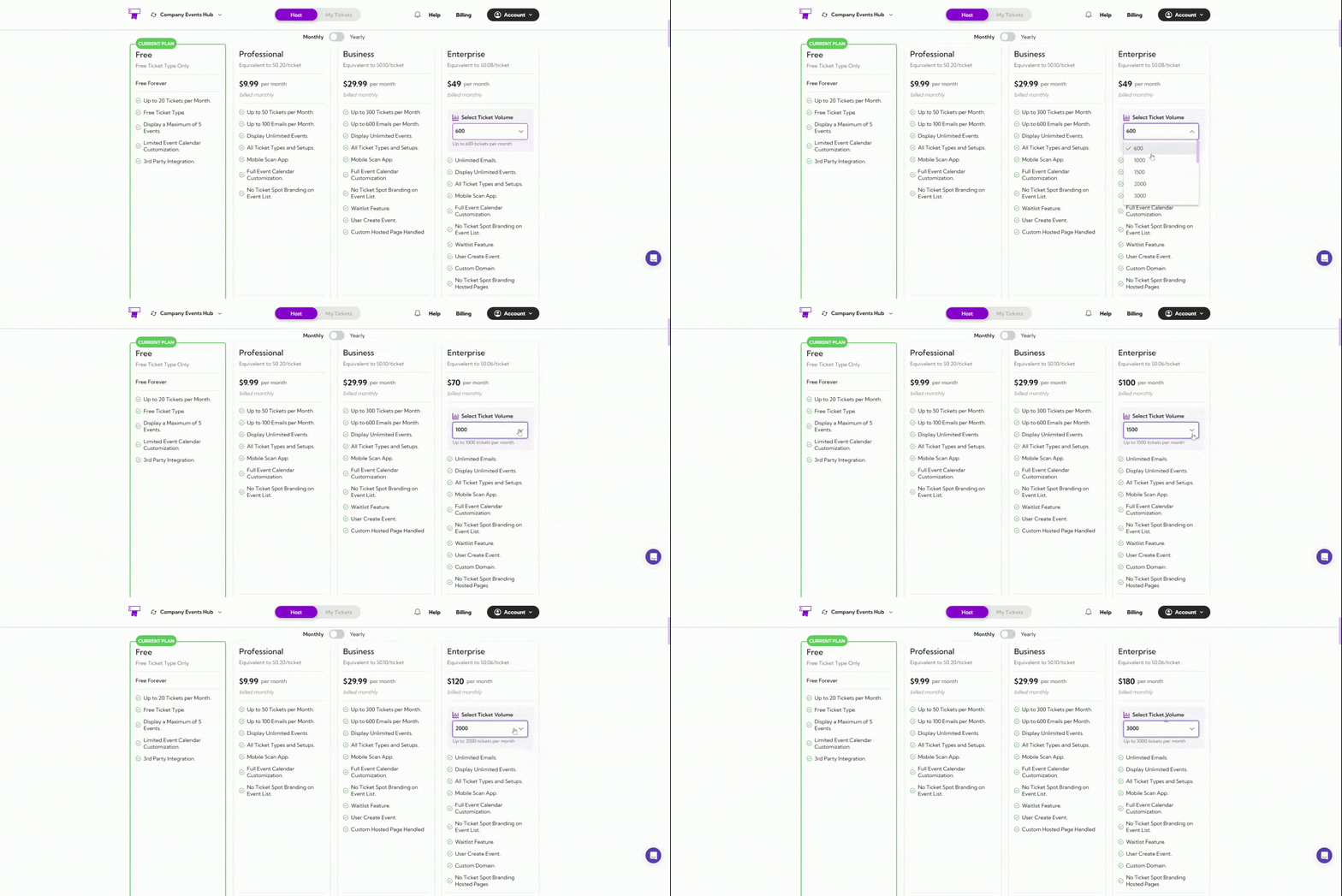
  • Use the Select Ticket Volume dropdown to choose your monthly ticket capacity (e.g., 600, 1000, or more).
  • Pricing will automatically update based on the number of tickets you select.
enterprise-ticket-volume

Compare Plans and Features

Use this table to compare features available in each plan and choose the one that fits your event needs.
Feature CategoryFreeProfessionalBusinessEnterprise
Event CustomizationBasic only
Add Event Category
Desktop & Mobile Layouts
AI Quick Start
User Create Event
Event TypesRSVP only
Online / On-site / Hybrid Events
Private Events
Ticket ManagementUp to 20 ticketsUp to 50Up to 300Custom (600+)
Add Descriptions & Images
Set Limits, Status & Sale Dates
Add Booking Fee
Waitlist Feature
Ticket TypesFree Ticket Only
Paid / Time Slot / Pass Tickets
Pay-What-You-Want Tickets
Branding & White LabelTicketSpot Branding✓ (partial)
Remove TicketSpot Branding
Custom Brand Colors
Custom Domain
Analytics Dashboard
Check-in & Sales Analytics
Abandoned Cart Analytics
IntegrationsLimited
Zoom / Google Calendar
Mailchimp / Zapier
Registration Forms (RSVPs)
Custom Form Fields & Questions
Attendee CommunicationUp to 100Up to 600Unlimited
Auto Emails & CSV Exports
Discount Codes
Apply Promo Codes
Volume Discounts
Support24/7 Email Support
Learning Spot Access
Private VIP Support

Tip: Each checkmark (✓) shows the plan that includes the feature.
If your current plan doesn’t include a feature you need, you can upgrade anytime from the Billing page.