Connect your Google Calendar account with Ticket Spot to manage your scheduled events and Ticket Spot activities in one place. This integration allows you to link your Google Calendar events with Ticket Spot, ensuring event details stay aligned across both platforms. Let’s get started 🚀

Prerequisites

Before setting up the integration, make sure you have:
  • An active Ticket Spot account with access to the Integrations page.
  • A valid Google account with access to Google Calendar.

Integration

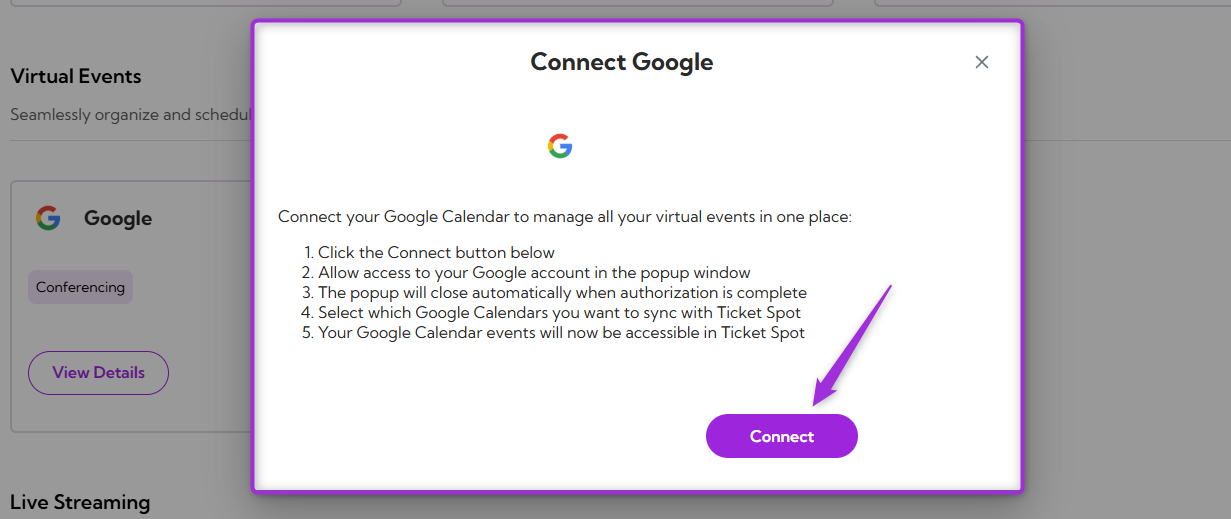
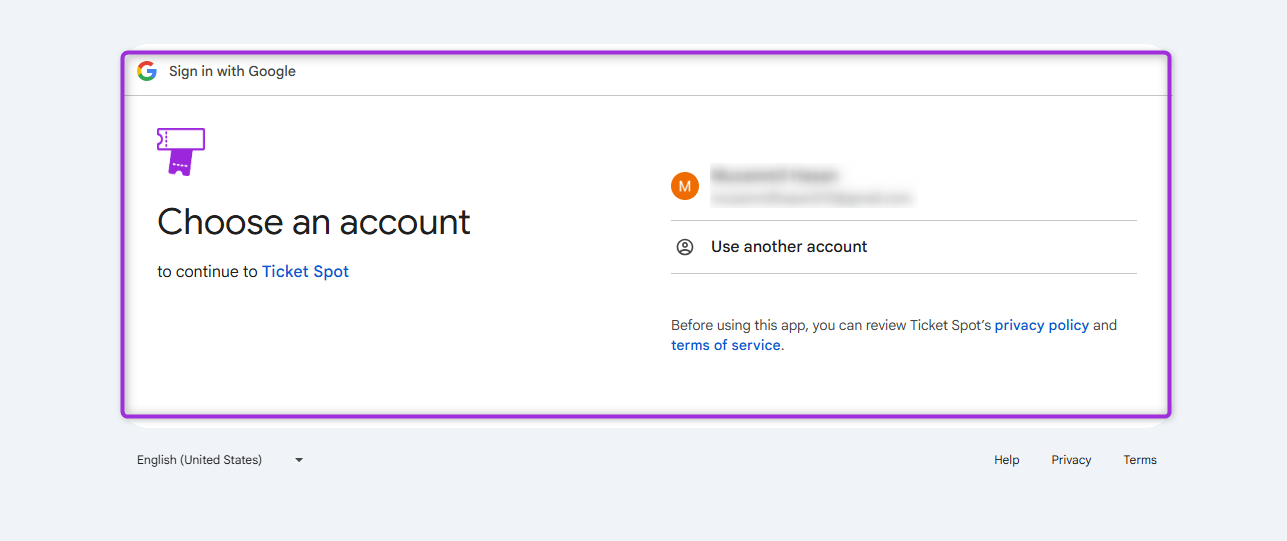
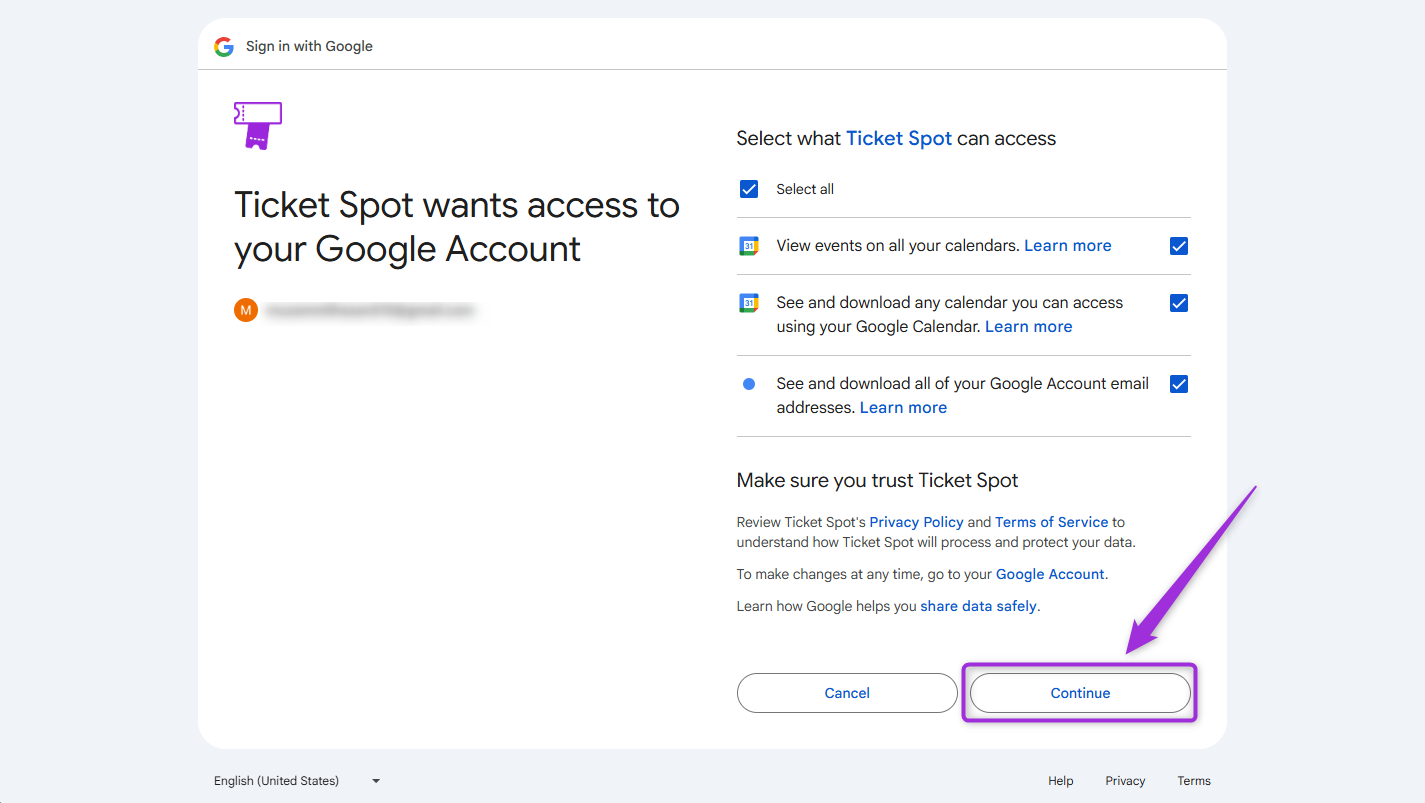
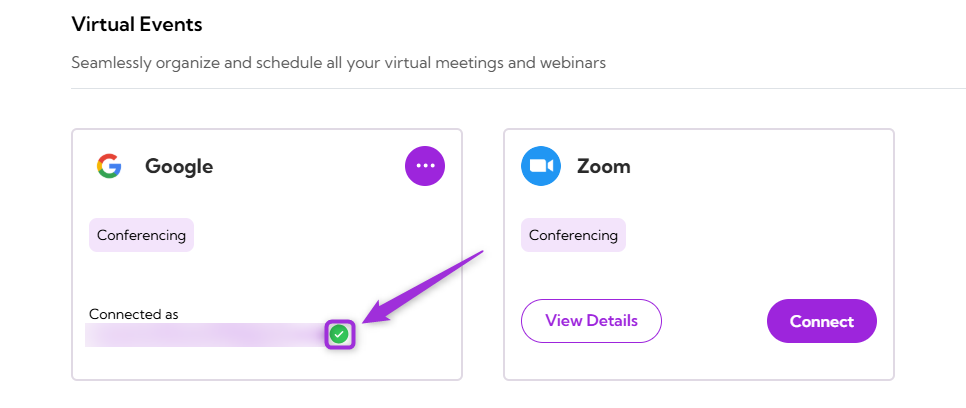
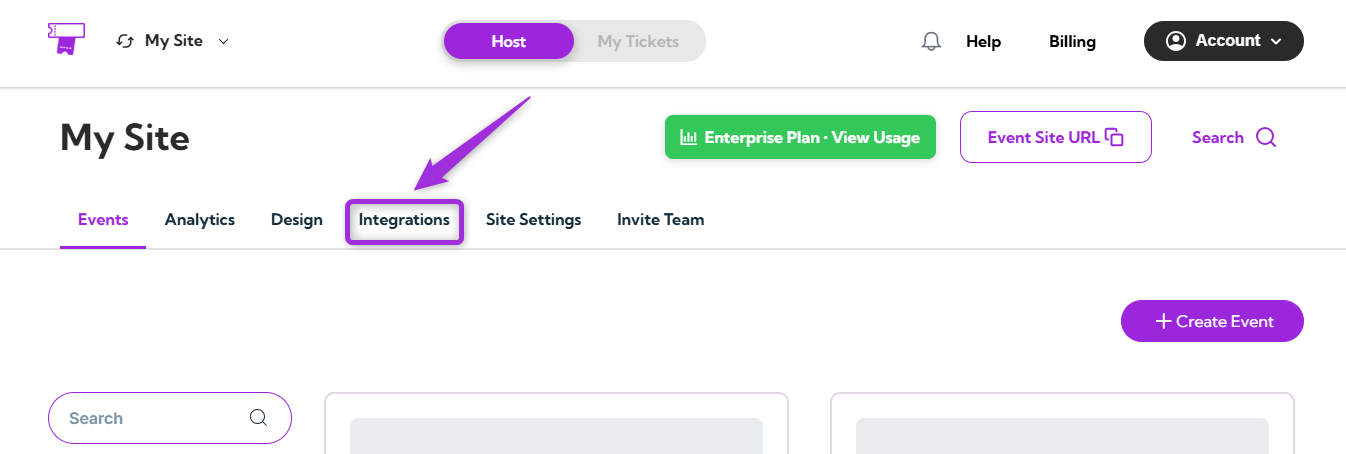
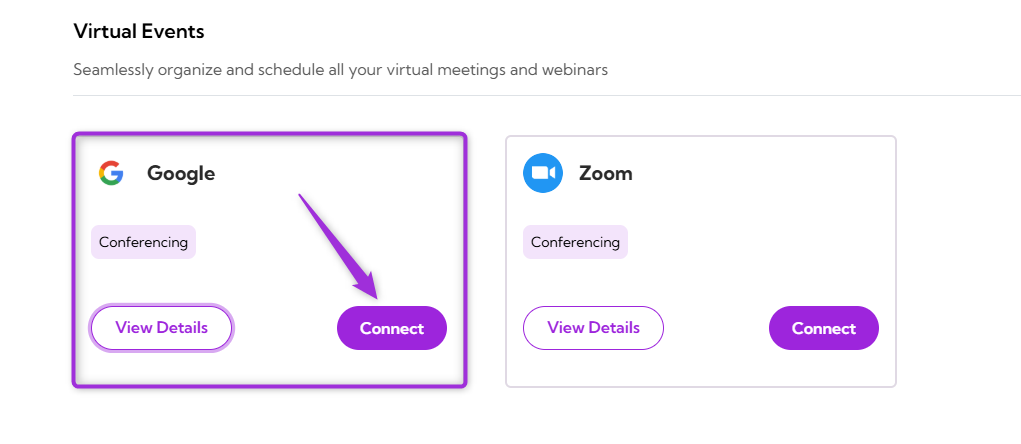
Step 1: Log in to your Ticket Spot account and click on the Integrations tab from the top navigation bar to open the integrations page. integration-tab Step 2: Find the Google platform under the Virtual Events category and click on the Connect button to open the integration setup window. click-connect1 Step 3: Click on the Connect button again to proceed. click-connect2 Step 4: Sign in using the Google account you want to connect with Ticket Spot. sign-in Step 5: Review the permissions that Ticket Spot is requesting, including access to view and download your Google Calendar events. After confirming the selections, click Continue to complete the connection. continue-btn Step 6: Once the integration is successfully connected, a green check mark will appear. This confirms that the Google integration is active in Ticket Spot. green-status
View Details

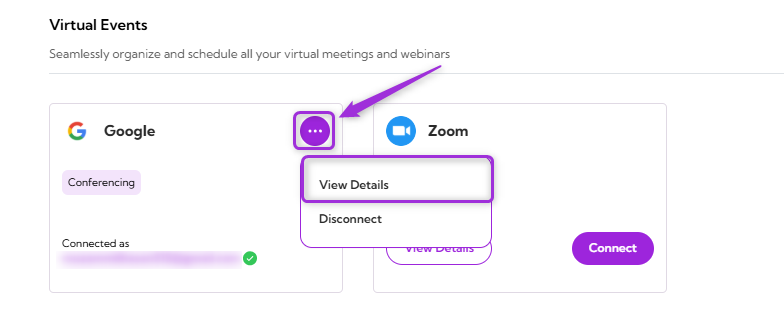
Review the connection details for your Google Calendar integration, including the linked Google account and current status. To view details, click the **horizontal ellipsis (⋯) **icon on the Google Calendar integration tile and select View Details from the dropdown menu. view-details
Disconnect

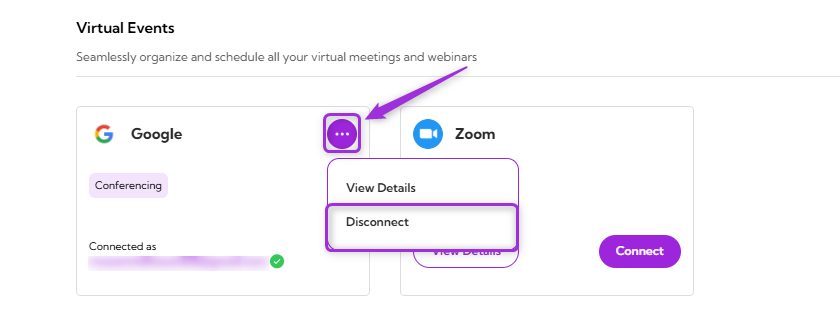
Remove the existing connection between your Google Calendar account and Ticket Spot. Once disconnected, Ticket Spot will no longer be connected to your Google Calendar. Click the** horizontal ellipsis (⋯) **icon on the Google Calendar integration tile and select Disconnect from the dropdown menu. disconnect Your Google Calendar integration will be successfully disconnected from Ticket Spot.