
Event-level ticket settings
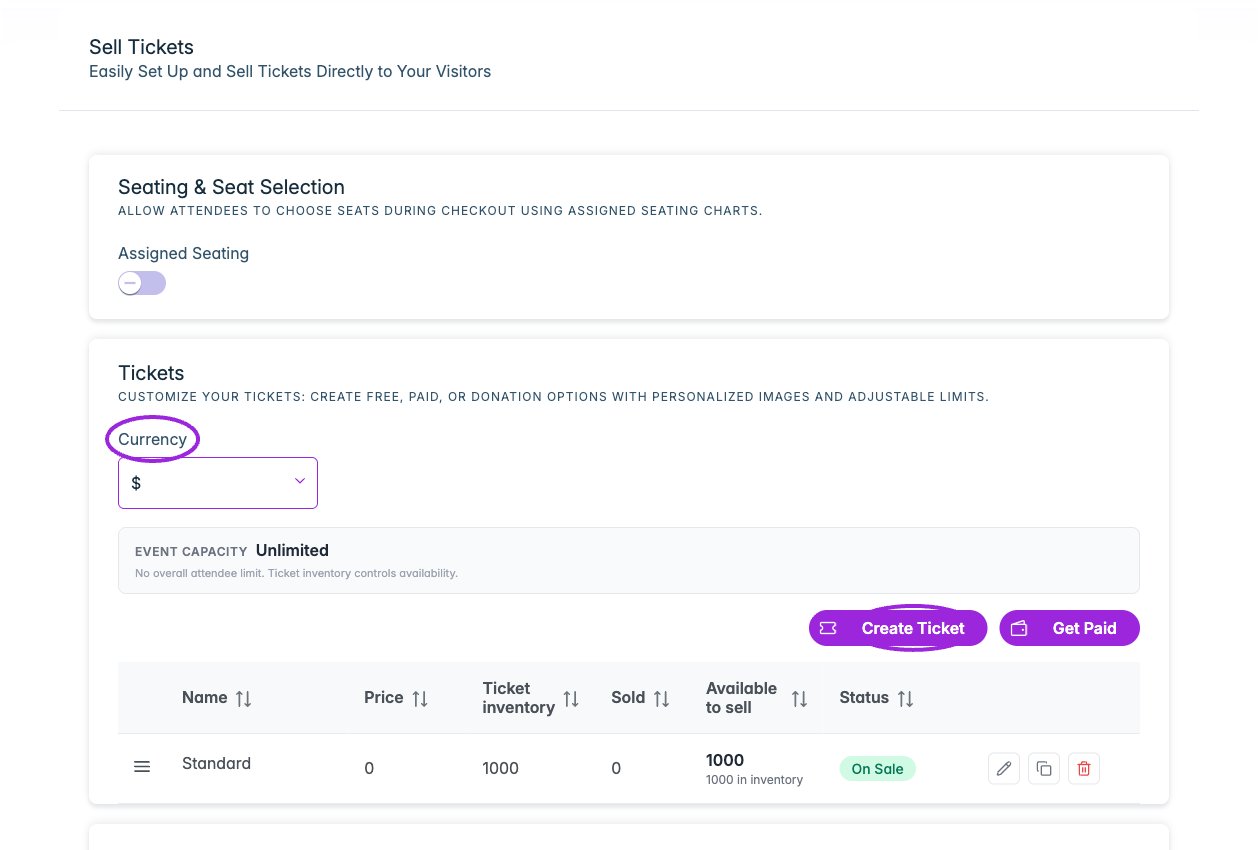
Tickets contains seating setup, currency, event capacity, the ticket list, and promo codes. Create Ticket opens the full ticket editor.
Details
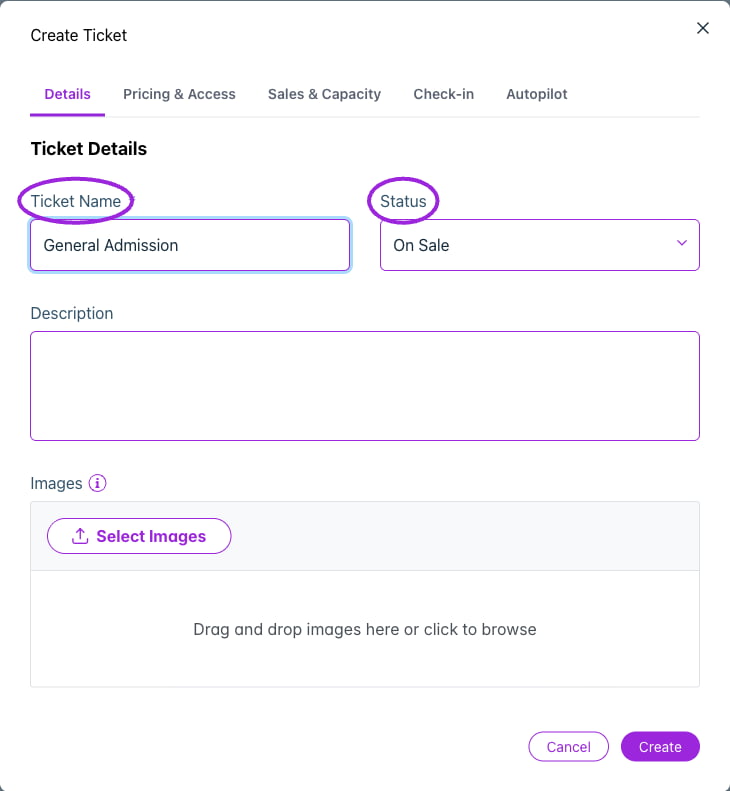
Create Ticket → Details contains the ticket name, status, description, and images. This example is an unsaved demo ticket.
Pricing & Access
View current controls
View current controls
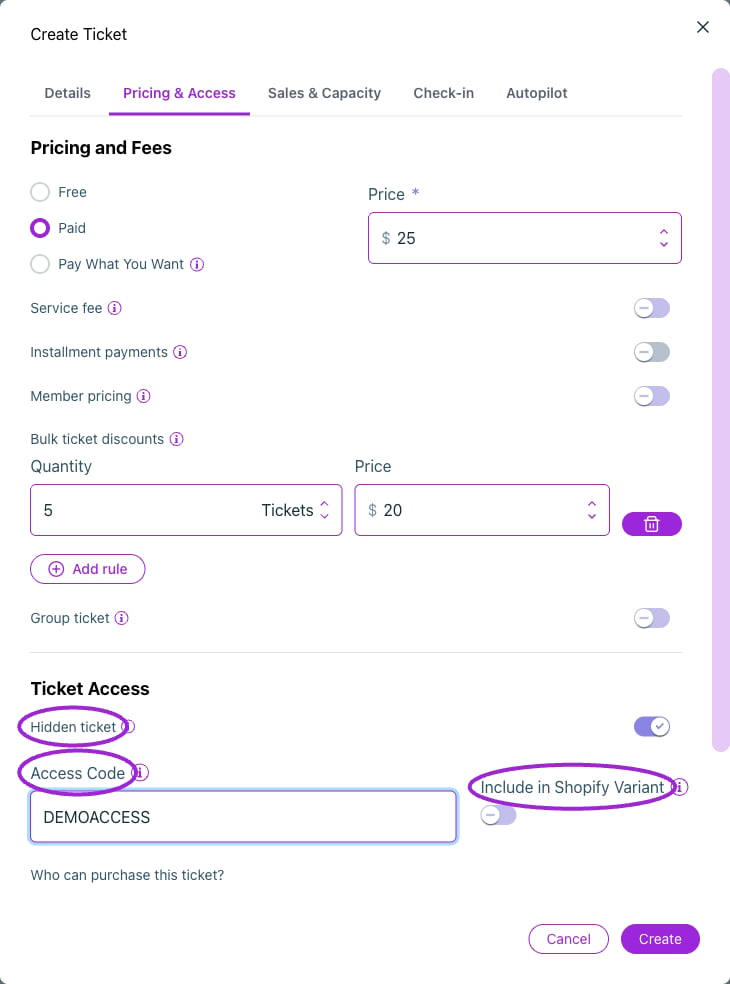
Hidden tickets can use an access code. Shopify events also offer Include in Shopify Variant.
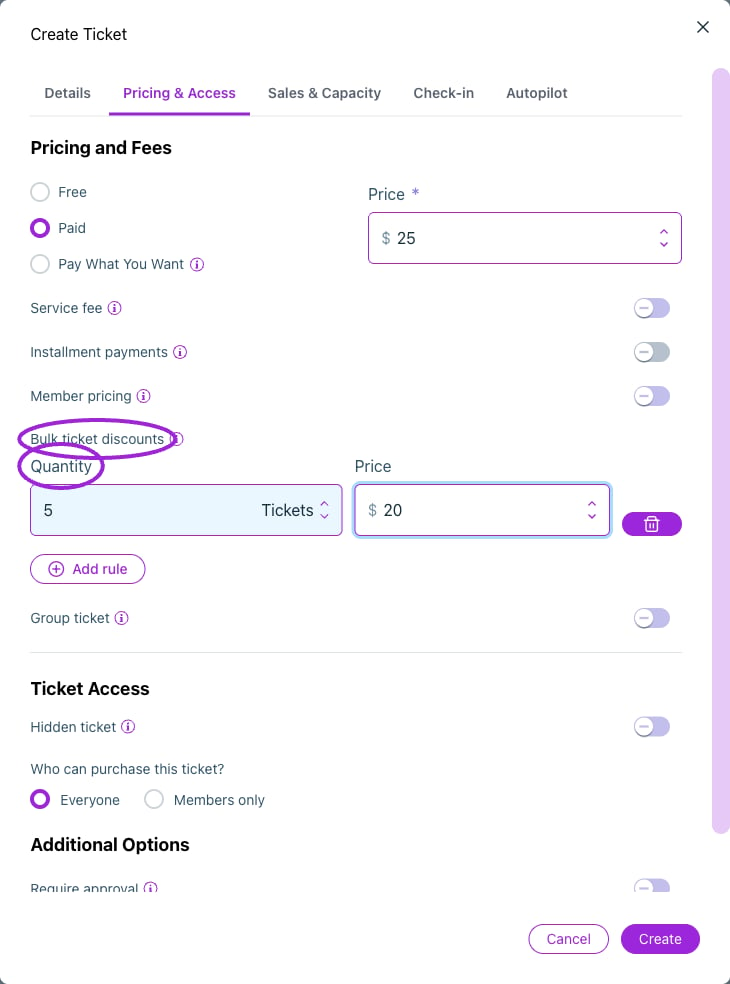
Add a bulk pricing rule: this example changes the unit ticket price to $20 when the quantity reaches five tickets.
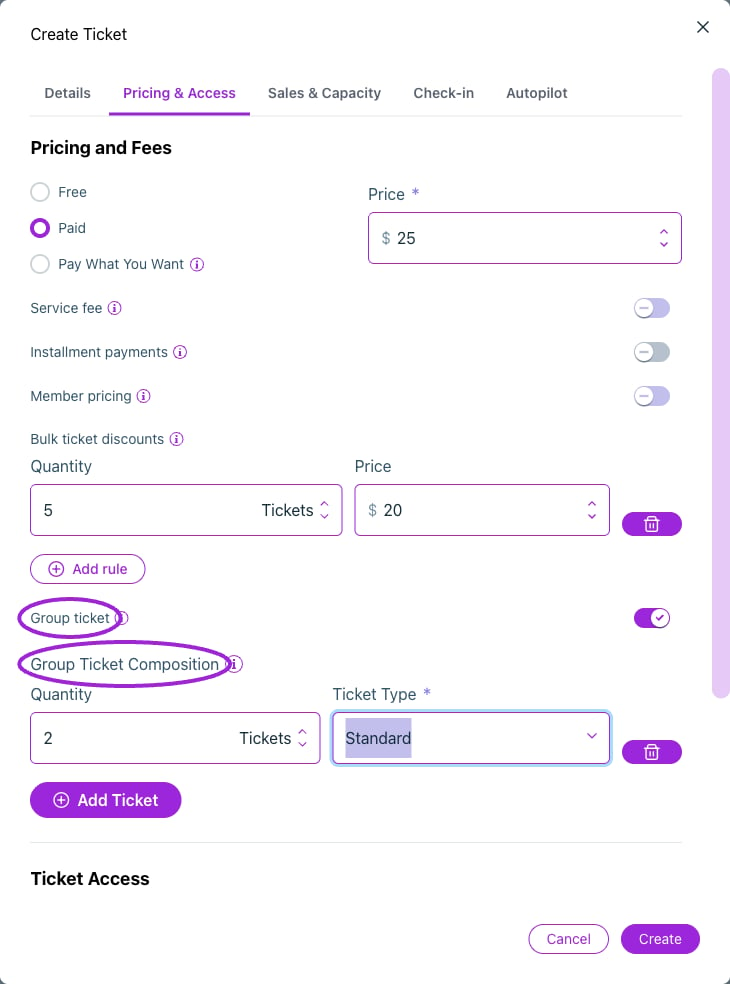
A group ticket bundles quantities of saved ticket types. This example includes two Standard tickets.
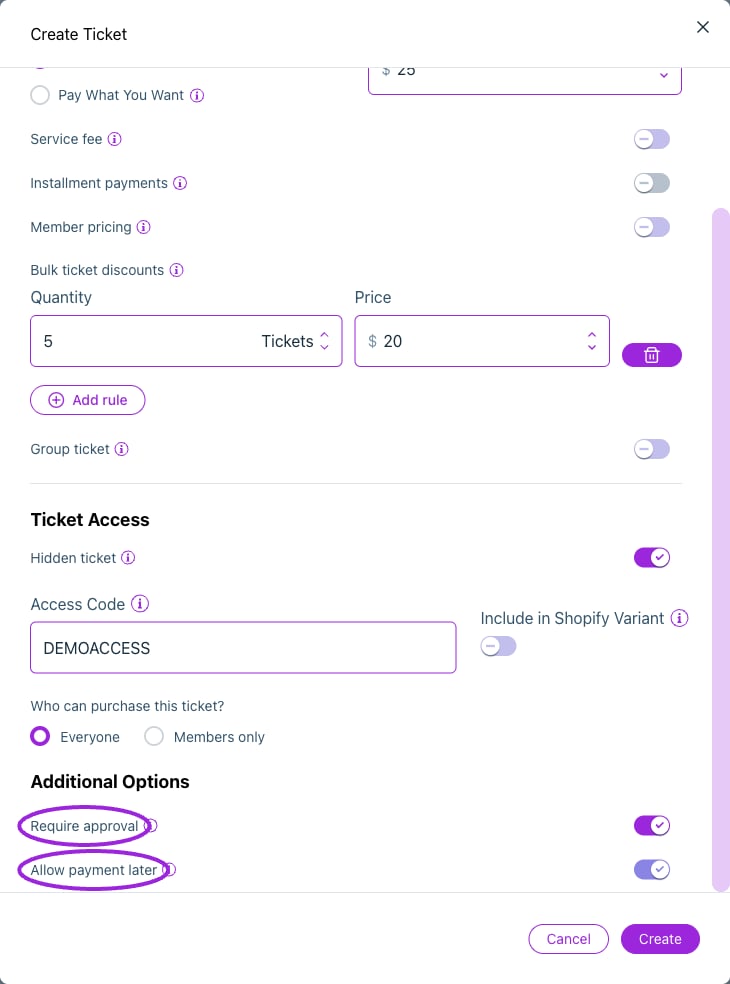
Require approval controls pending registration; Allow payment later provides the later-payment option.
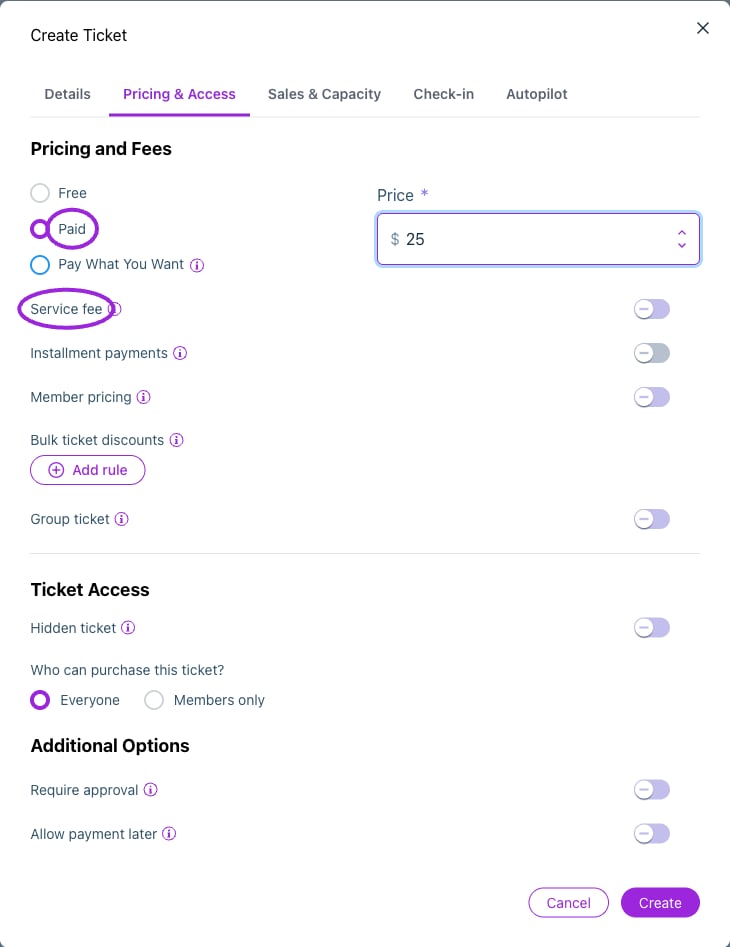
Pricing & Access offers Free, Paid, and Pay What You Want. A paid ticket has a fixed price, with service fees configured separately.
Sales & Capacity
View current controls
View current controls
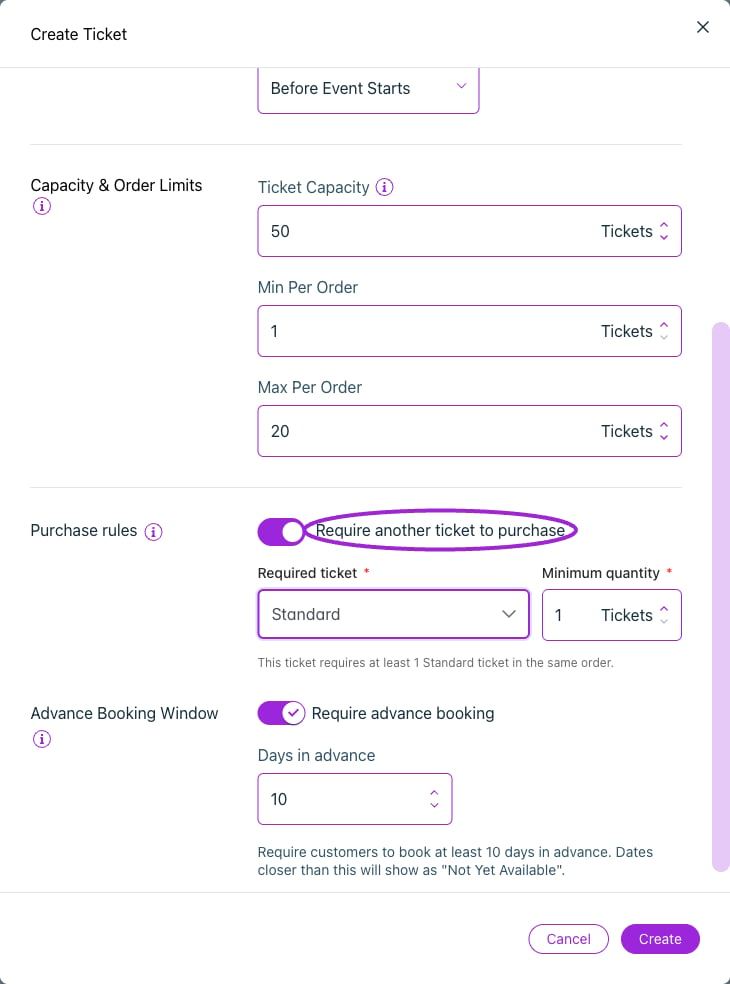
Require a minimum quantity of another ticket in the same order. This example requires one Standard ticket.
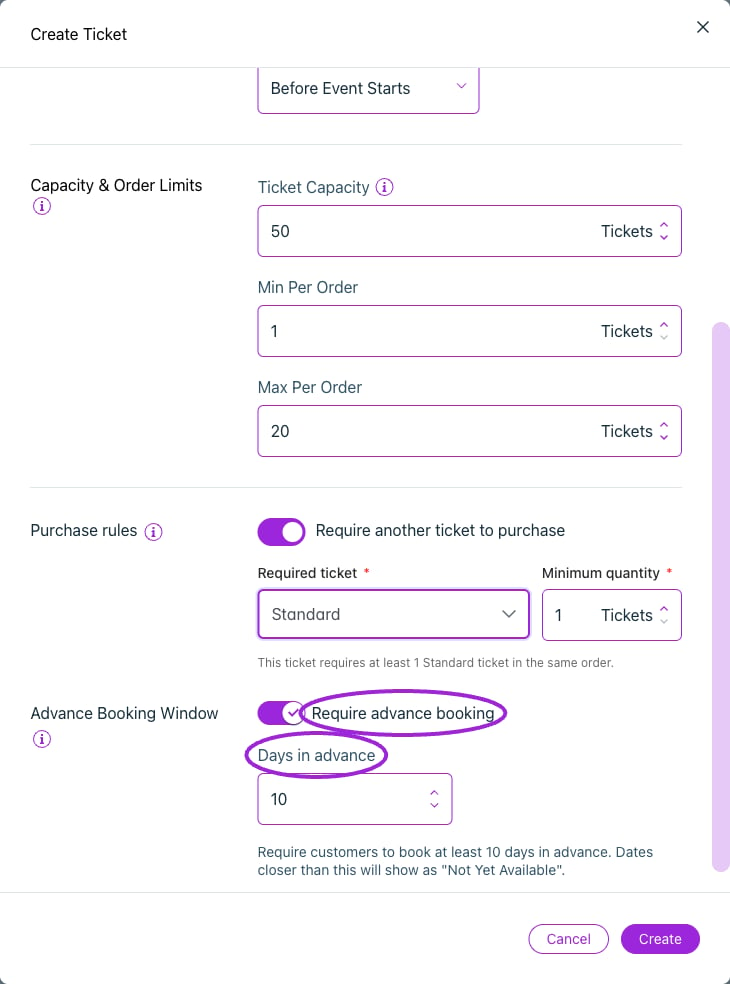
Require advance booking sets the minimum number of days before the event when this ticket can be bought.
Check-in
View current controls
View current controls
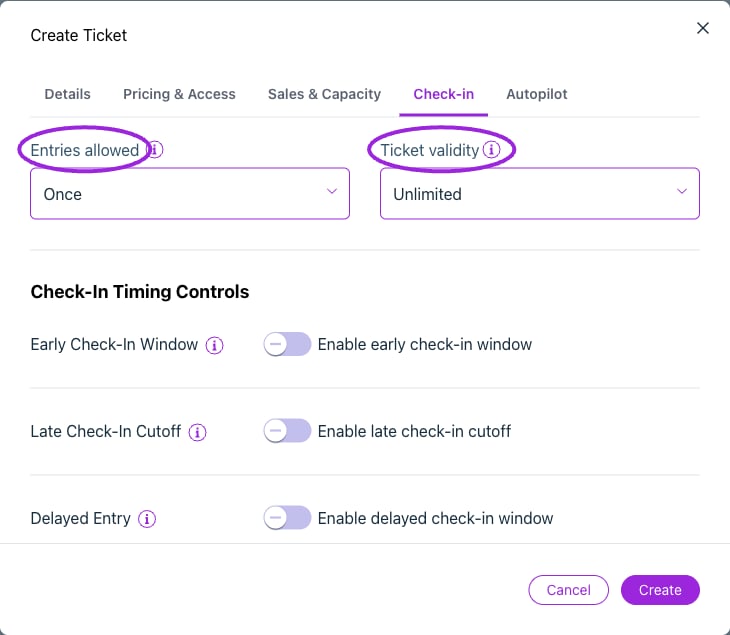
Control how many times a ticket can be scanned and its validity after purchase.
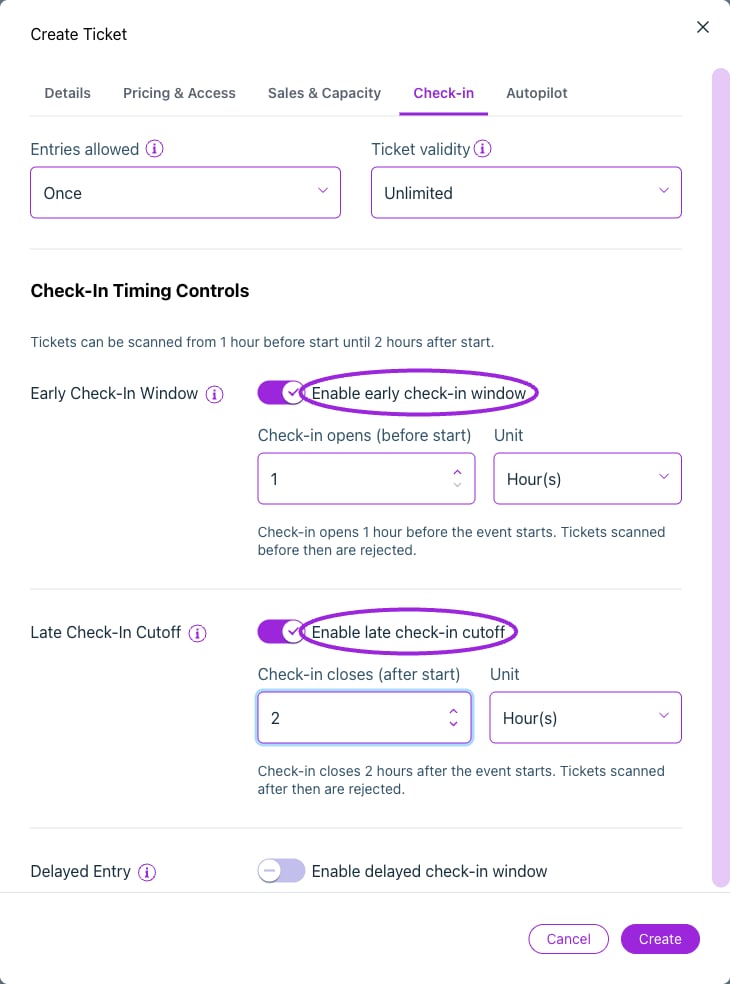
Set the opening time before the event and the cutoff after it starts. A cutoff alone does not prevent early scans.
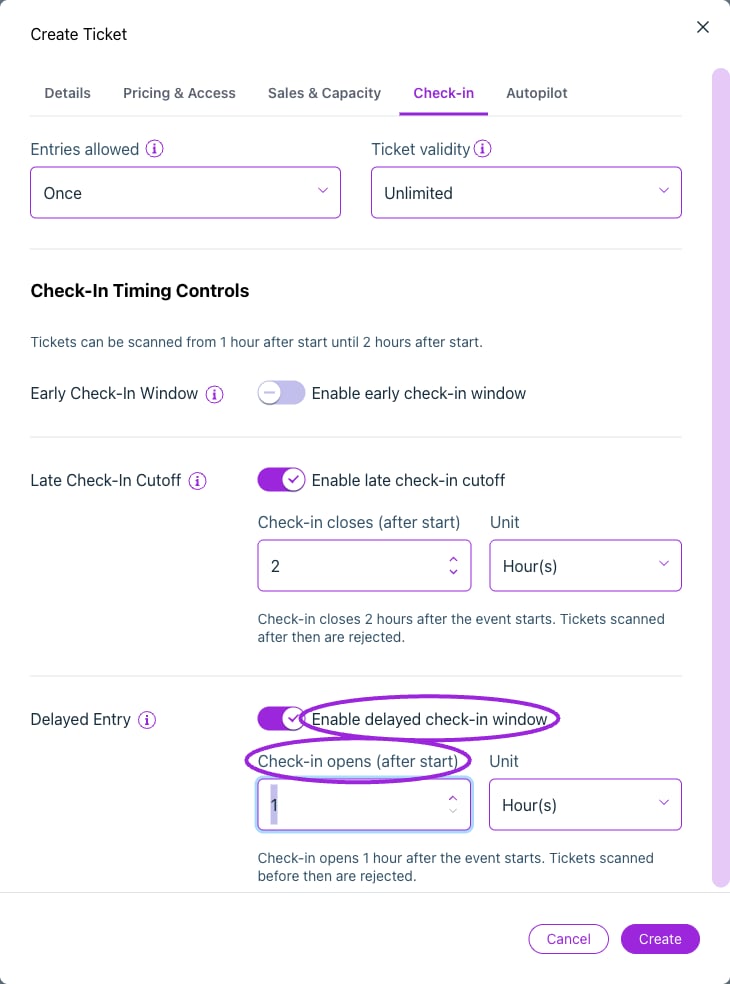
Delayed entry opens check-in after the event starts. If both opening rules are enabled, delayed entry takes priority.
Autopilot and seating
View current controls
View current controls
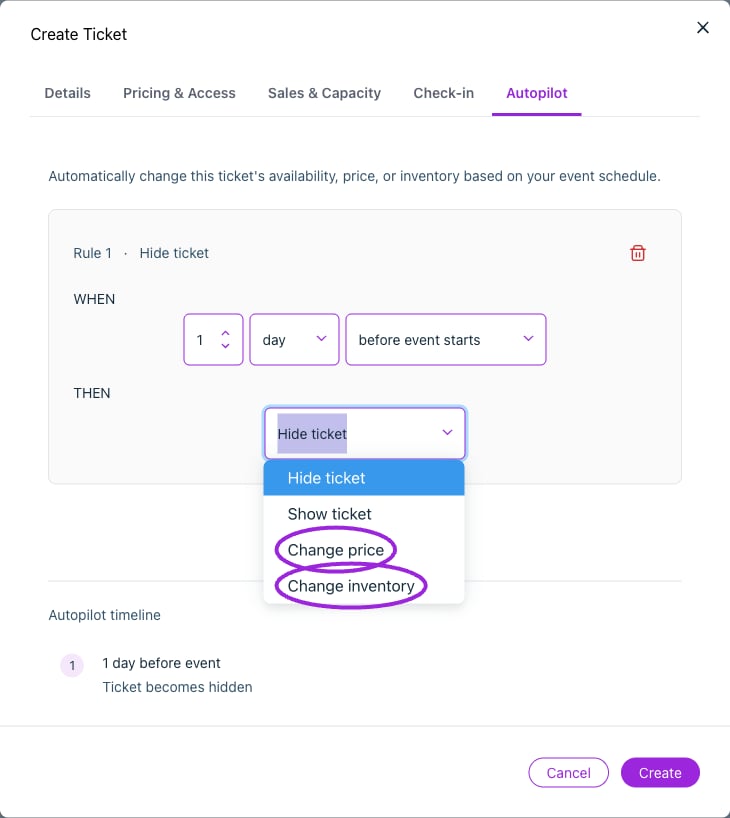
Autopilot can hide or show a ticket, change its price, or change its inventory.
Additional controls in the day editor
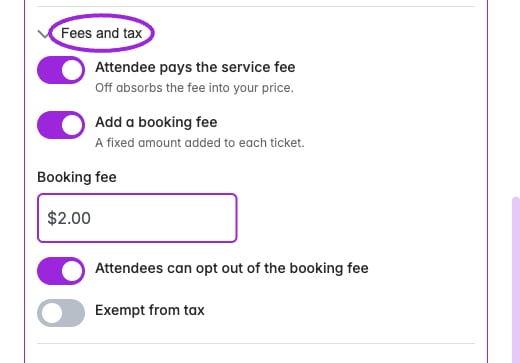
Custom-day Fees and tax can pass or absorb service fees, add a fixed booking fee, allow opting out, and exempt the ticket from tax. This example is unsaved.