
Set up a table ticket
- Set the event’s capacity to the number of people it can accommodate.
- Create an ordinary ticket named Table for six. Set its price to the price of the entire table.
- Under Sales & Capacity, set Capacity used per ticket to 6. In the custom day editor, open How many.
- Set ticket inventory to the number of tables offered. Minimum and maximum quantities per order are also numbers of tables.
- Save and preview checkout.
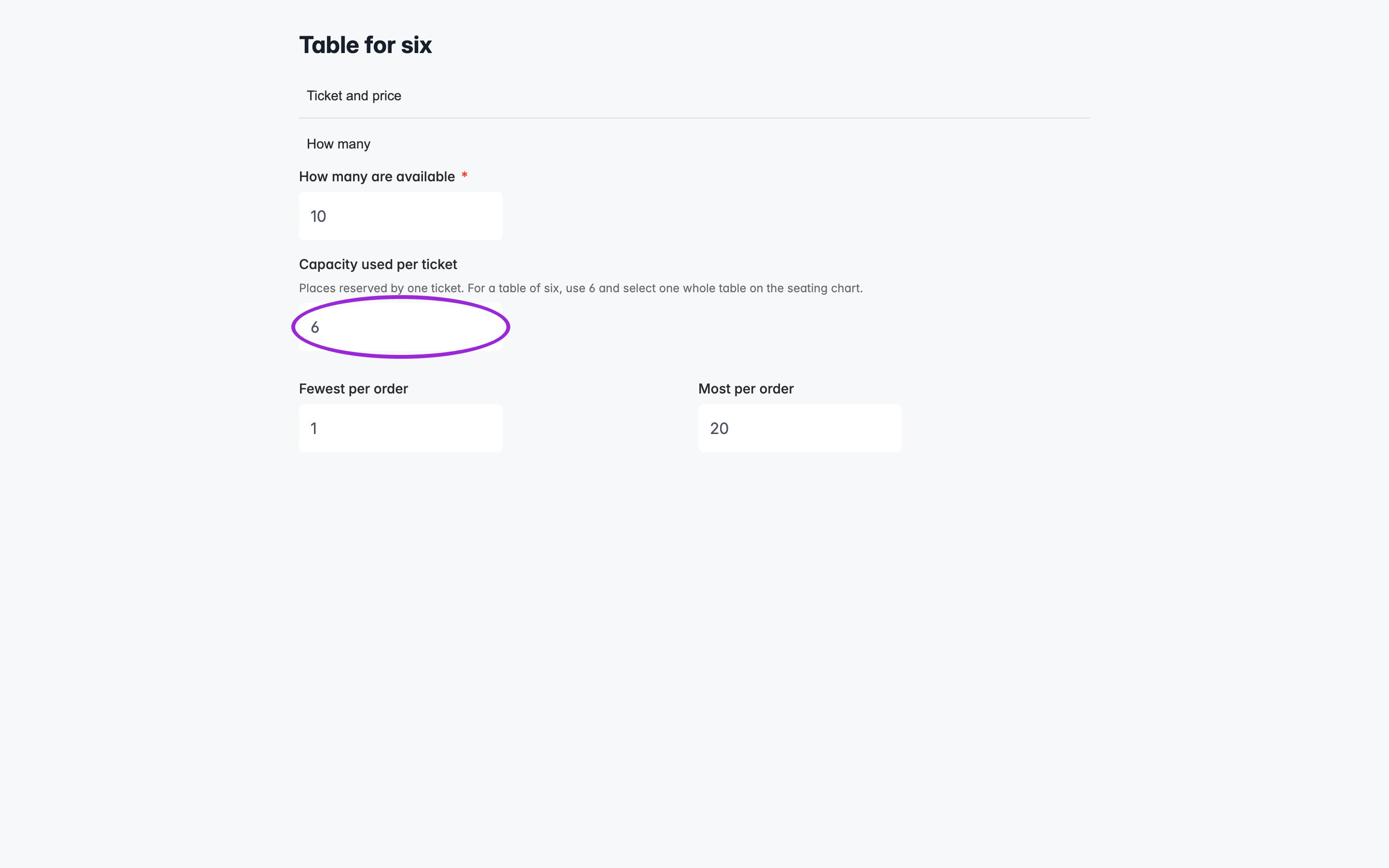
Capacity used per ticket in the custom day editor. This local demonstration renders the real editor with synthetic data.
View the capacity setting on mobile
View the capacity setting on mobile
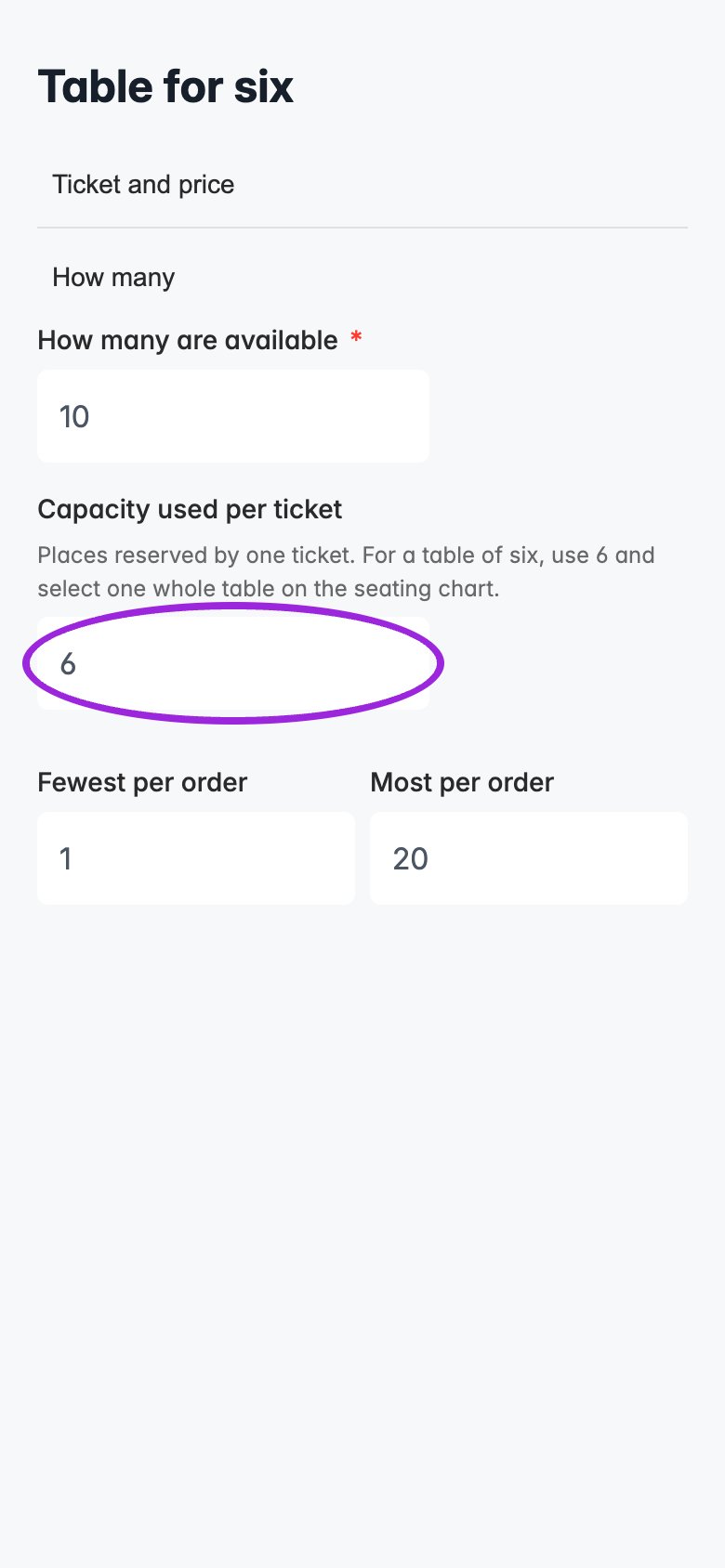
The same capacity setting on a mobile-sized screen, using synthetic demo data.
Seating charts
For a whole table, set the chart object to Book by table, publish the chart, and assign its category to the table ticket. The buyer selects one table object for each purchased table ticket. Setting capacity to six does not select six chairs automatically. For a booth, map its bookable object to the booth ticket and set the ticket’s capacity to the number of people admitted. For individual chairs, use Book by seat and normally leave capacity at one. See whole tables and booths. Selections across all categories share the event’s place budget. Ticket stock and per-order limits still apply. A buyer cannot select more objects than the chosen tickets permit or switch an object’s ticket type if the resulting selection exceeds available places. Ticket Spot’s seating selection count follows the booked objects; changing the capacity field does not multiply the selected objects or their ticket price. Existing reservations remain attached to their original objects.Availability, dates, and add-ons
The number of tickets available is the smaller of remaining ticket inventory and the event’s remaining places divided by capacity per ticket, rounded down. With ten places left, only one six-place table is available even if several tables remain in inventory. Different ticket types share those ten places; their individual availability cannot be added together. Custom date tickets keep their own setting. Dates using event defaults inherit their ticket configuration while using the selected date’s availability. Add-ons use the chosen date or time slot’s tickets and capacity, including their minimum and maximum quantities. Waitlist purchase allowances are ticket quantities. An allowance of two table tickets permits up to twelve places when capacity is six. Link invitations do not reserve places; availability is checked when the guest purchases. Pending registrations and paid orders held because of plan limits still reserve their event places.Analytics and existing bookings
Capacity Used reports reserved places. Tickets Sold, Checked In, and monetary figures retain their existing ticket, attendee, scan, and currency units.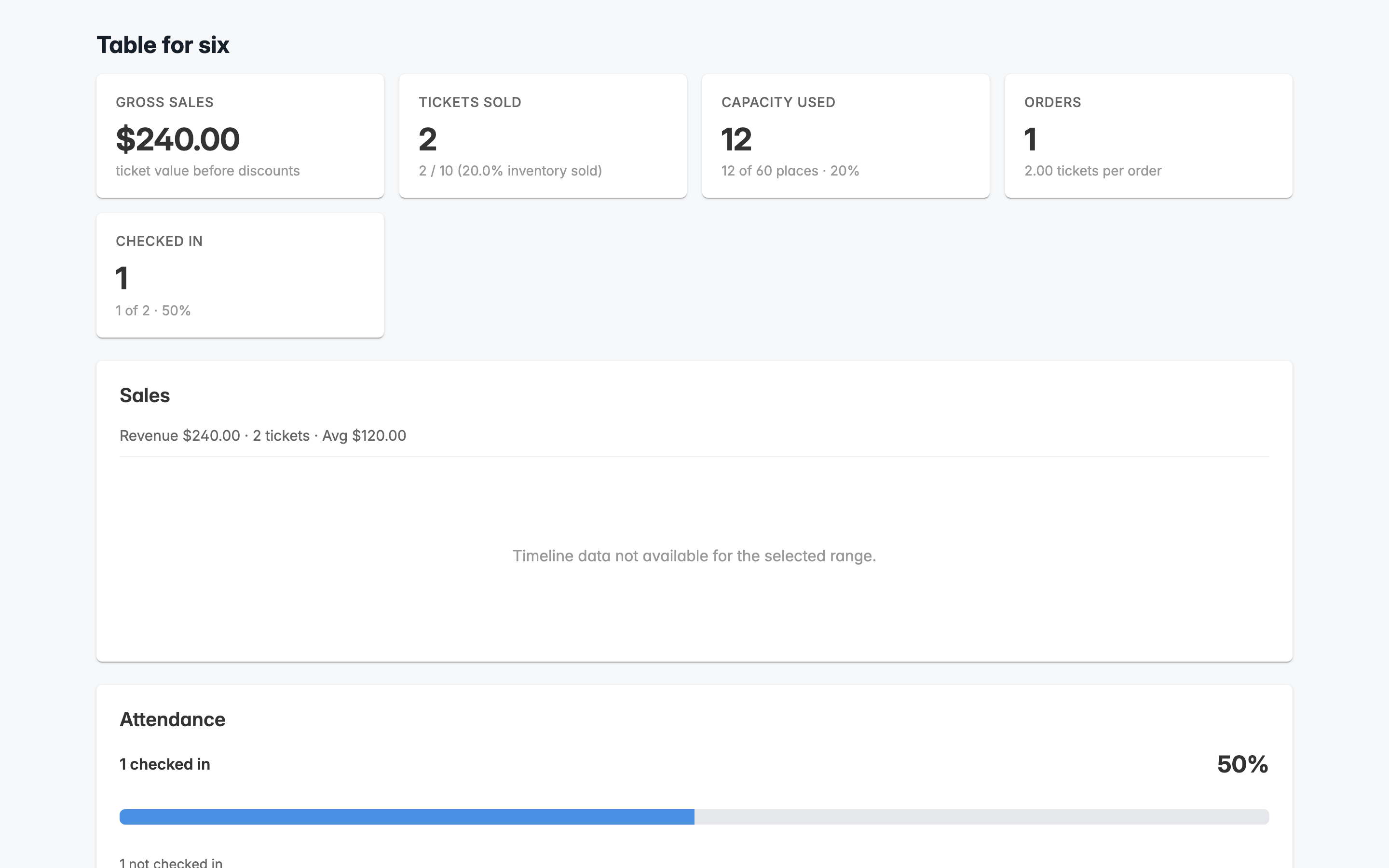
Two $120 table tickets use twelve places. This local demonstration renders the real analytics component with synthetic data.