
Checkout & payment
View current controls
View current controls
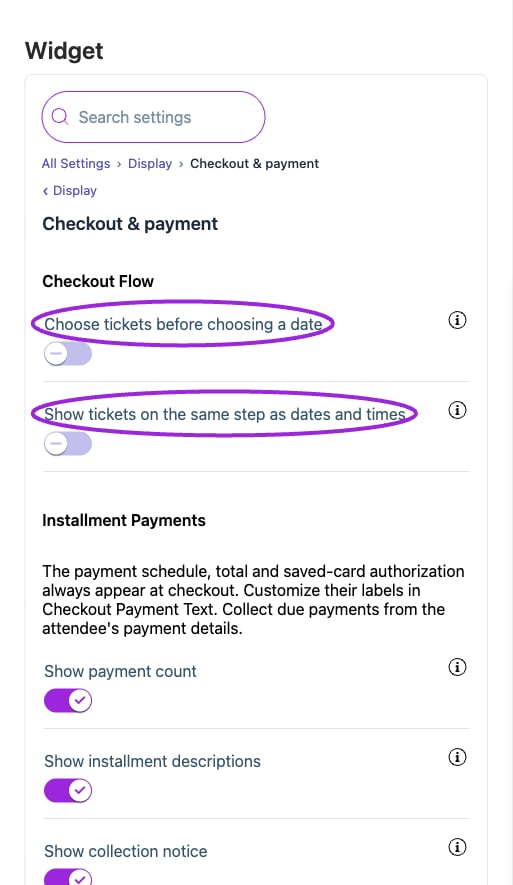
All Settings → Display — Checkout & payment. The circles identify Choose tickets before choosing a date and Show tickets on the same step as dates and times.
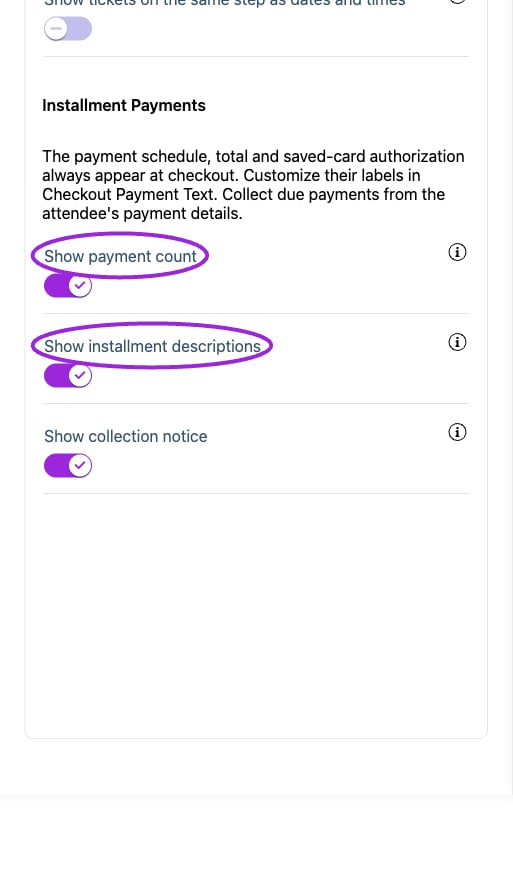
All Settings → Display — Checkout & payment. Continued controls. The circles identify Show payment count and Show installment descriptions.
Date & time
View current controls
View current controls
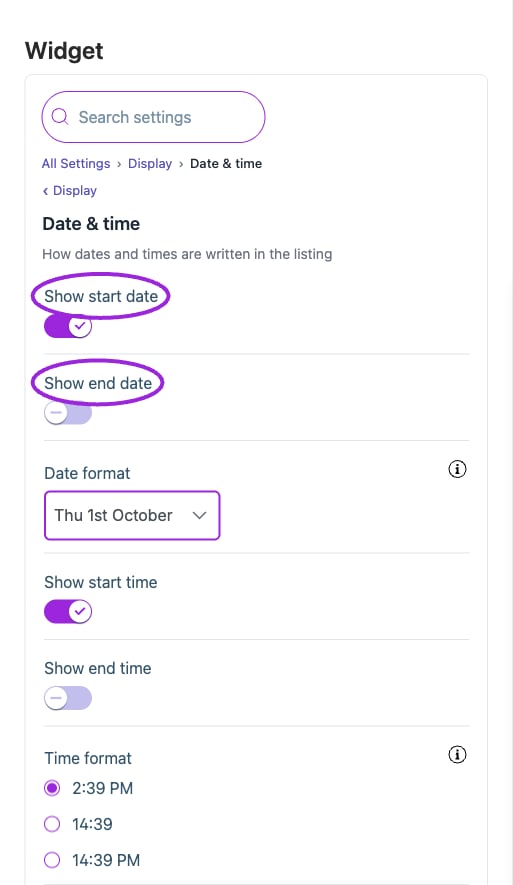
All Settings → Display — Date & time. The circles identify Show start date and Show end date.
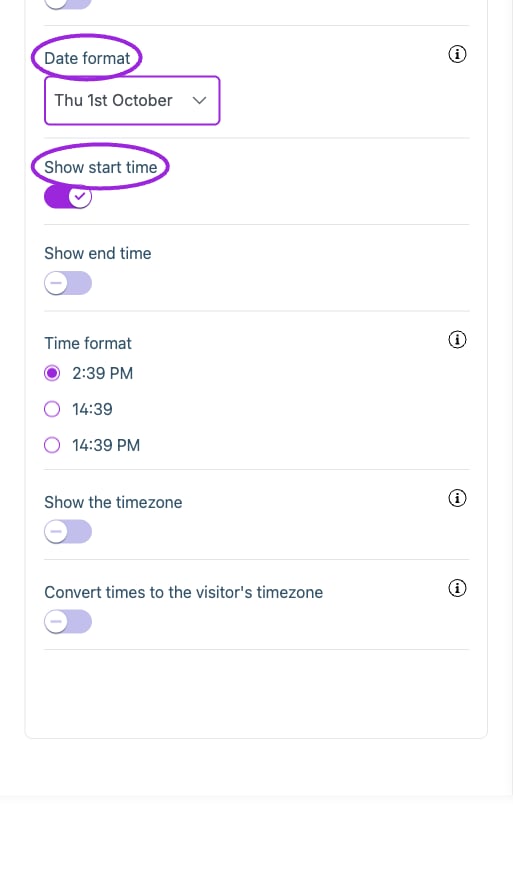
All Settings → Display — Date & time. Continued controls. The circles identify Date format and Show start time.
Event count & pagination
View current controls
View current controls
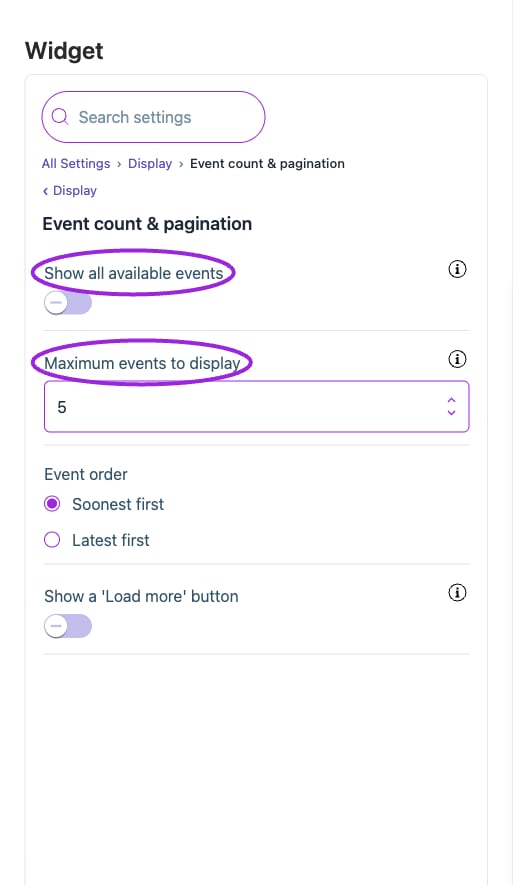
All Settings → Display — Event count & pagination. The circles identify Show all available events and Maximum events to display.
Event description
View current controls
View current controls
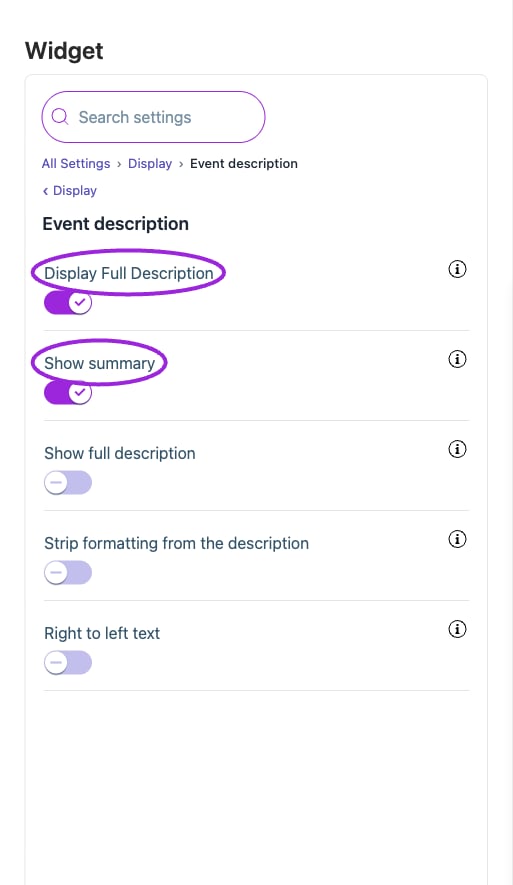
All Settings → Display — Event description. The circles identify Display Full Description and Show summary.
Event details
View current controls
View current controls
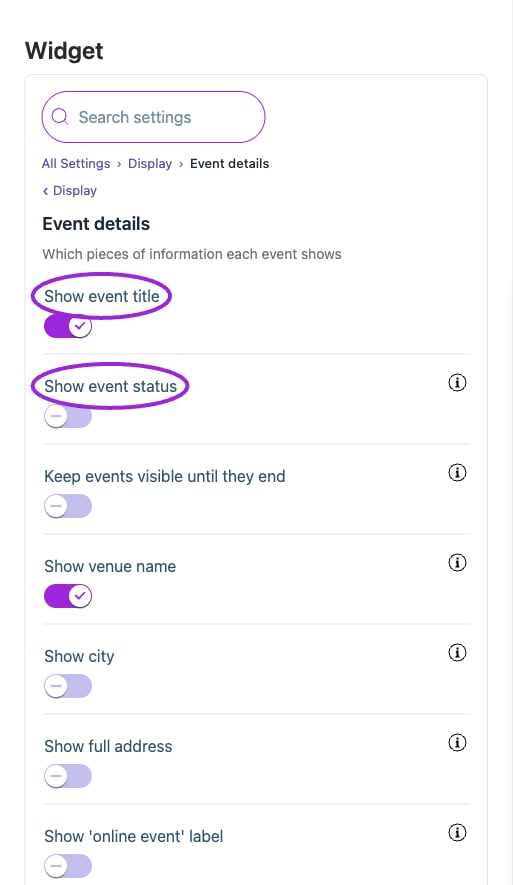
All Settings → Display — Event details. The circles identify Show event title and Show event status.
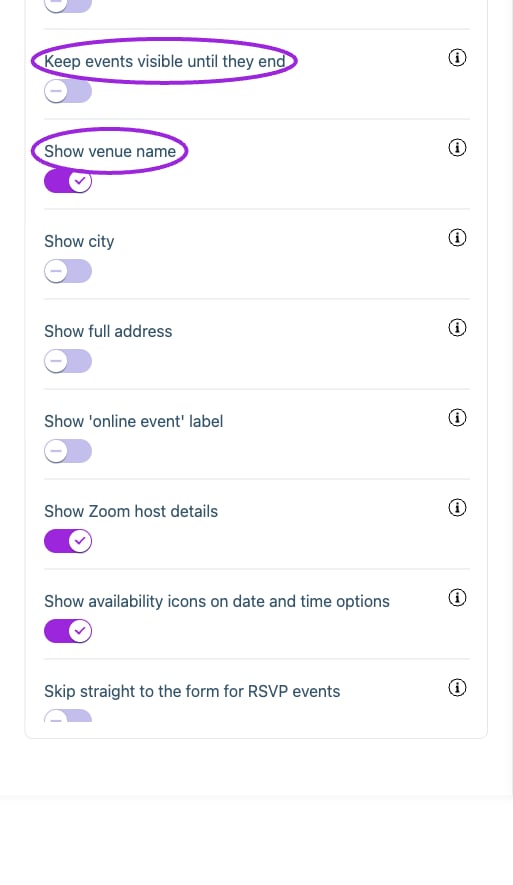
All Settings → Display — Event details. Continued controls. The circles identify Keep events visible until they end and Show venue name.
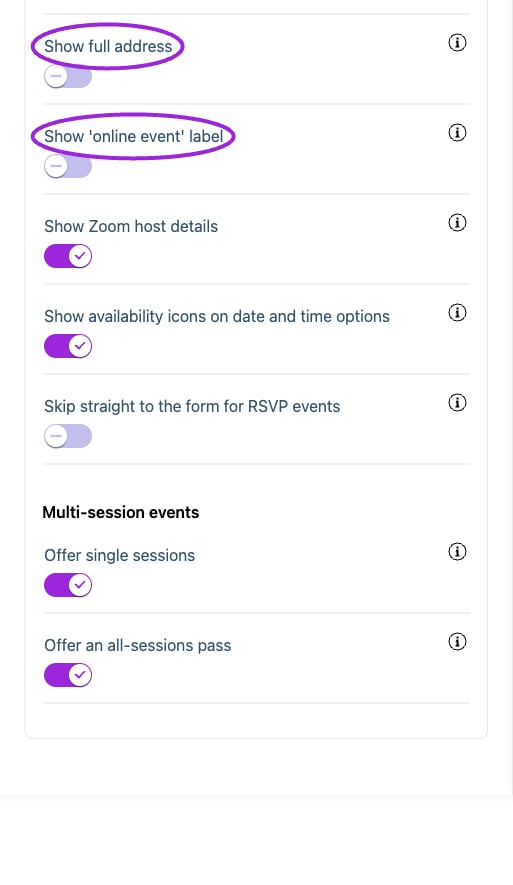
All Settings → Display — Event details. Continued controls. The circles identify Show full address and Show 'online event' label.
Header & actions
View current controls
View current controls
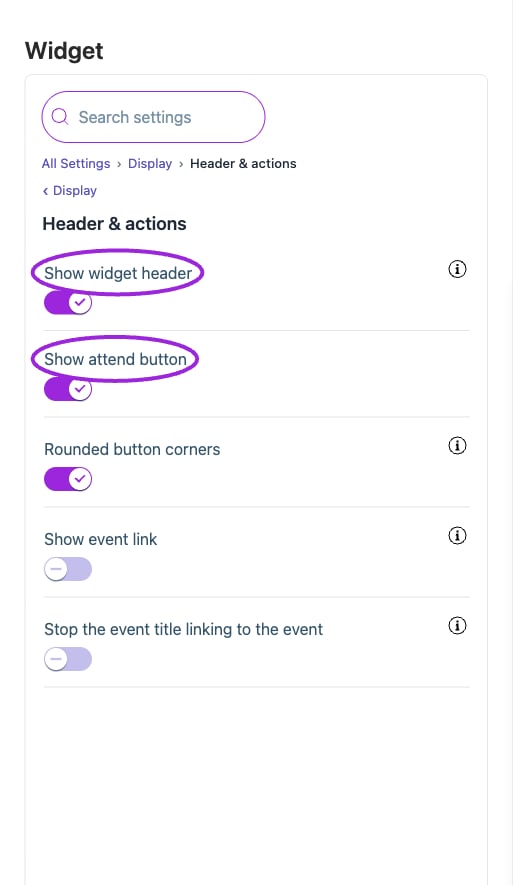
All Settings → Display — Header & actions. The circles identify Show widget header and Show attend button.
Hosts & attendees
View current controls
View current controls
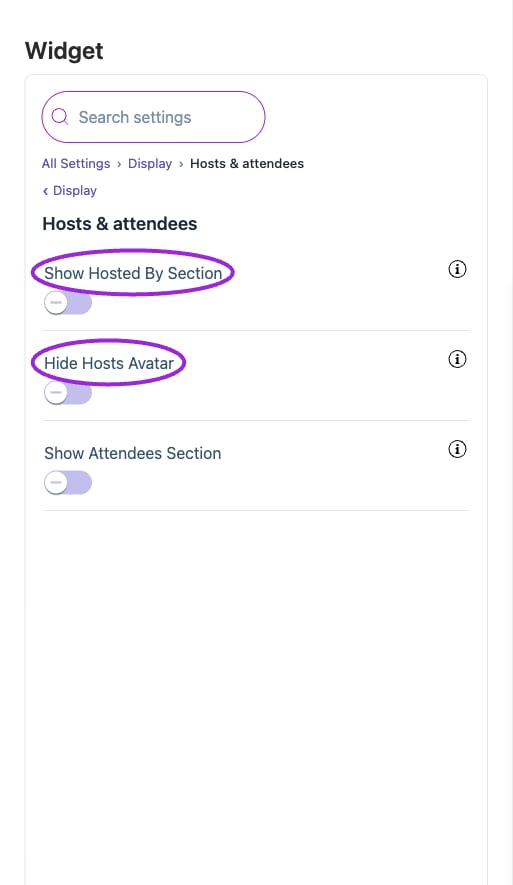
All Settings → Display — Hosts & attendees. The circles identify Show Hosted By Section and Hide Hosts Avatar.
Images
View current controls
View current controls
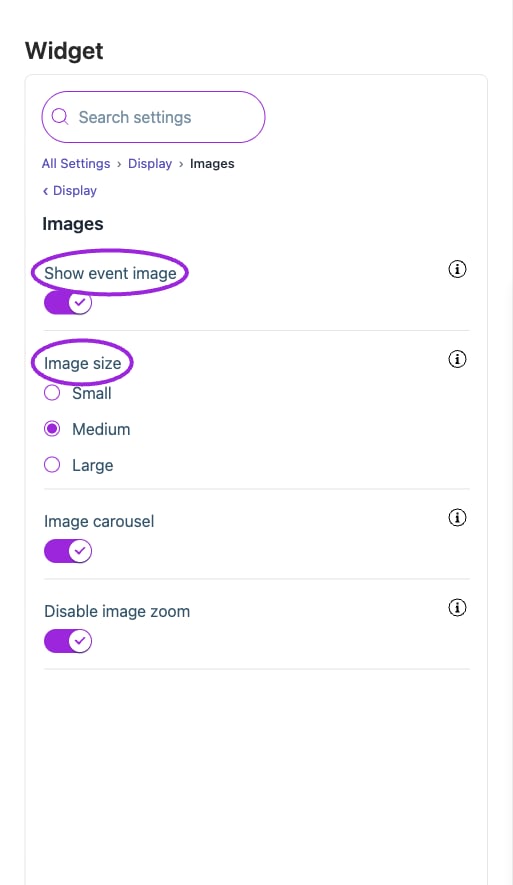
All Settings → Display — Images. The circles identify Show event image and Image size.
Memberships
View current controls
View current controls
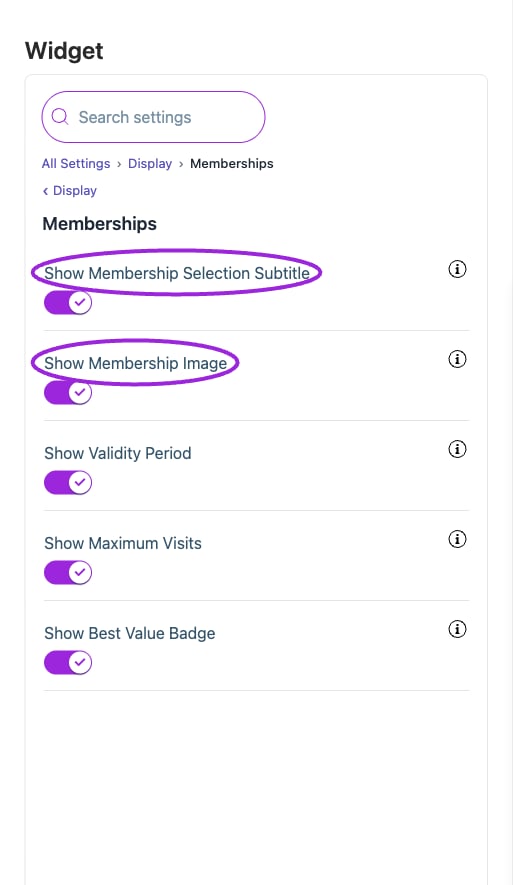
All Settings → Display — Memberships. The circles identify Show Membership Selection Subtitle and Show Membership Image.
Recurring events
View current controls
View current controls
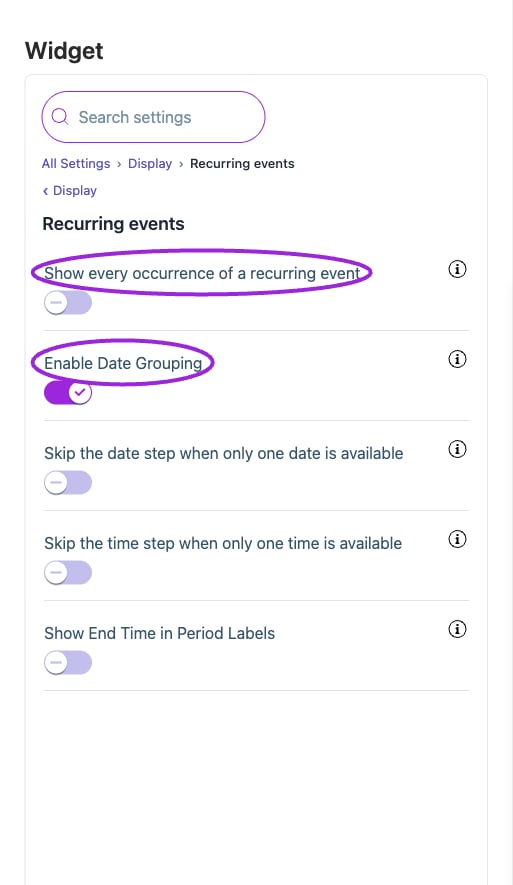
All Settings → Display — Recurring events. The circles identify Show every occurrence of a recurring event and Enable Date Grouping.
Submit event request
View current controls
View current controls
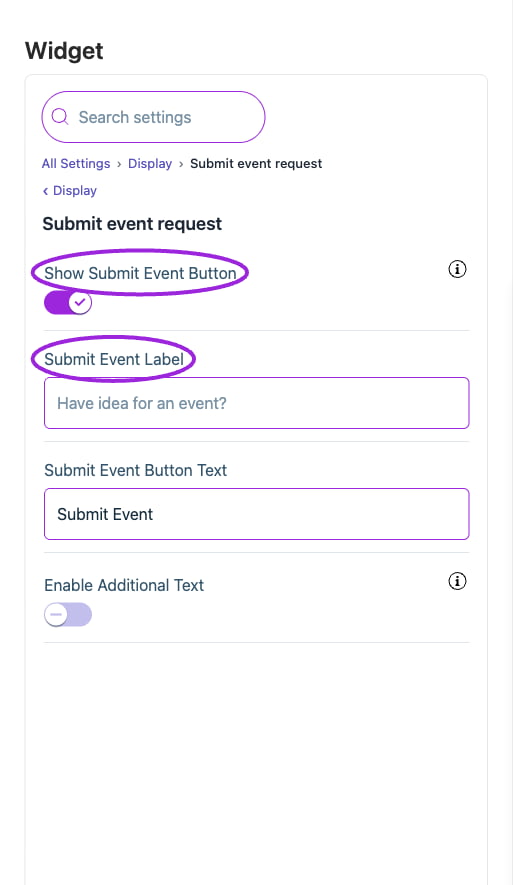
All Settings → Display — Submit event request. The circles identify Show Submit Event Button and Submit Event Label.
Visitor engagement
View current controls
View current controls
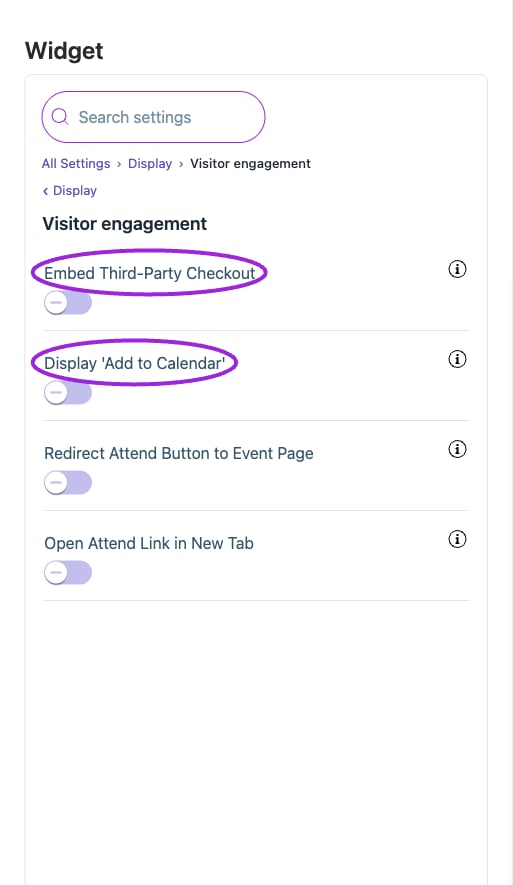
All Settings → Display — Visitor engagement. The circles identify Embed Third-Party Checkout and Display 'Add to Calendar'.
Workshops & add-ons
View current controls
View current controls
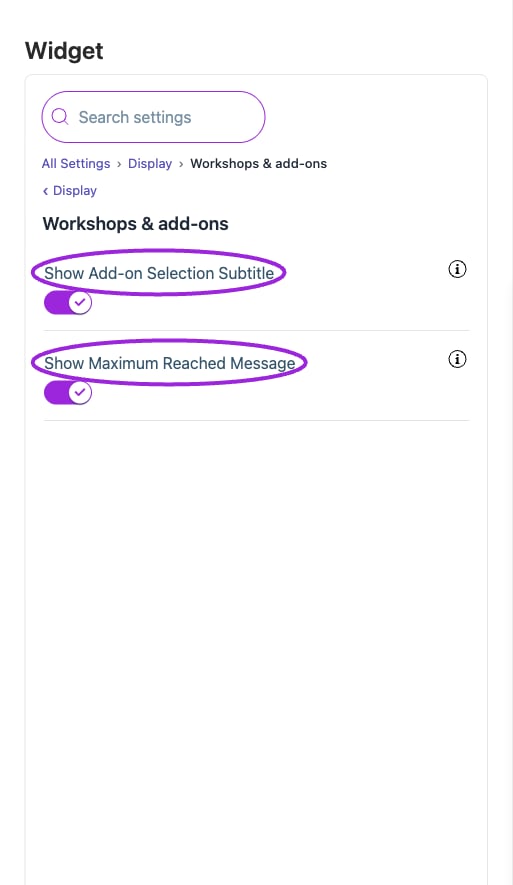
All Settings → Display — Workshops & add-ons. The circles identify Show Add-on Selection Subtitle and Show Maximum Reached Message.