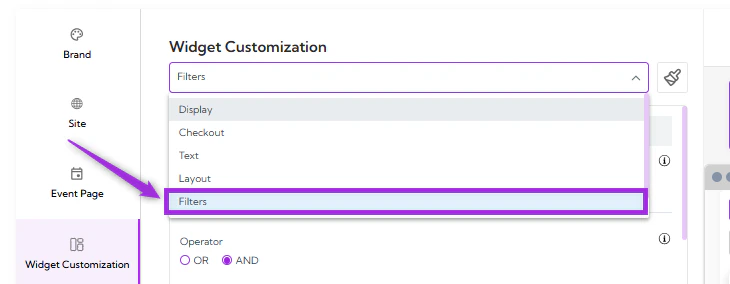
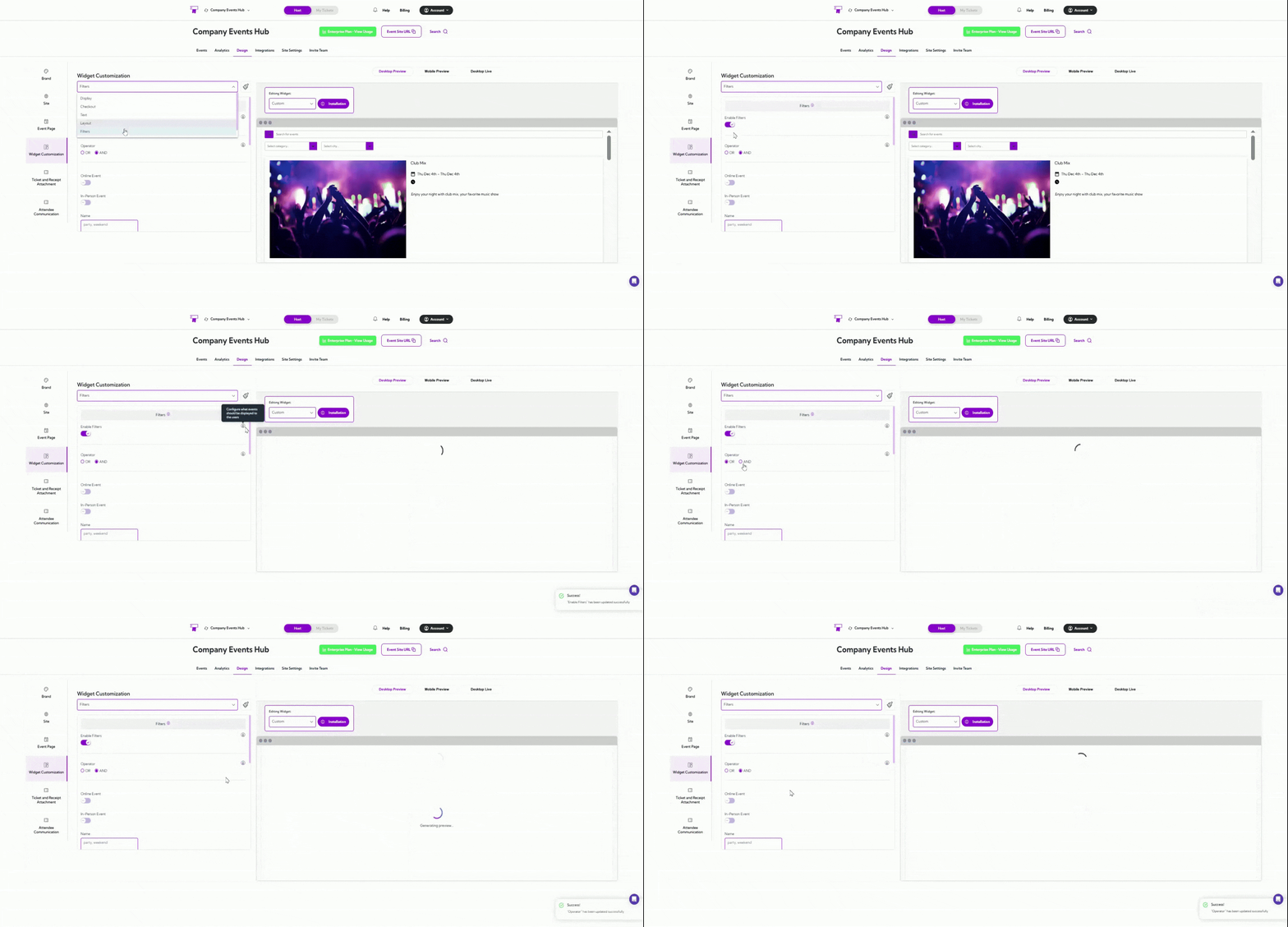
Filter settings allow you to control which events appear in your widget. By setting filters such as event type, keywords, city, tags, or language, you can ensure only the most relevant events are shown to your users. This helps keep the widget clean and focused, especially when you have many events. Let’s get started 🚀 Click on the dropdown menu and select Filters. You will be navigated to the Filters settings, where you can enable filtering and configure which events should appear in your widget.Documentation Index
Fetch the complete documentation index at: https://docs.ticketspotapp.com/llms.txt
Use this file to discover all available pages before exploring further.

Enable Filters & Match Rules
Toggle Enable Filters ON to start using filtering options. Once enabled, you can choose how filters are applied using the Operator:- AND — All selected conditions must match for an event to be displayed.
- OR — Any one matching condition will display the event.
- With AND, only events that are online AND in San Diego will show.
- With OR, events that are online OR in San Diego will show.

Filter Fields
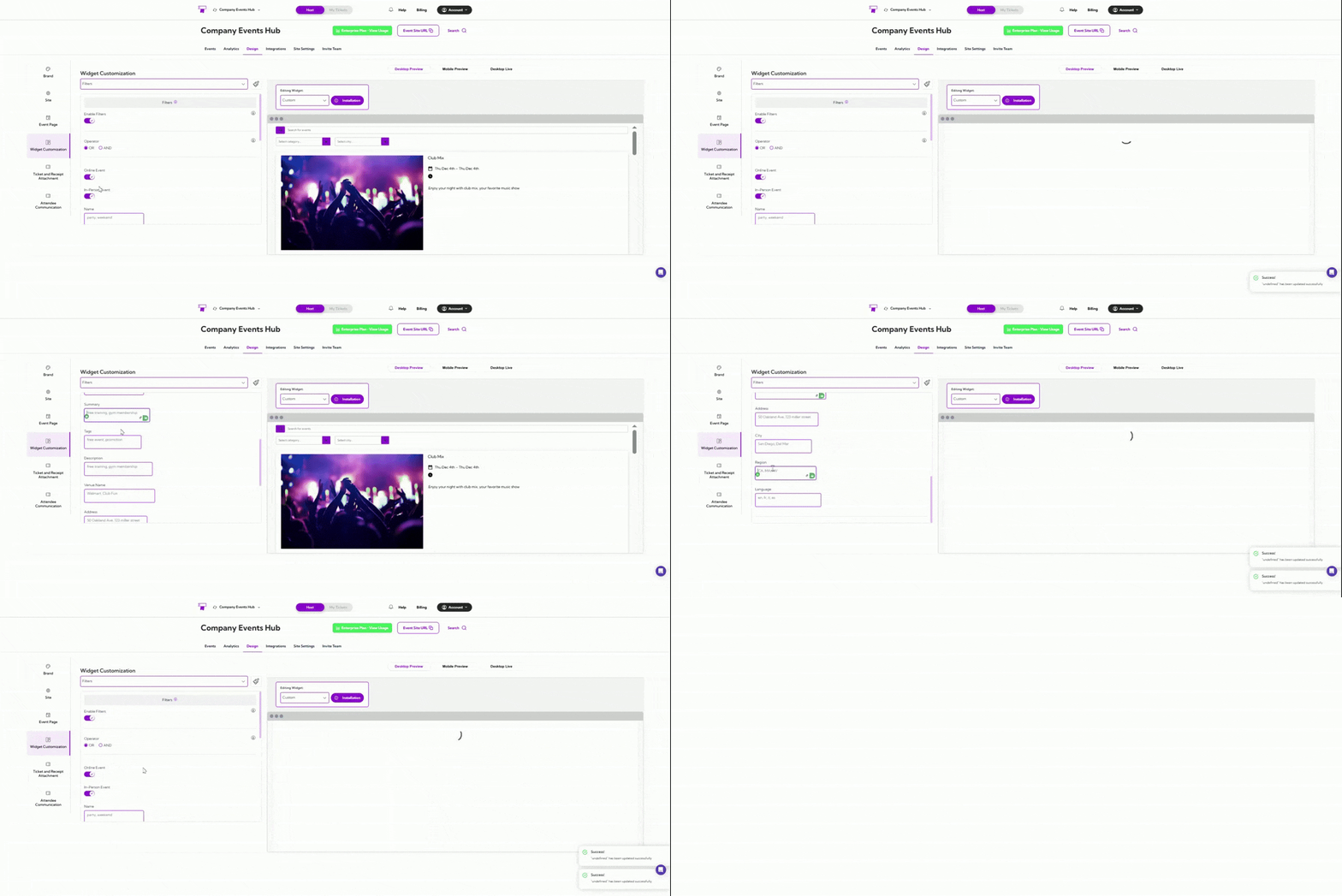
Below is a table of all available fields you can configure when filters are enabled:| Field | Description |
|---|---|
| Online Event | Shows only events marked as online. |
| In-Person Event | Shows only events taking place at a physical location. |
| Name | Displays events whose title contains the keywords entered (e.g., “party”, “weekend”). |
| Summary | Filters events by text in the event’s summary field. |
| Tags | Shows events that match the tags you enter (e.g., “promotion”, “free event”). |
| Description | Filters events based on matching keywords in the full description. |
| Venue Name | Shows events hosted at venues matching the text you provide (e.g., “Walmart”, “Club Fun”). |
| Address | Filters events based on text appearing in their address. |
| City | Shows events located in the cities you enter. |
| Region | Filters events by regions or states (e.g., “CA”, “MA”, “NV”). |
| Language | Displays events available in the languages you list (e.g., “en”, “fr”, “it”). |