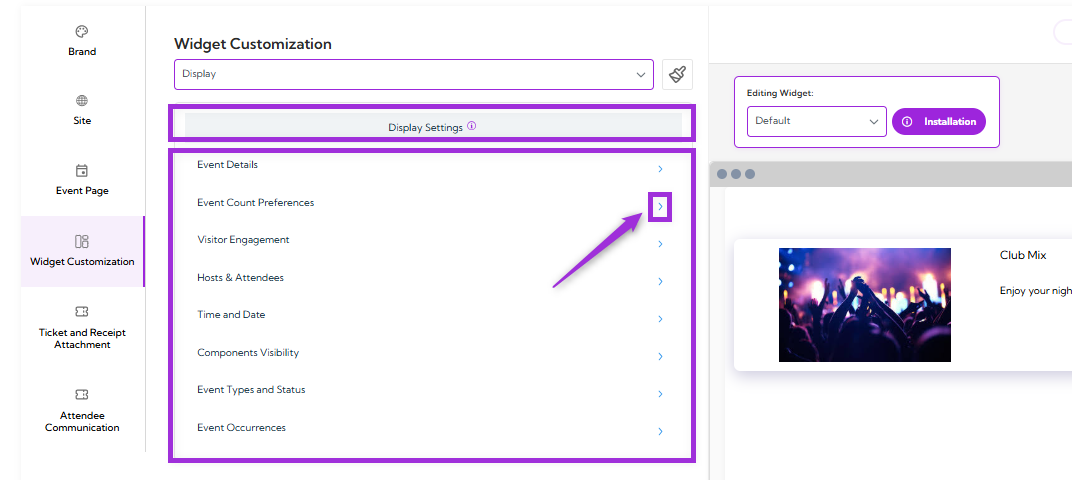
- Event Details
- Event Count Preferences
- Visitor Engagement
- Hosts & Attendees
- Time and Date
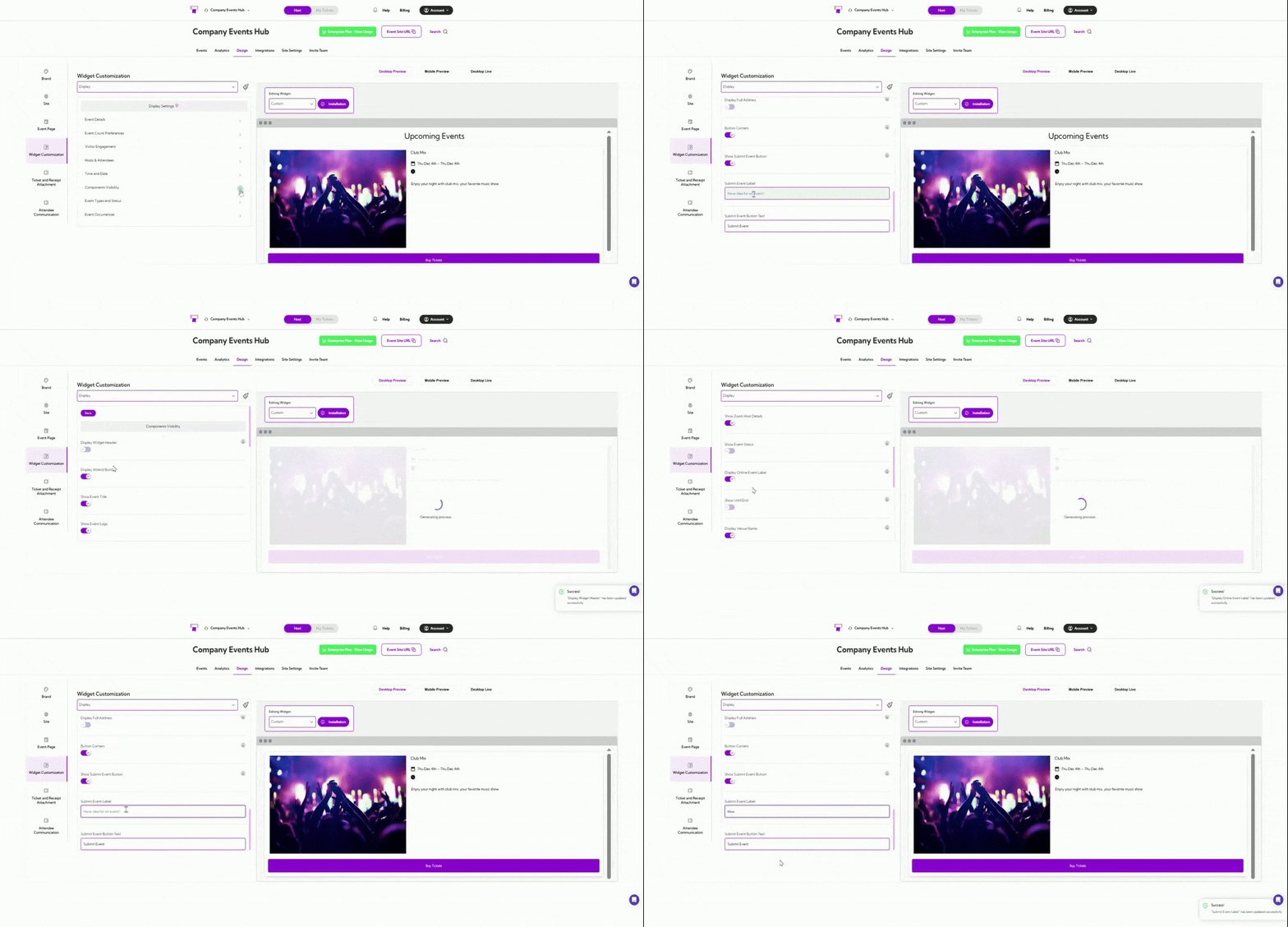
- Components Visibility
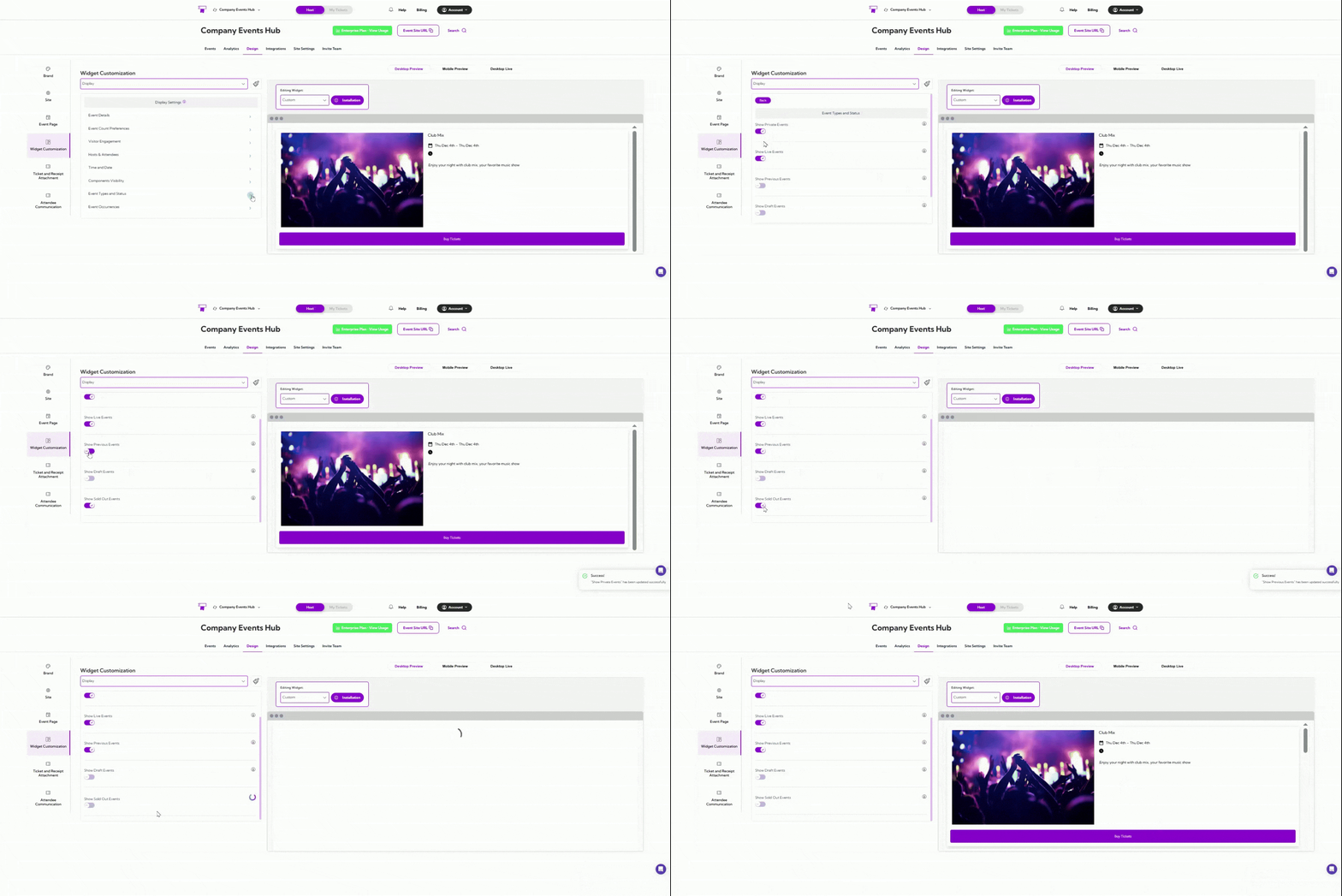
- Event Types and Status
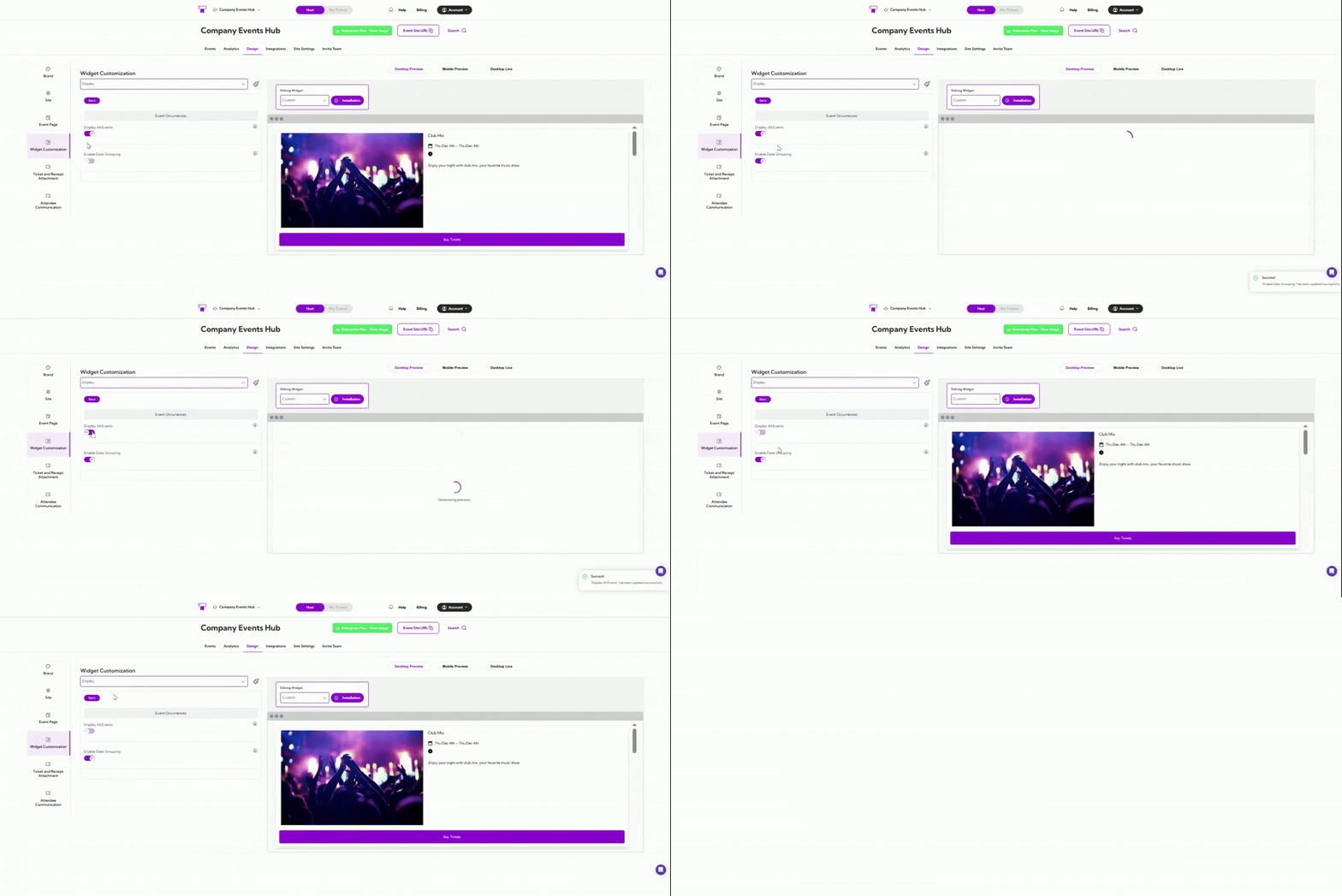
- Event Occurrences

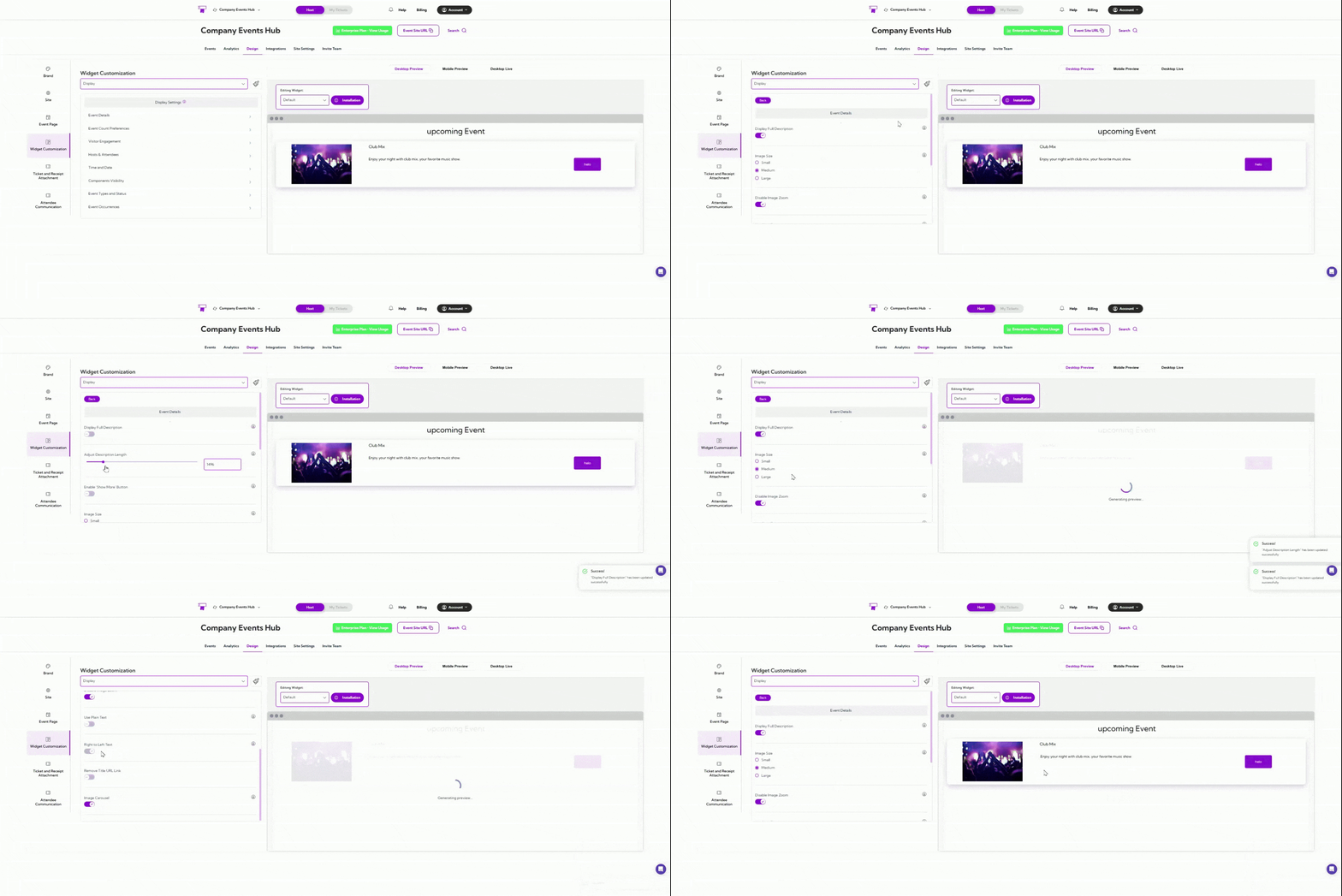
Event Details
| Field | Description |
|---|---|
| Display Full Description | Shows the entire event description instead of a shortened preview, or you can also select the length of the description. |
| Image Size | Sets the size of the event image. Options: Small, Medium, Large. |
| Disable Image Zoom | Prevents users from zooming into event images. |
| Use Plain Text | Displays the event description without any formatting. |
| Right to Left Text | Enables right-to-left text orientation for supported languages. |
| Remove Title URL Link | Removes the clickable link from the event title so it appears as plain text. |
| Image Carousel | Shows multiple images as a swipeable carousel instead of a single image. |

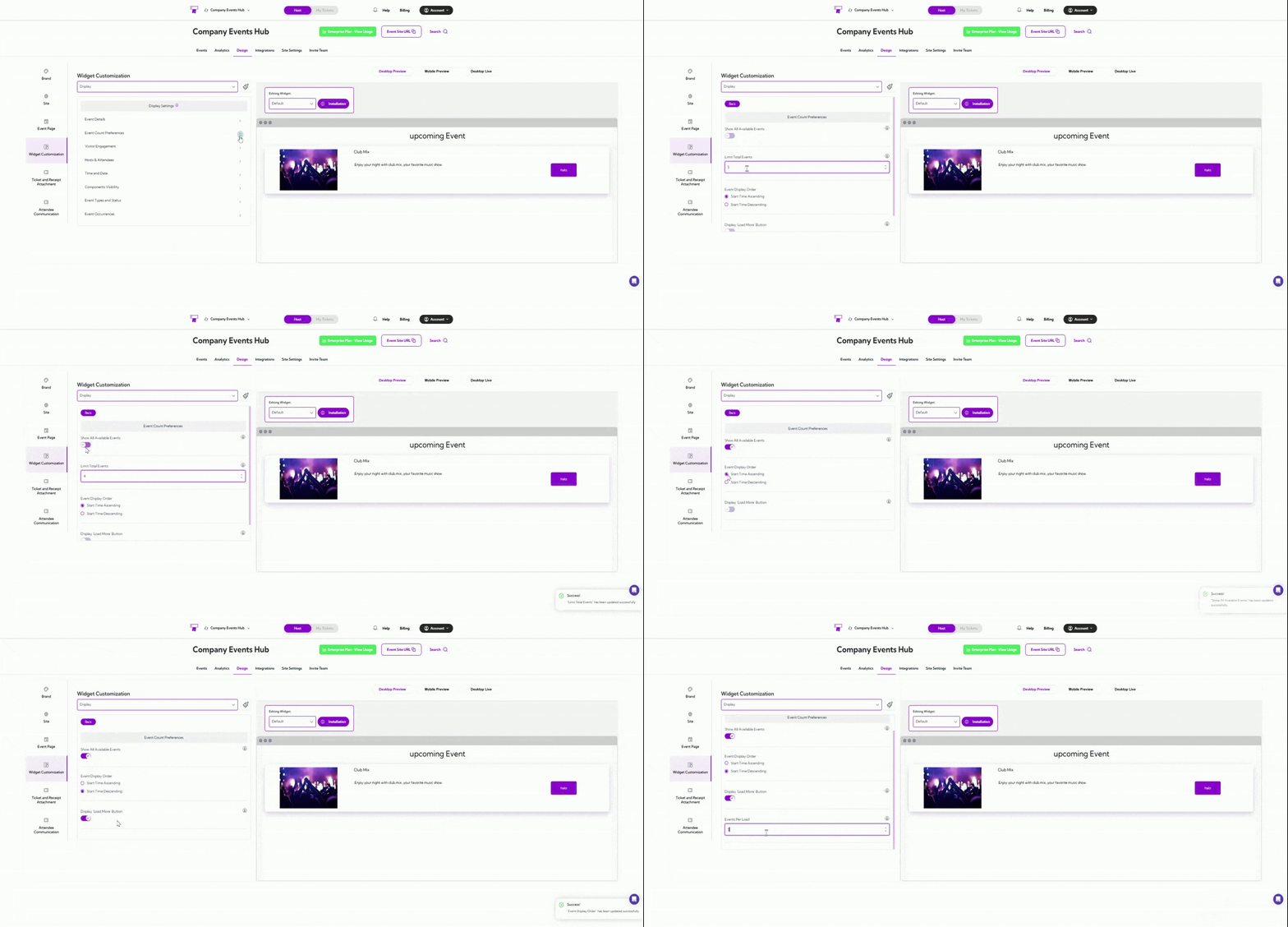
Event Count Preferences
| Field | Description |
|---|---|
| Show All Available Events | Enable the display of every published event in the widget. Disable if you want to limit the number of events shown. |
| Limit Total Events | Set the maximum number of events to display (e.g., 5). Only applies when “Show All Available Events” is turned off. |
| Event Display Order | Choose how events are sorted: • Start Time Ascending – Shows the earliest upcoming events first. • Start Time Descending – Shows the latest upcoming events first. |
| Display ‘Load More’ Button | When enabled, a “Load More” button appears to let visitors view additional events beyond the initial limit. |

Visitor Engagement
| Field | Description |
|---|---|
| Embed Third-Party Checkout | Allows you to embed an external checkout flow inside the widget instead of redirecting users to another page. |
| Display ‘Add to Calendar’ | Shows an Add to Calendar option so visitors can save the event directly from the widget. |

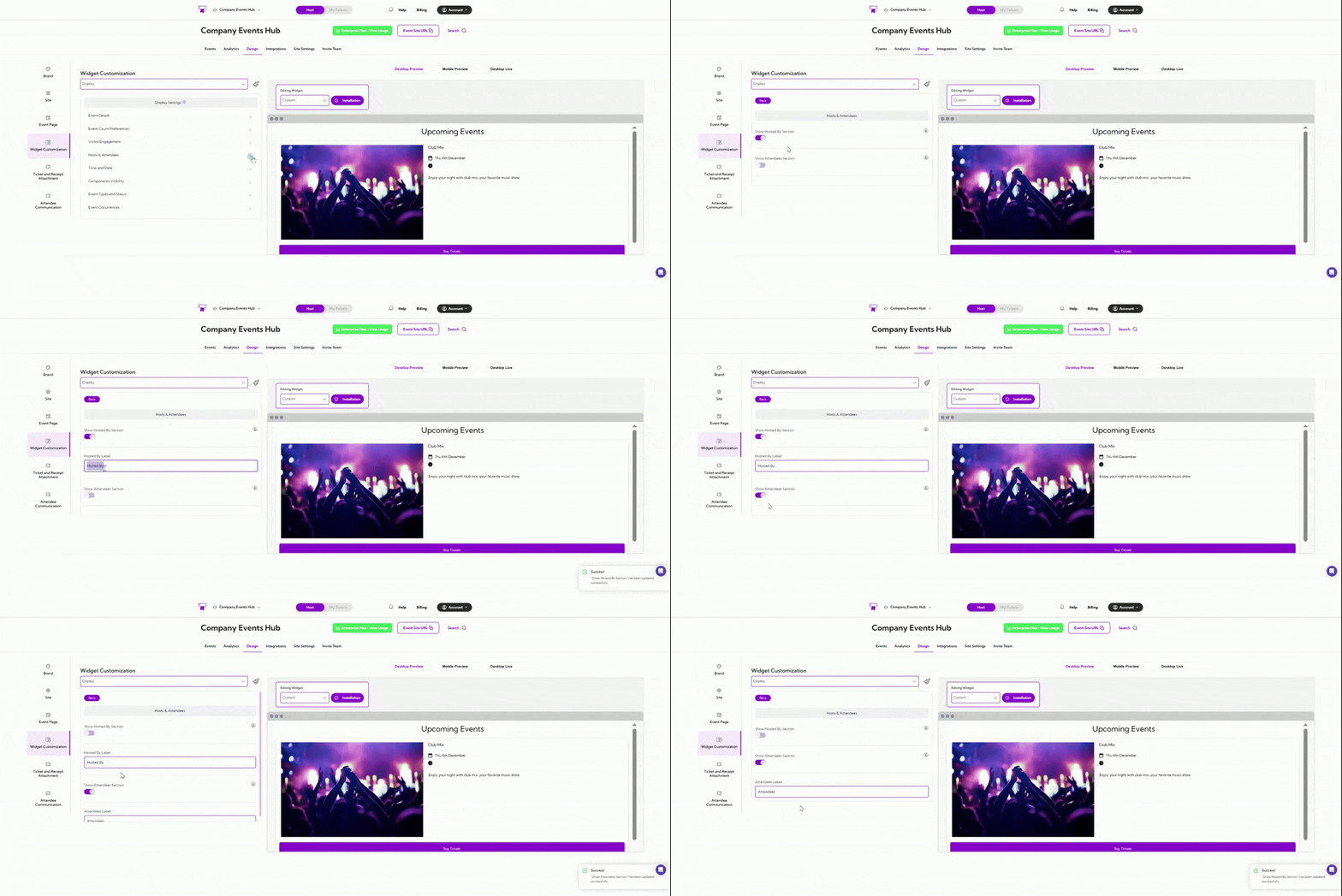
Hosts & Attendees
| Field | Description |
|---|---|
| Show Hosted By Section | Enables the “Hosted By” block on the widget. When turned on, users will see the event host information. You can also edit the Hosted by label. |
| Show Attendees Section | Displays the list of attendees when enabled. If turned off, attendee names will not be shown on the widget. You can also edit the Attendees label. |

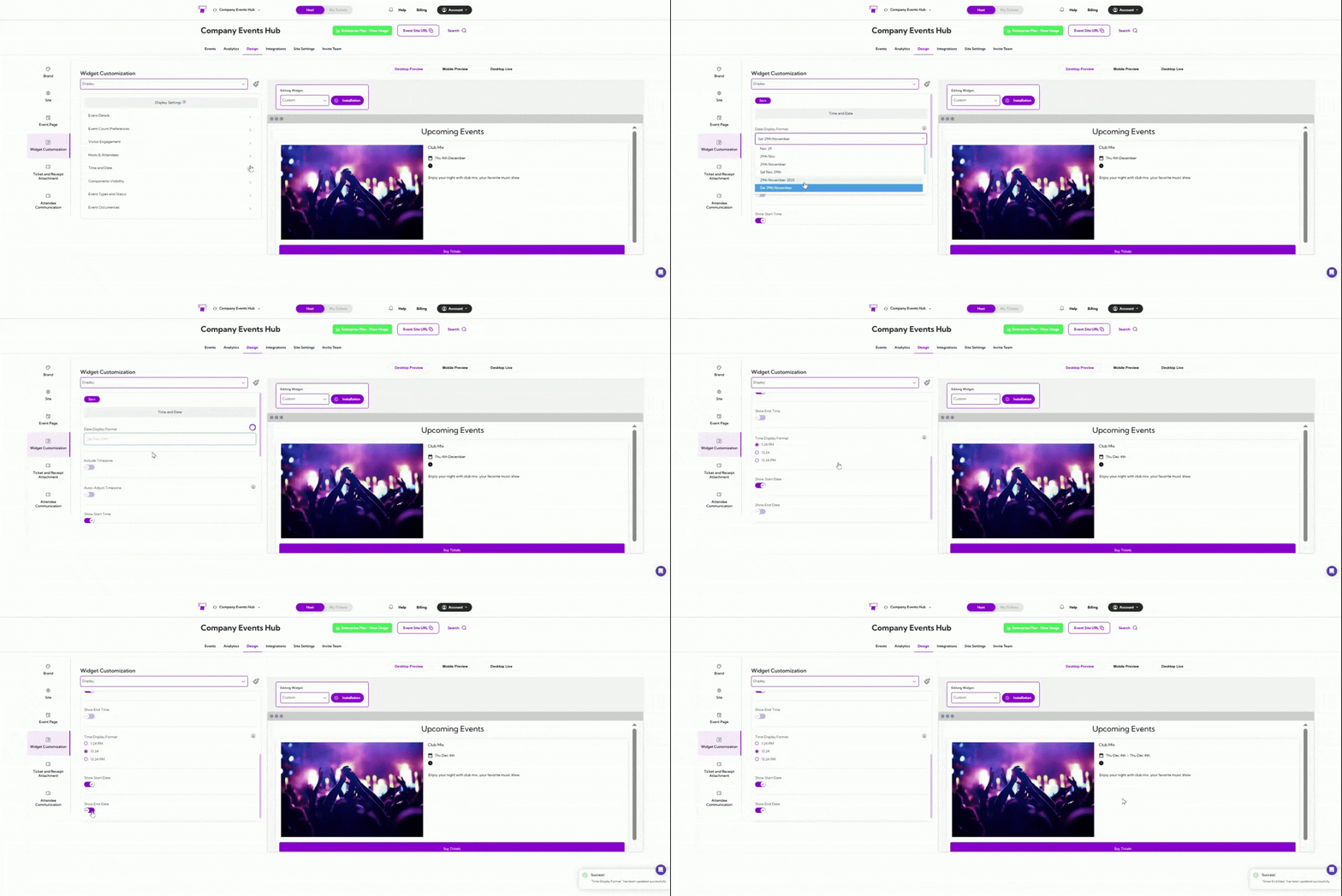
Time and Date
| Field | Description |
|---|---|
| Date Display Format | Select how the event date appears (e.g., Sat 29th November). |
| Include Timezone | Adds the event’s timezone next to the date/time. |
| Auto-Adjust Timezone | Automatically adjusts the displayed time based on the viewer’s location. |
| Show Start Time | Displays the event’s start time on the widget. |
| Show End Time | Displays the event’s end time on the widget. |
| Time Display Format | Choose between 12-hour and 24-hour time formats: 1:24 PM, 13:24, or 13:24 PM. |
| Show Start Date | Enables or hides the start date for the event. |
| Show End Date | Enables or hides the end date for the event. |

Components Visibility
| Field | Description |
|---|---|
| Display Widget Header | Shows or hides the header area at the top of the widget. |
| Display Attend Button | Shows the main action button attendees use to view or join the event. |
| Show Event Title | Displays the event title in the card. Turn off to hide titles. |
| Show Event Logo | Shows the event’s image or logo on the event listing card. |
| Show Zoom Host Details | Displays the Zoom host name/details for virtual events. |
| Show Event Status | Displays the event status (e.g., Sold Out, Closed, In Progress). |
| Display Online Event Label | Shows an “Online Event” tag for virtual events. |
| Show Until End | Displays how long the event will remain active/visible. |
| Display Venue Name | Shows the venue name for in-person events. |
| Display City | Shows the event’s city. |
| Display Full Address | Displays the complete venue address. |
| Button Corners | Enables rounded corners for buttons to match your theme styling. |
| Show Submit Event Button | Shows a button that allows visitors to submit their own event suggestions. |
| Submit Event Label | Custom text that appears above the submit event prompt. |
| Submit Event Button Text | Customizes the button text for submitting an event. |

Event Types and Status
| Field | Description |
|---|---|
| Show Private Events | Displays events marked as private on your site. Turn off if private events should remain hidden from public view. |
| Show Live Events | Shows events currently marked as “Live.” Recommended to keep on for active event listings. |
| Show Previous Events | Displays events that have already ended. Turn off to avoid showing past events. |
| Show Draft Events | Shows events still in draft mode. Useful for internal reviews before going live. |
| Show Sold Out Events | Displays events that are fully booked. Helpful when you still want attendees to see demand or join a waitlist elsewhere. |

Event Occurrences
| Field | Description |
|---|---|
| Display All Events | Shows every scheduled occurrence of an event. Turn off to display only the next upcoming occurrence. |
| Enable Date Grouping | Groups recurring events under a date selector to help attendees browse events by their preferred dates. |