Navigation
Step 1: Log in to your TicketSpot account and click the Analytics tab from the top navigation bar.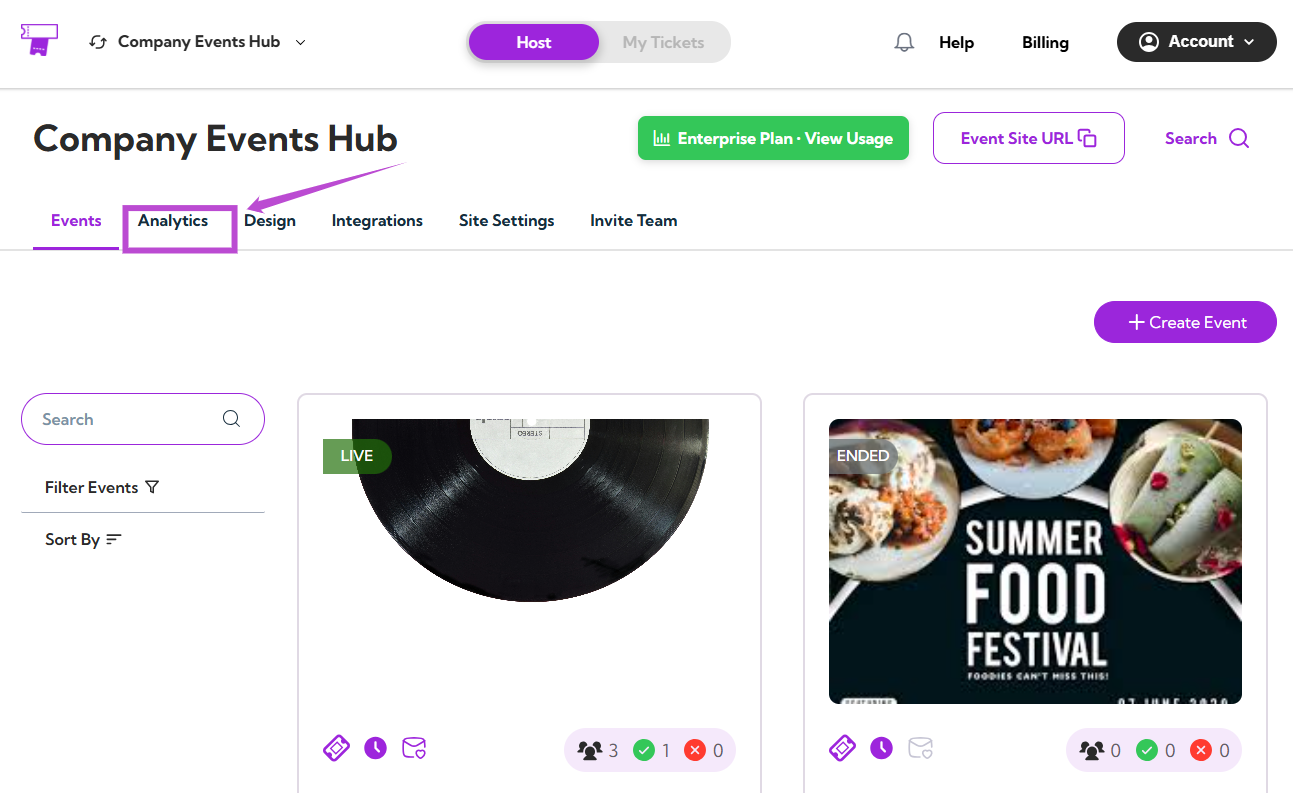
Analytics Dashboard
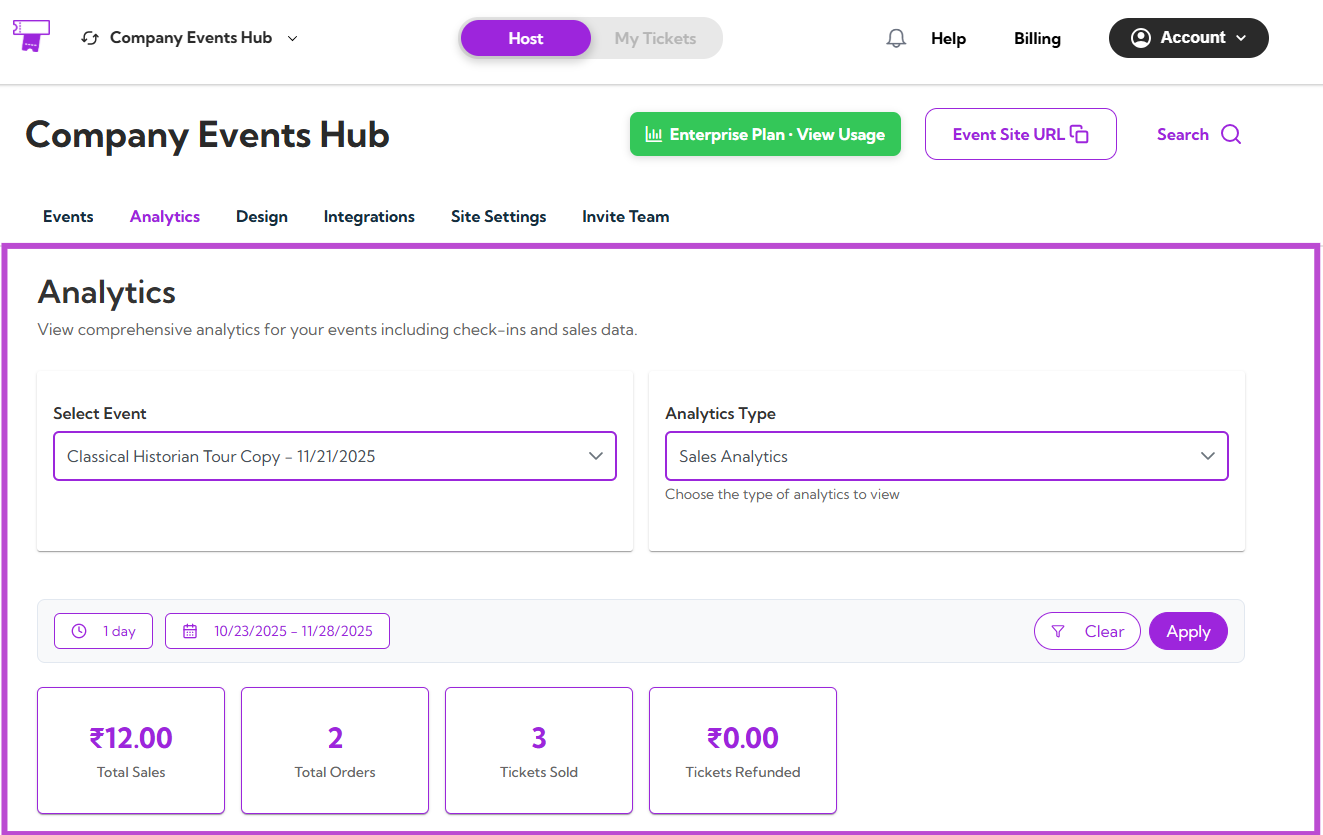
The Analytics Dashboard gives you a clear overview of your event performance. From here, you can:- Select the event
- Choose the analytics type
- Apply date filters
- View key metrics
- Explore graphs and activity insights
Event Filter
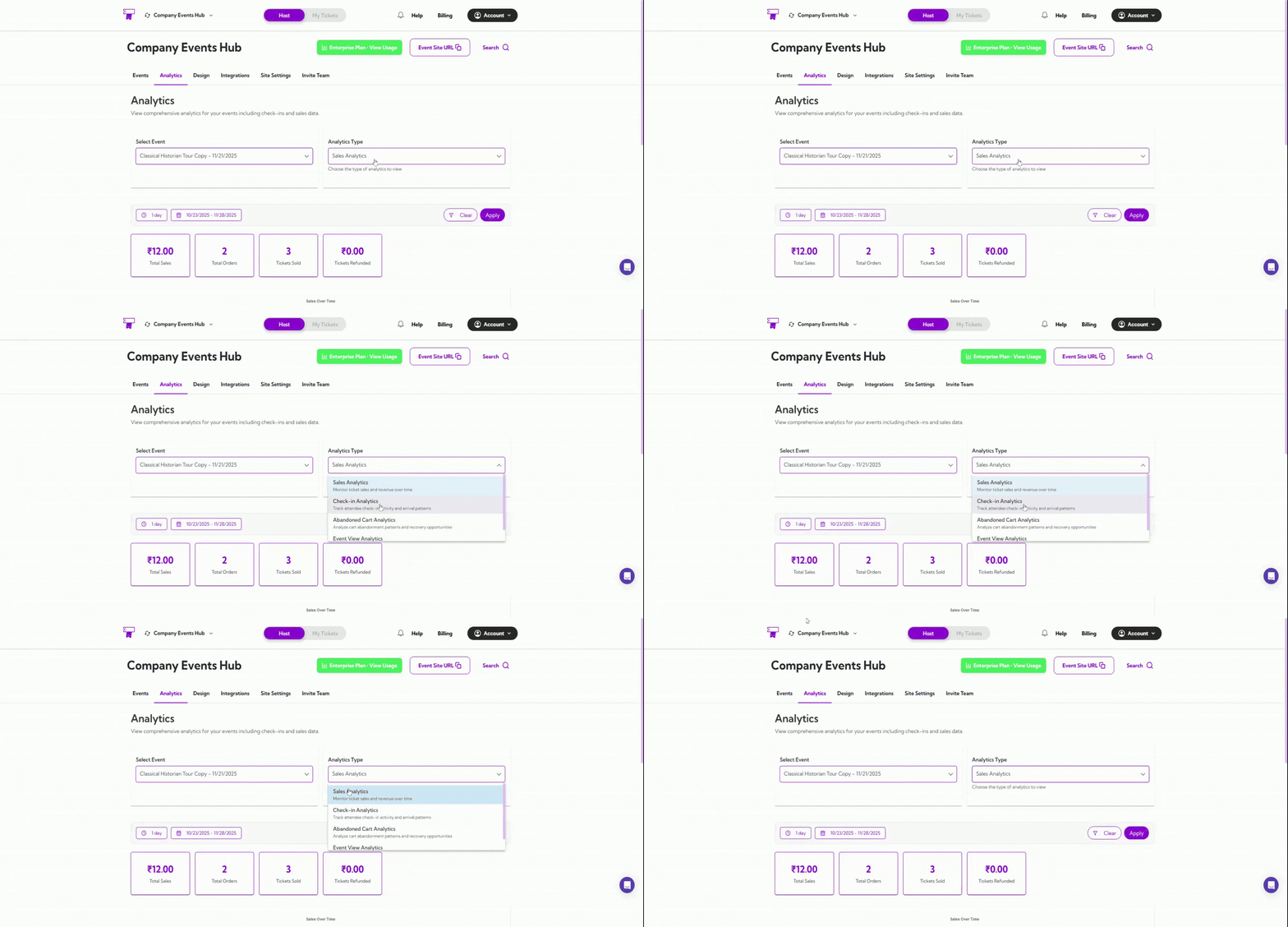
Choose the event you want to analyze from the Select Event dropdown.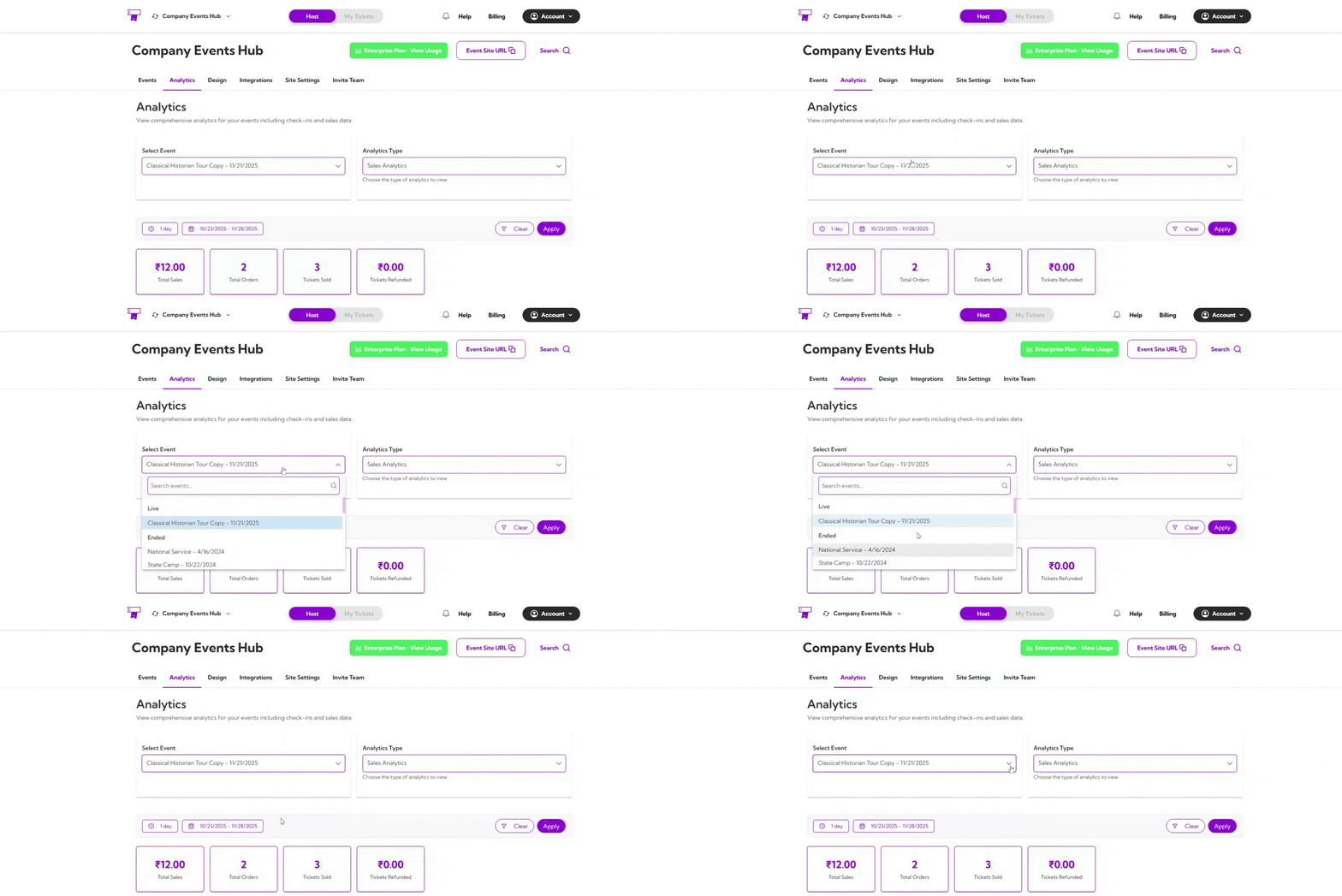
Analytics Type
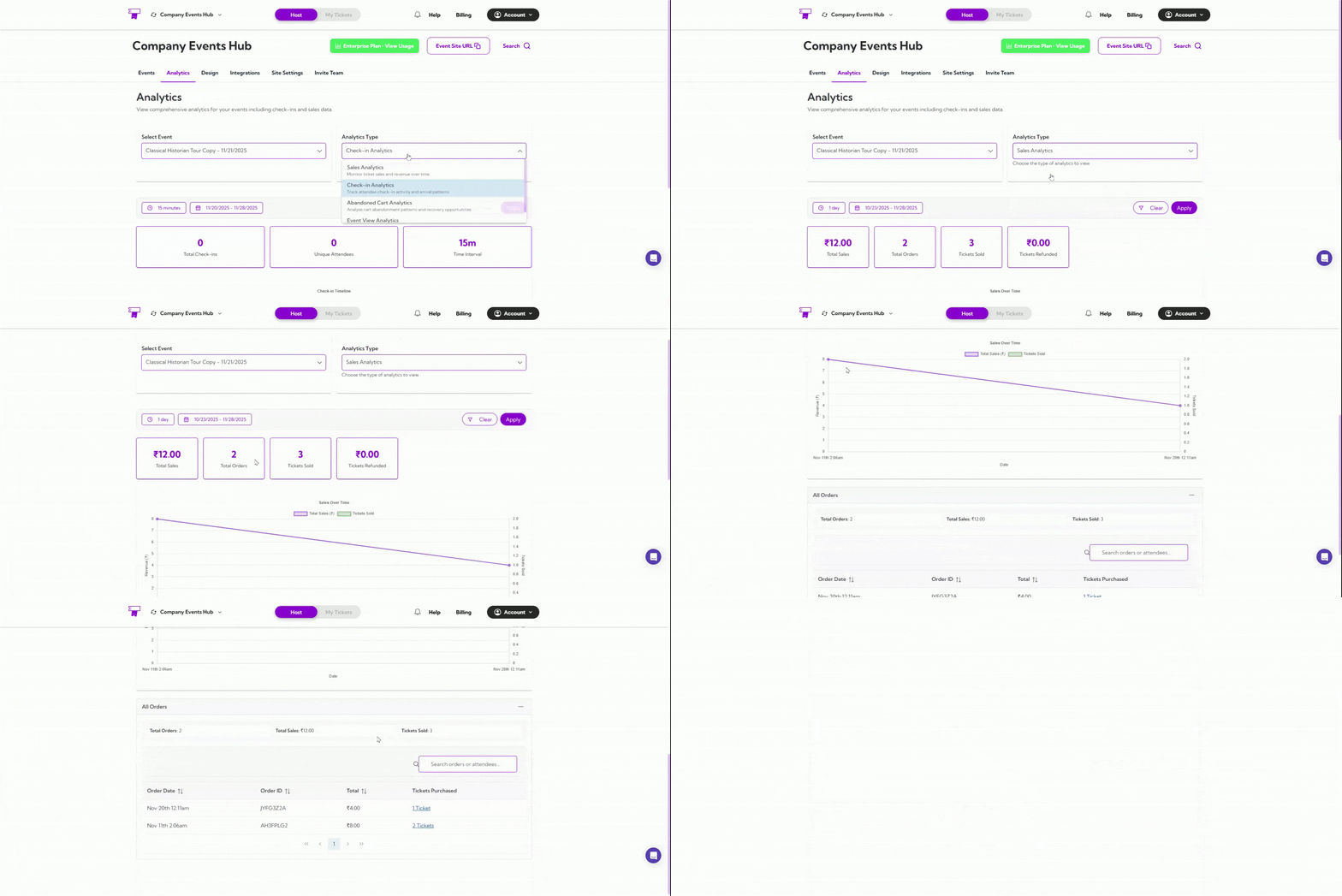
Switch between different analytics categories:- Sales Analytics
- Check-in Analytics
- Abandoned Cart Analytics
- Event View Analytics
Date Filters
You can filter analytics using preset ranges such as 1 day, 7 days, or 1 year — or choose a custom date range.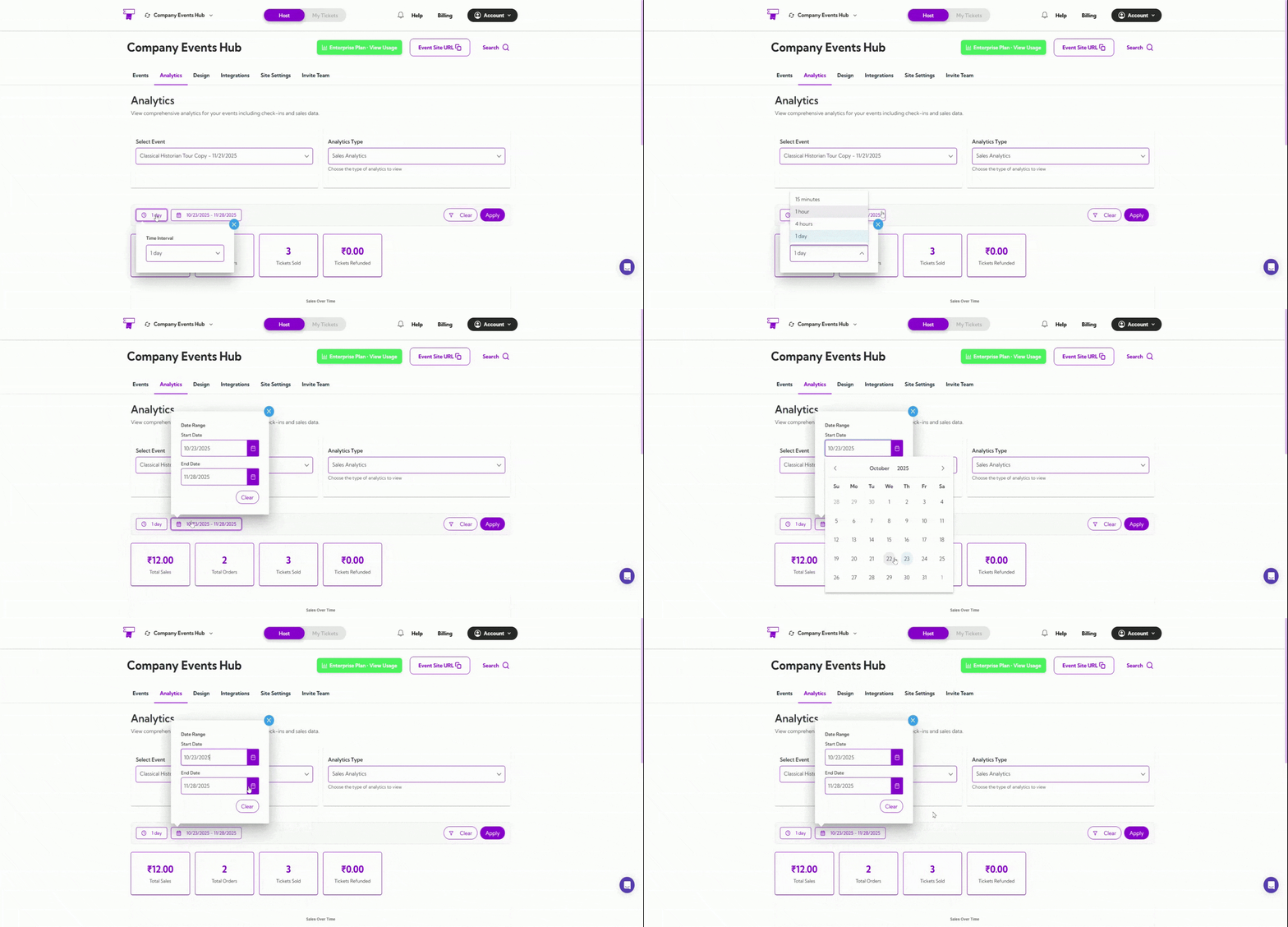
What You’ll See
Depending on the analytics type selected, the dashboard will display: Summary MetricsQuick, high-level numbers like views, orders, tickets, conversions, or sales. Performance Graph
A visual chart showing activity trends across your chosen date range. Activity Table
A detailed table showing dates, IDs, counts, and other event-related insights.