Navigation
Step 1: Log in to your Ticket Spot account and click the Analytics tab from the top navigation bar.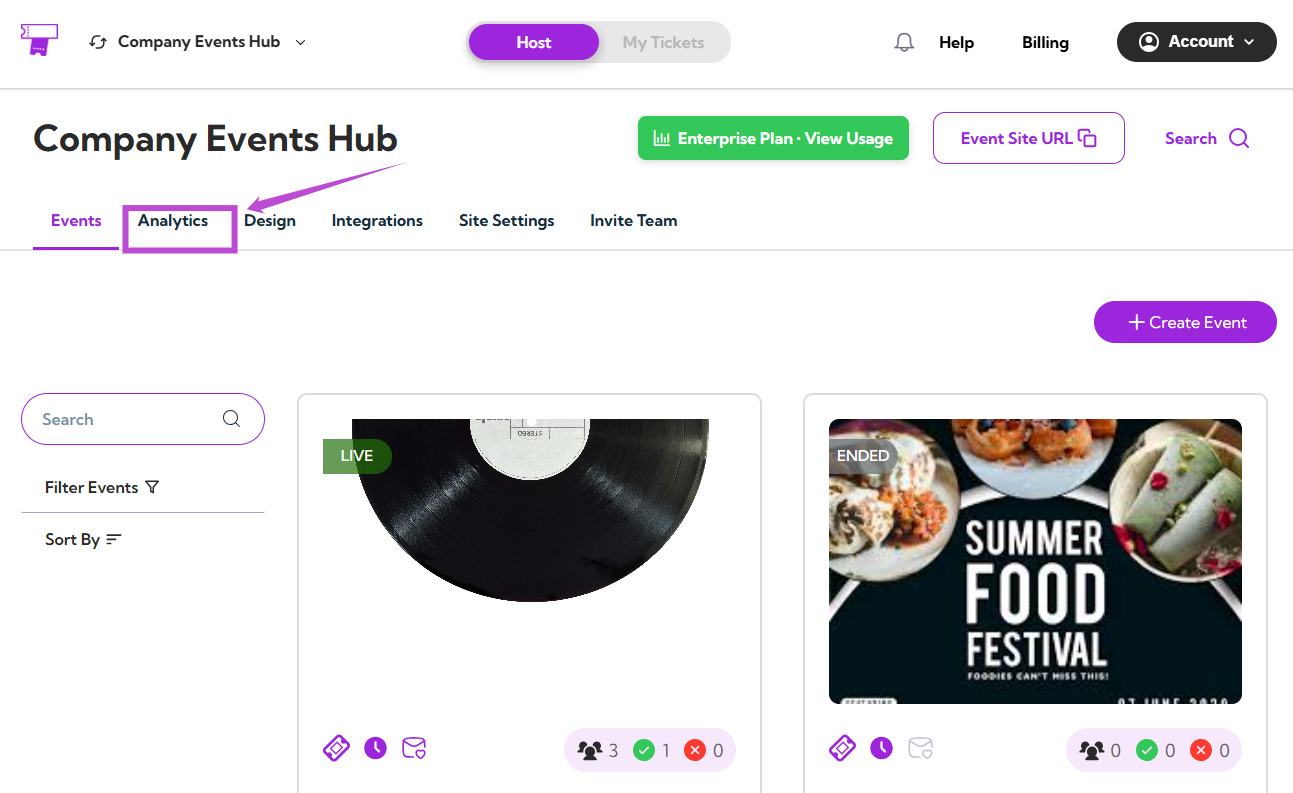
Select Event
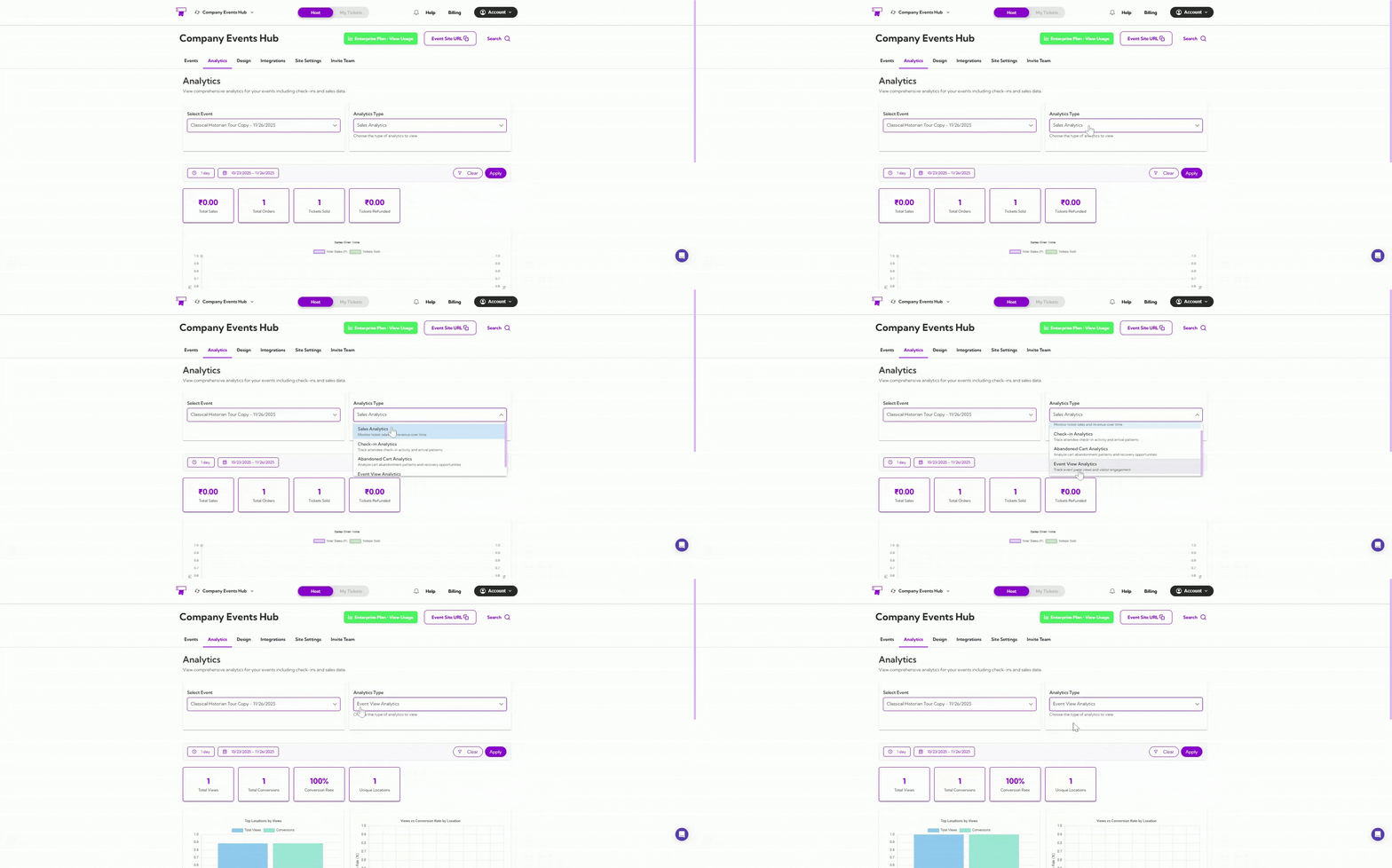
Use the Select Event dropdown to choose the event you want to analyze.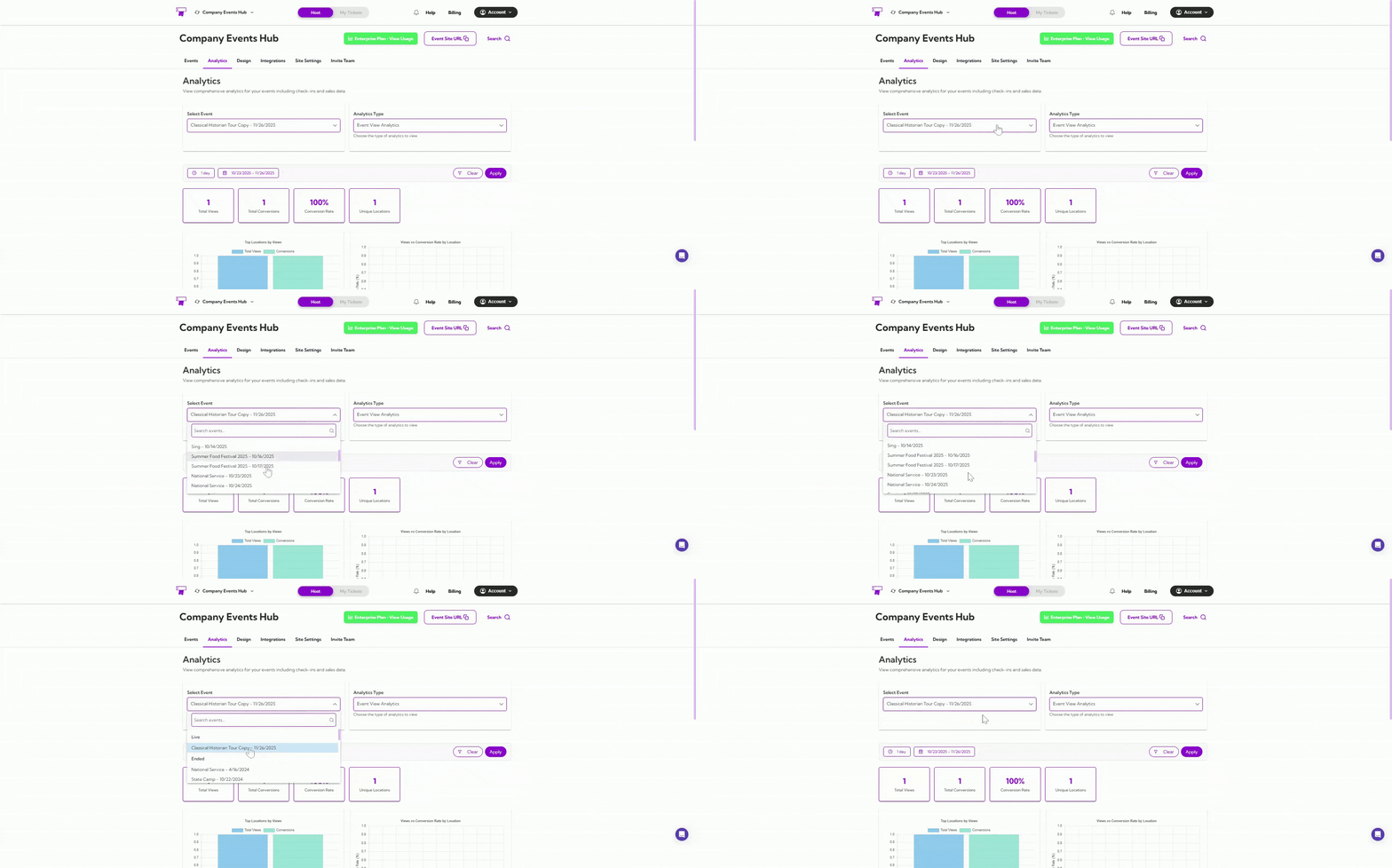
Date Filters
You can filter your analytics by preset ranges like 1 day, 7 days, or 1 year, or choose a custom date range using the calendar.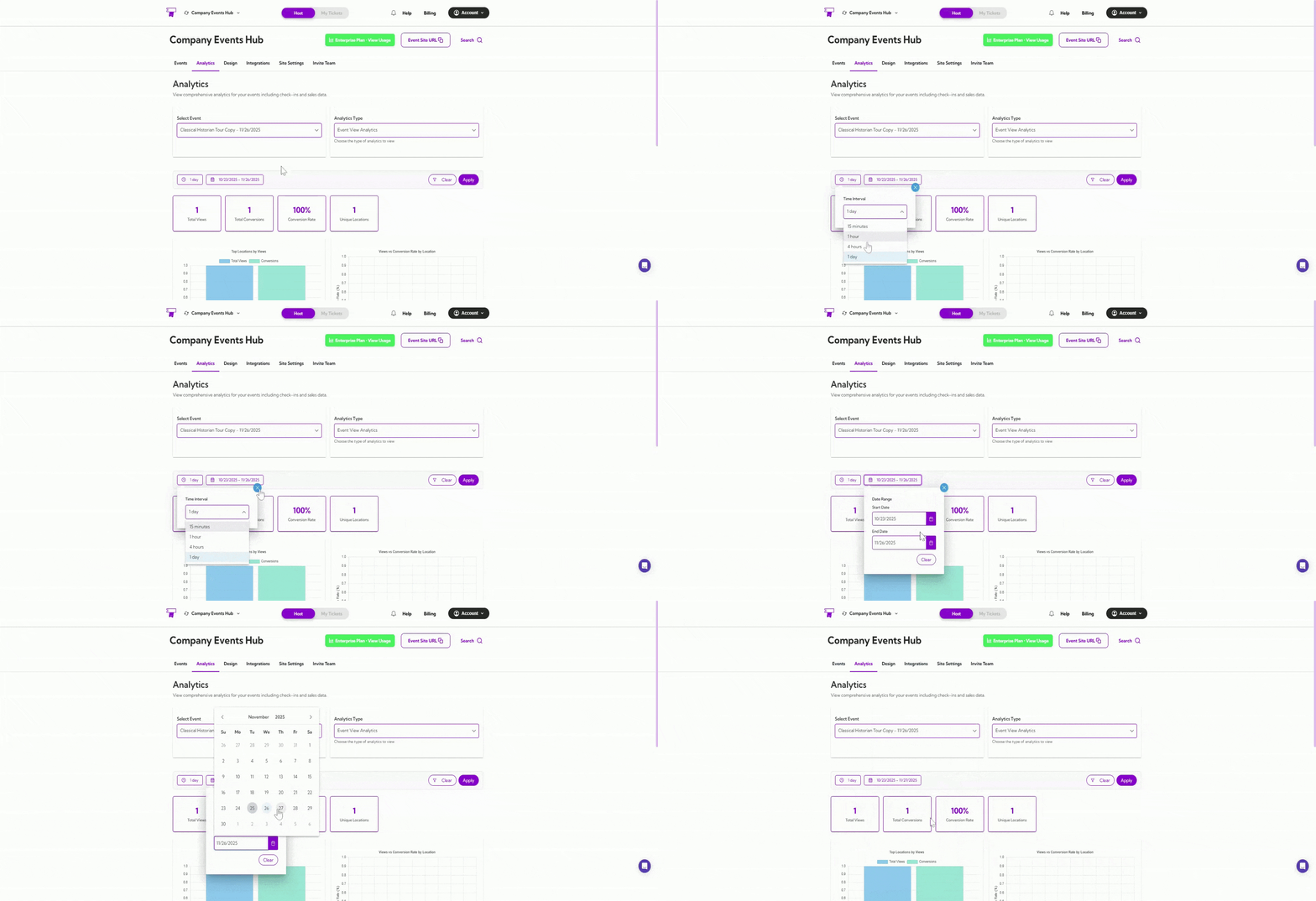
Summary Metrics
Get a quick snapshot of your event’s view performance.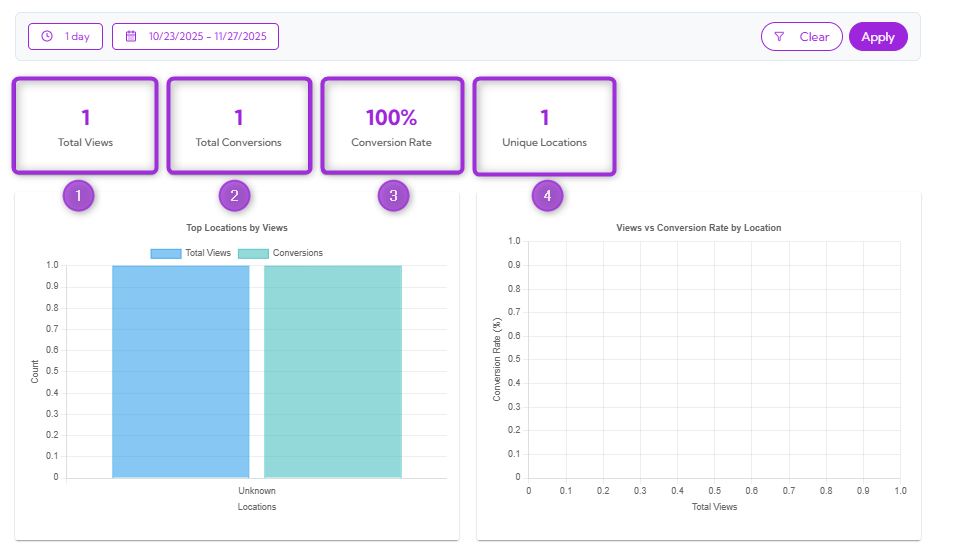
Location Insights Graphs
This section helps you understand how different locations interact with your event page. You can see which regions bring the most views and how those views convert into actions.Top Locations by Views
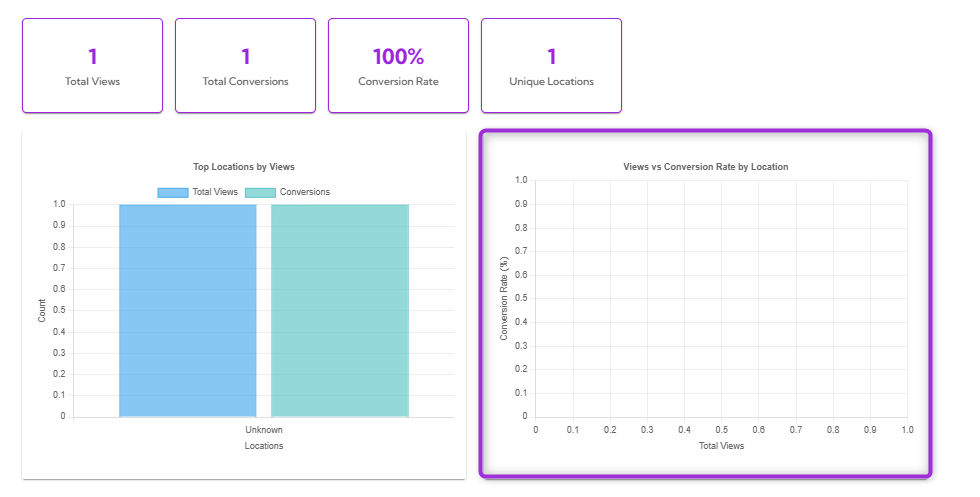
This bar chart shows which locations generate the most views and conversions for your event. The blue bars represent total views, while the green bars show conversions. This helps you quickly spot where your audience is coming from and which regions are performing best.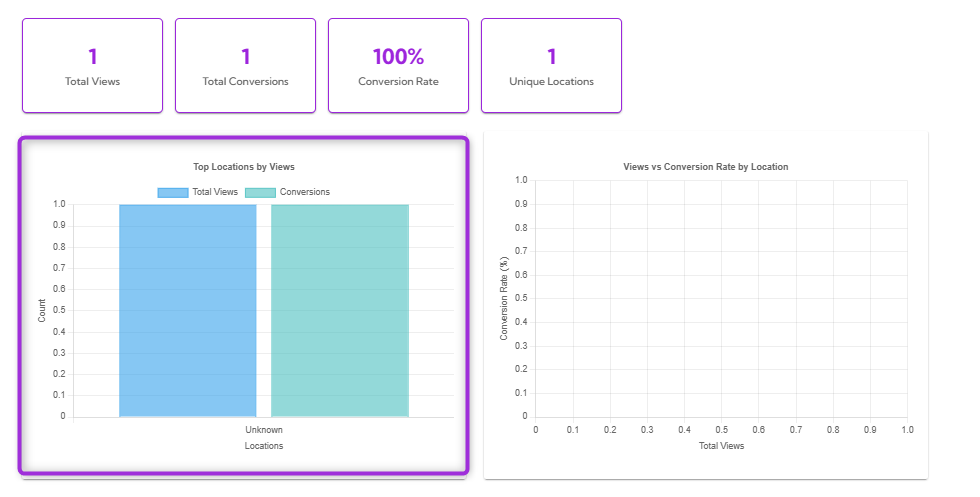
Views vs Conversion Rate by Location
This chart shows how viewer volume compares to conversion performance across different locations. It helps you identify:- Locations with high views
- Locations with strong conversion rates
- Regions that may need more promotion
Performance Insights
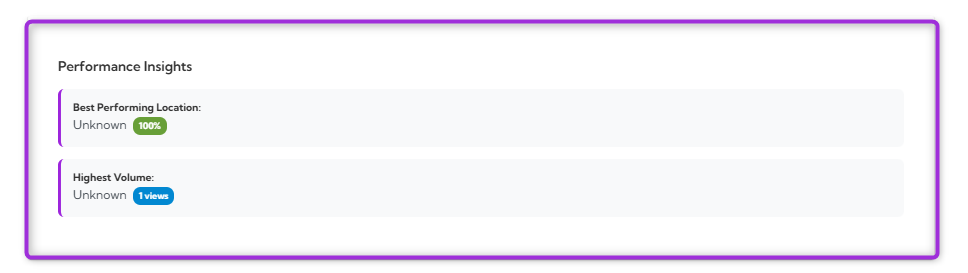
The Performance Insights section highlights:- Best Performing Location — the location with the highest conversion rate.
- Highest Volume — the location with the most total views.
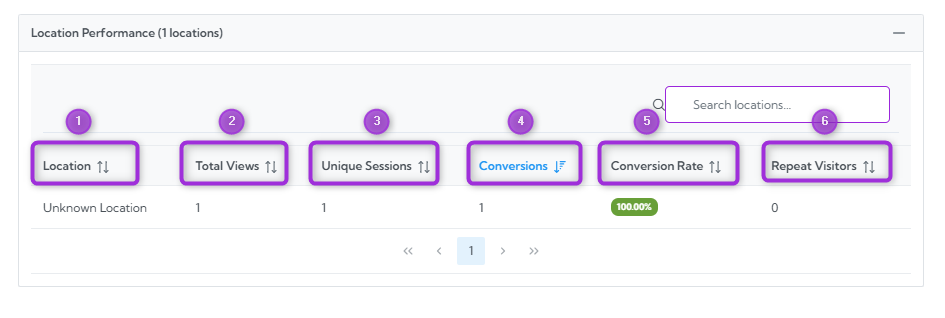
Location Performance Table
Explore detailed performance data for every viewer location.